The lights will turn on again when
you unlock or open the driver’s door.
If you unlock the door, but do not
open it within 15 seconds, the lights
will go off. With the driver’s door
open, you will hear a lights-on
reminder chime.
With the headlight switch off, the
high beam headlights come on with
reduced brightness when you turn
the ignition switch ON (II) and
release the parking brake. They
remain on until you turn the ignition
off, even if you set the parking brake.
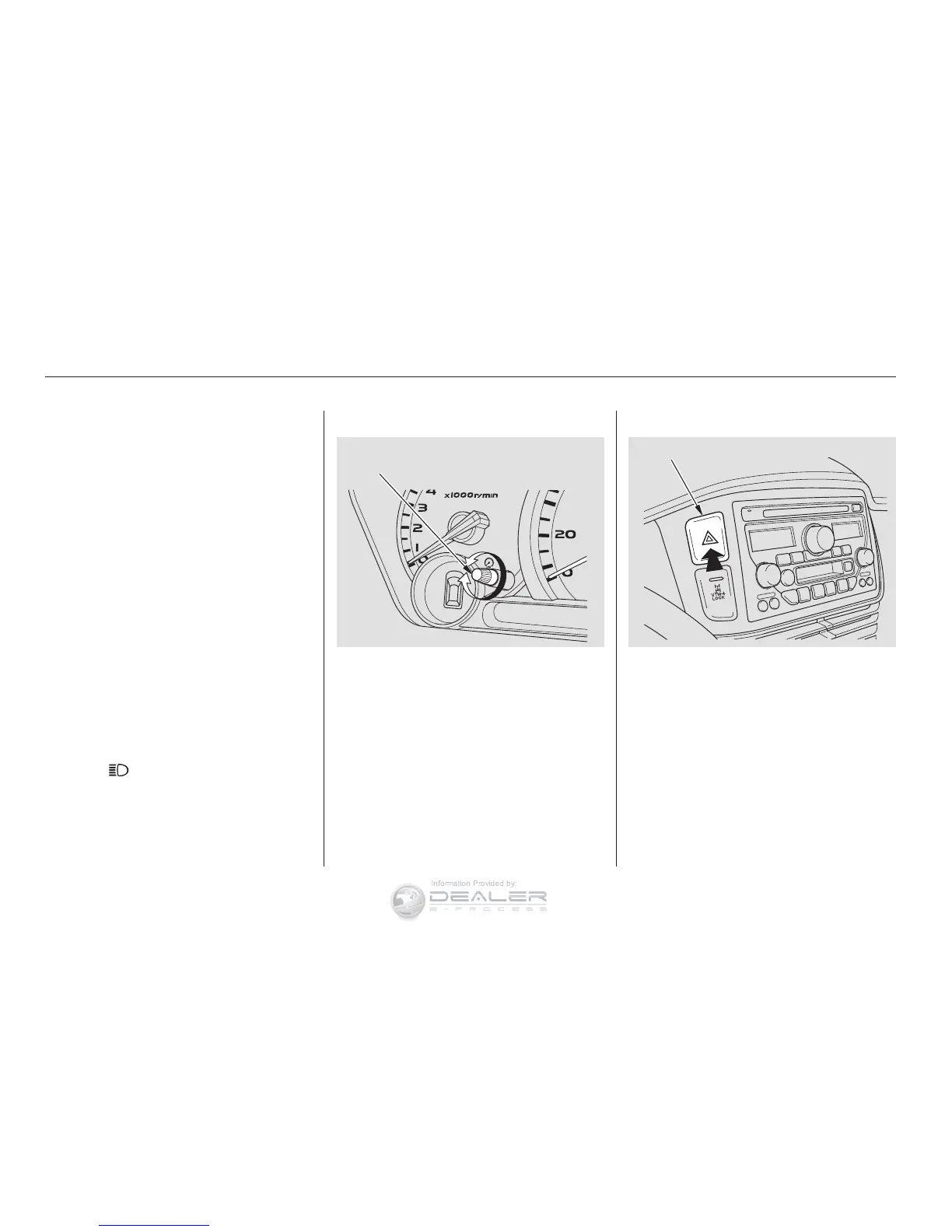
Pushtheredbuttontoturnonthe
hazard warning lights (four-way
flashers). This causes all four
outside turn signals and both
indicators in the instrument panel to
flash. Use the hazard warning lights
if you need to park in a dangerous
area near heavy traffic, or if your
vehicle is disabled.
The knob on the instrument panel
controls the brightness of the instru-
ment panel lights. Turn the knob to
adjust the brightness.
The headlights revert to normal
operation when you turn the switch
to the ‘‘ ’’ position.
Instruments and Controls
(Canadian Models)
Daytime Running Lights
Instrument Panel Brightness Hazard Warning Button
Headlights, Instrument Panel Brightness, Hazard Warning Button
59
INSTRUMENT PANEL BRIGHTNESS
CONTROL KNOB
HAZARD WARNING BUTTON















 To Next Page