uuOperating the Switches Around the Steering WheeluAuto High-Beam System
*
160
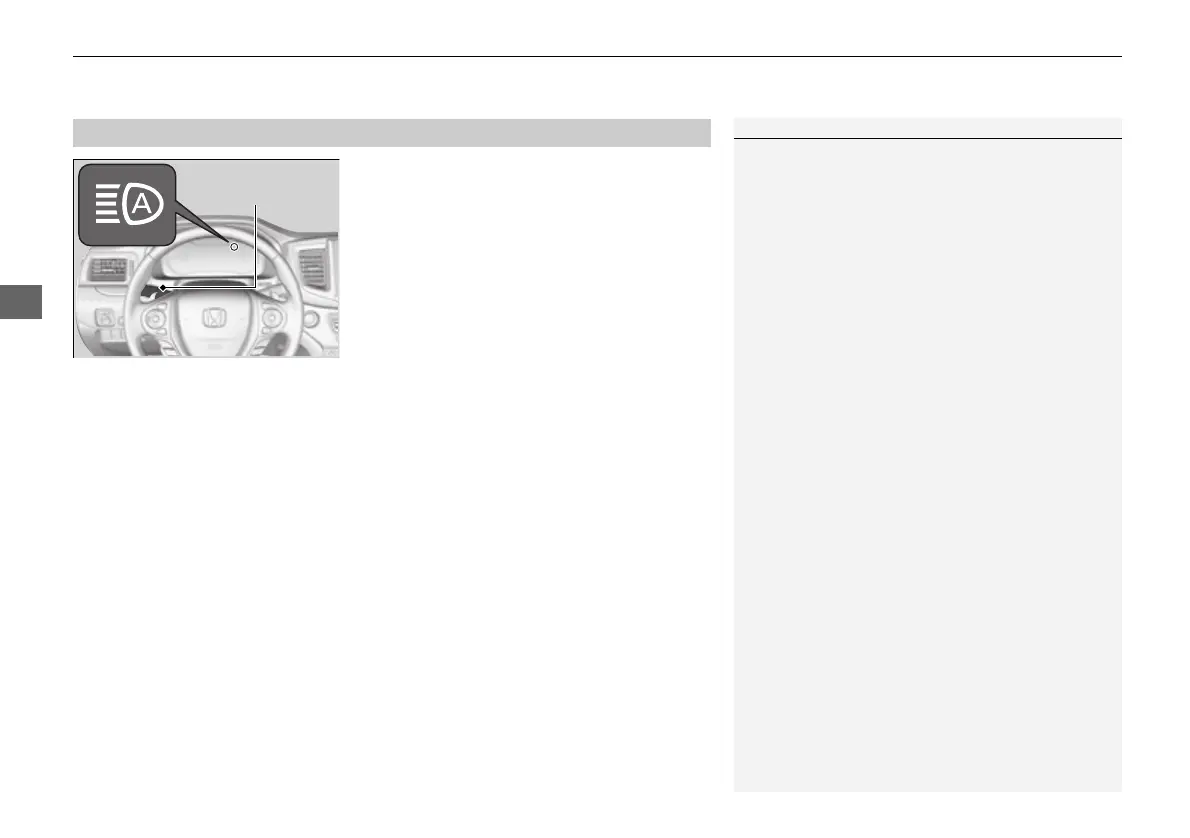
Turn the headlight switch in AUTO and pull
the headlight lever to low beam.
2 Light Switches P. 155
The auto high-beam system indicator comes
on.
■ Temporary cancellation
The auto high-beam system operation is temporarily canceled while:
• You are continuously driving at a speed below 15 mph (24 km/h).
• The vehicle speed is below 6 mph (10 km/h).
• The windshield wipers run at high speed for more than a few seconds.
The system operation resumes once the condition that caused it to cancel improves.
■
To Operate the System
1To Operate the System
For the auto high-beam system to work properly:
• Do not place an object that reflects light on the
dashboard.
• Keep the windshield around the camera clean.
When cleaning the windshield, be careful not to
apply the windshield cleanser to the camera lens.
• Do not attach an object, sticker or film in the area
around the camera.
• Do not touch the camera lens.
If the camera receives a strong impact, or repairing of
the area near the camera is required, consult a dealer.
To help reduce the likelihood that high interior
temperatures will cause the camera system to shut
off, when parking, find a shady area or face the front
of the vehicle away from the sun.
If you use a reflective sun shade, do not allow it to
cover the camera housing. Covering the camera can
concentrate heat on the camera.
16 PILOT-31TG76000.book 160 ページ 2016年10月19日 水曜日 午後5時4分








 To Next Page