uuAudio System Basic OperationuAudio/Information Screen
254
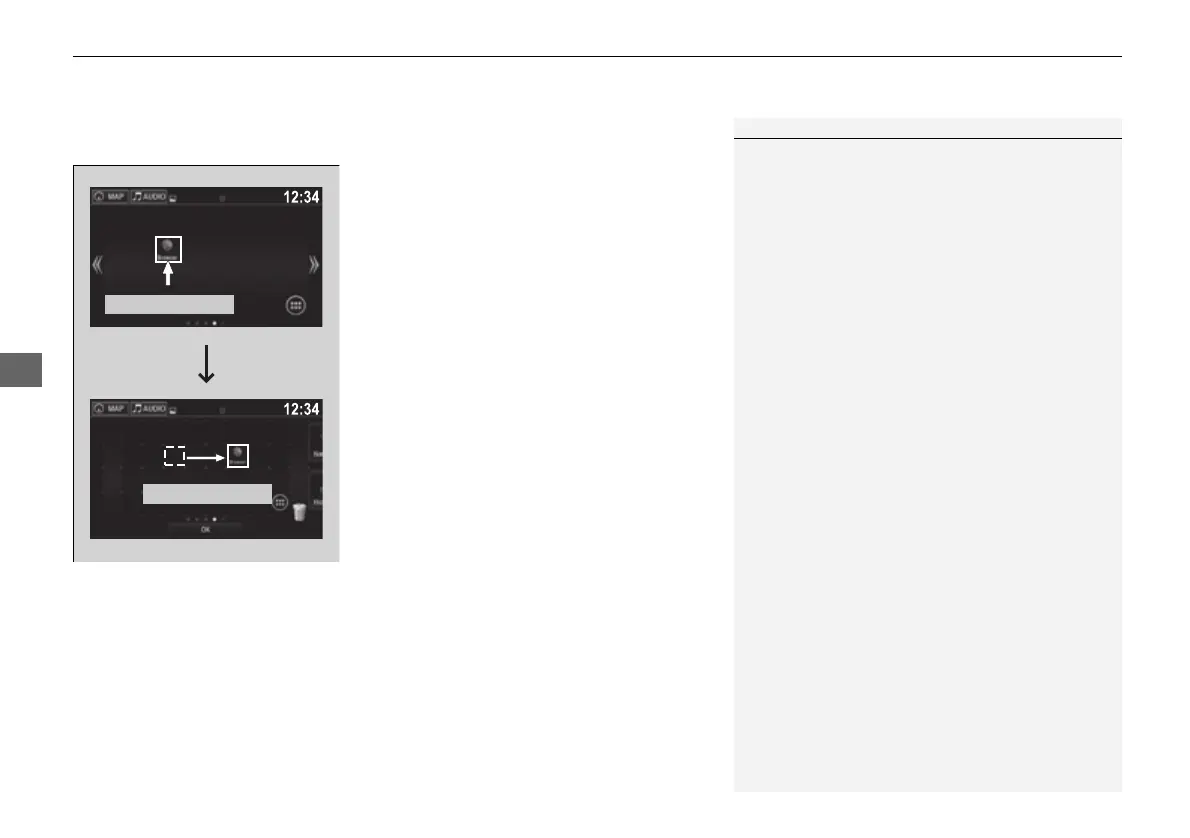
■ To move icons on the home screen
You can change location on the home screen.
1. Select and hold an icon.
u The screen switches to the customization
screen.
2. Drag and drop the icon to where you want
it to be.
3. Select OK.
u The screen will return to the home
screen.
1To move icons on the home screen
You can also move the Phone, Info, Audio,
Settings, Navigation
*
, HondaLink, Aha, and Rear
Audio
*
icons in the same manner.
Select and hold.
Drag and drop.
* Not available on all models
16 PILOT-31TG76000.book 254 ページ 2016年10月19日 水曜日 午後5時4分















 To Next Page