Continued
511
uuWhen DrivinguLane Keeping Assist System (LKAS)
*
The system can be used when the following conditions are met.
• The lane in which you are driving has detectable lane markers on both sides, and
your vehicle is in the center of the lane.
• The vehicle speed is between about 45 and 90 mph (72 and 145 km/h).
• You are driving on a straight or slightly curved road.
• The turn signals are off.
• The brake pedal is not depressed.
• The wipers are not in continuous operation.
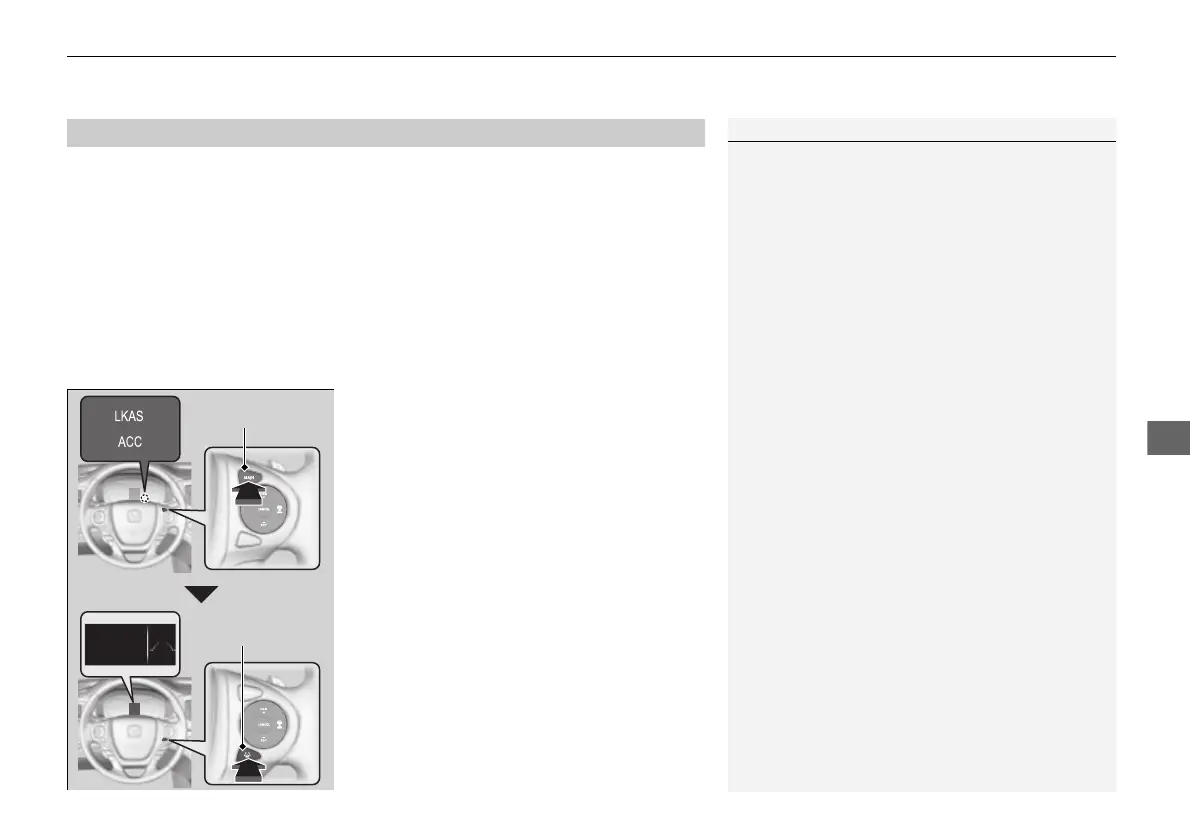
■ How to activate the system
1. Press the MAIN button.
u The ACC and LKAS indicators come on.
The system is ready to use.
2. Press the LKAS button.
u Lane outlines appear on the MID.
The system is activated.
■
When the System can be Used
1Lane Keeping Assist System (LKAS)
*
You can read about handling information for the
camera equipped with this system.
2 Front Sensor Camera
*
P. 491
If the vehicle drifts toward either left or right lane line
due to the system applying torque, turn off the LKAS
and have your vehicle checked by a dealer.
* Not available on all models
16 PILOT-31TG76000.book 511 ページ 2016年10月19日 水曜日 午後5時4分















 To Next Page