© 2005 American Honda Motor Co., Inc. - All Rights Reserved. AII 30529 (0509) 3 of 11
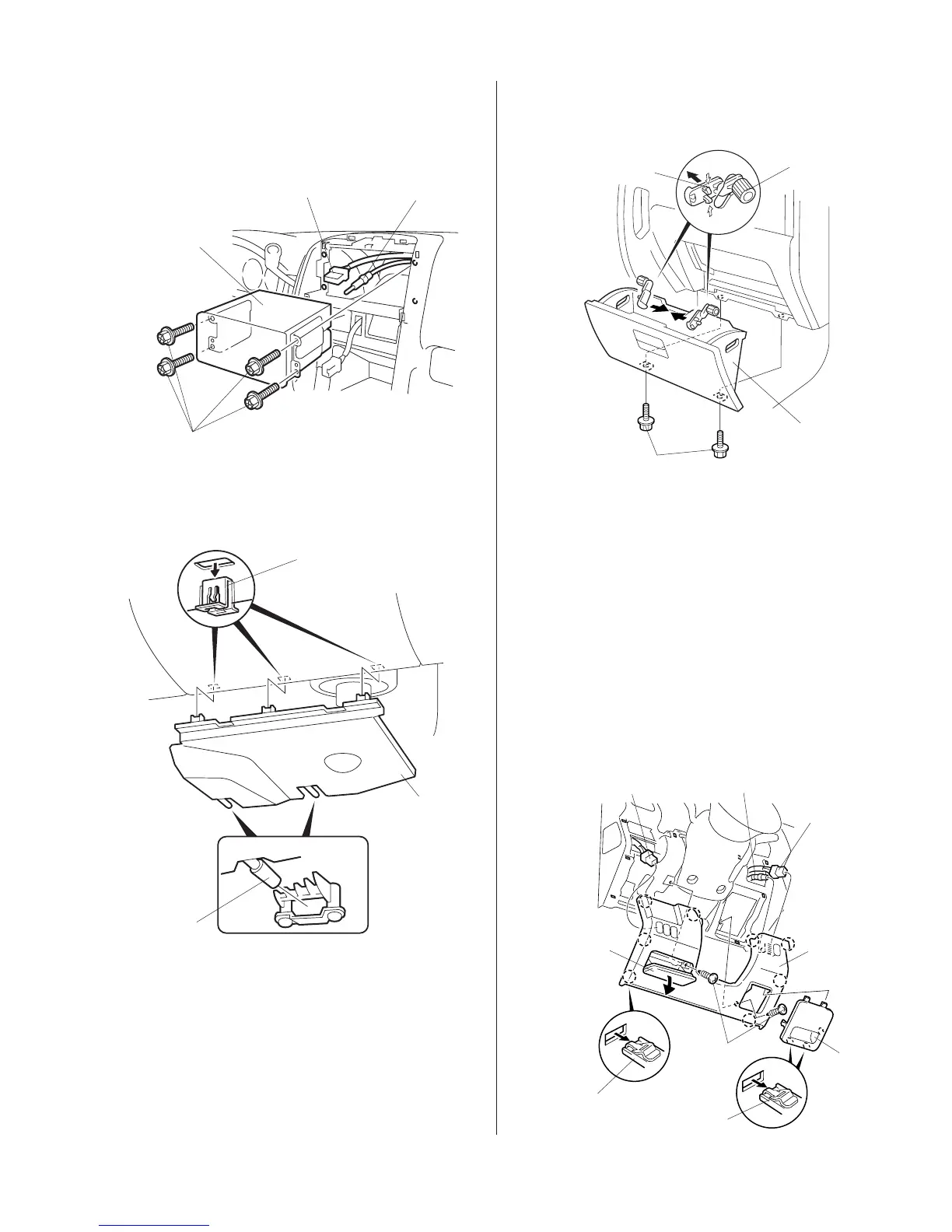
CLIPS (3)
PASSENGER’S
DASHBOARD
UNDER COVER
PINS (2)
8. Remove the passenger’s dashboard under cover
(release the three clips and two pins).
10. Remove the two screws from the bottom of the
glove box, and remove the glove box.
11. Remove the driver’s dashboard lower cover:
• Remove the fuse box cover, and open the
pocket.
• Remove the two self-tapping screws.
• Gently pull out on the dashboard lower cover
to release the eight clips. If equipped, unplug
the vehicle connector(s) and the vehicle hose,
and remove the lower cover.
SCREW
ANTENNA LEAD
VEHICLE
CONNECTOR
AUDIO UNIT
7. Remove the audio unit (four self-tapping screws,
pull the audio unit out toward you, and unplug the
vehicle connector and the antenna lead).
9. Open the glove box. Release the right and left
stoppers by releasing the four tabs.
SCREW
GLOVE BOX
STOPPERS (2)
TABS (4)
CLIP (8)
DRIVER’S
DASHBOARD
LOWER
COVER
SELF-TAPPING
SCREWS
POCKET
VEHICLE
CONNECTOR
(If equipped)
FUSE
BOX
COVER
CLIP (4)
VEHICLE HOSE
VEHICLE
CONNECTOR
(If equipped)







 To Next Page