EasyManua.ls Logo

Honeywell CHRONOTHERM T8600D - User Manual

Honeywell CHRONOTHERM T8600D
28 pages
Print Icon
To Next Page IconTo Next Page
Loading...
PRODUCT DATA
® U.S. Registered Trademark
Copyright © 1997 Honeywell Inc. • • All Rights Reserved
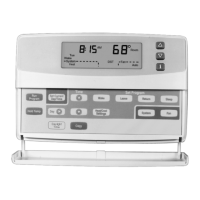
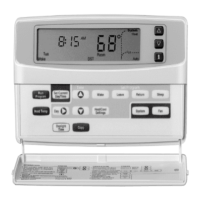
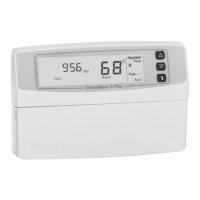
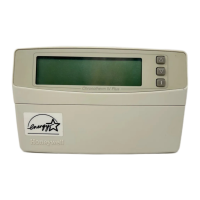
T8600D, T8601D and T8602D
Chronotherm
®
IV Deluxe Programmable
Thermostats
APPLICATION
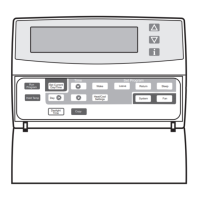
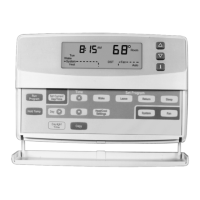
The T8600, T8601 and T8602 Chronotherm® IV Deluxe
Programmable Thermostats provide electronic control of
24 Vac single-stage heating and cooling systems.
T8600/T8601/T8602
FEATURES AND BENEFITS
Full seven-day program capability; different schedules
and temperature setpoints may be selected for
everyday to match the homeowner’s flexible schedule.
Copy key makes programming easier and faster for
the installer and homeowner.
•Daylight Savings Time (DST) key for quick change in
and out of Daylight Savings Time.
Models available with programmable fan operation for
added homeowner comfort.
Easy temporary temperature setpoint changes for
current period, vacation hold (1 to 255 days) or
indefinite hold adds to the homeowner comfort and
energy savings.
Frequently used keys are located by the Liquid Crystal
Display (LCD) for quick and easy access to
information.
Attractive styling complements any decor to the
homeowner’s delight.
Back lighting the large display makes the LCD very
easy to read.
Contents
Application............................................................................. 1
T8600/T8601/T8602 Features and Benefits ......................... 1
Specifications ........................................................................ 2
Ordering Information ............................................................. 2
Installation ............................................................................. 4
Wiring .................................................................................... 4
Settings ................................................................................. 6
Installer Setup ....................................................................... 7
Installer Self-Test................................................................. 10
Thermostat Information ....................................................... 11
Programming....................................................................... 11
Operation ............................................................................ 16
Troubleshooting Guide ........................................................ 17
Cross Reference ................................................................. 19
Wiring Diagrams (Fig. 15-20) .............................................. 24
Models available with outdoor temperature sensor
capability for homeowner convenience. The sensor is
also more accurate than a thermometer.
Configurable features allows one model to be used to
replace many different models (less inventory, no
longer need to carry separate models to get these
features).
°F or °C temperature display;
—Automatic or manual changeover;
Electric or conventional heat fan operation
Adjustable heating cycle rate.
Minimum off time for cooling compressors and heat
pumps protects the equipment and extends the
equipment life.
Easy installation, setup and system test saves
installer time and increases productivity.
Self-test simplifies troubleshooting and saves time by
overriding the time delays.
Adaptive Intelligent Recovery™ control brings the
room temperature to temperature setpoint at the
programmed time, maximizing comfort and energy
savings.
Setpoints are permanently held in memory (no
batteries used) and retained during power outages for
increased installer and homeowner convenience.
•Power stealing, hardwired and battery powered
models available for virtually all equipment and
application needs.
Universal Versaguard™ Thermostat guards available
for added security.

68-0164-1

Questions and Answers

  • D
    Dwayne KleinAug 14, 2025
    Why is my Honeywell Thermostat display not turning on?
    • M
      Maxwell CampbellAug 15, 2025
      If your Honeywell Thermostat display isn't turning on, it might not be getting power. Check for 24 Vac between the R and C or W terminals. If there's no 24 Vac, check if the circuit breaker is tripped and reset it, check if the system fuse is blown and replace the fuse, check if the power switch on the HVAC equipment is in the Off position and set it to the On position, and check the wiring between the thermostat and HVAC equipment, replacing any broken wires and tightening any loose connections. If 24 Vac is present, proceed with troubleshooting.
  • J
    Joshua NguyenAug 25, 2025
    Why won't my Honeywell Thermostat temperature settings change?
    • M
      Melissa StewartAug 25, 2025
      If you're unable to change the temperature settings on your Honeywell Thermostat, it could be due to a couple of reasons. The upper or lower temperature limits might have been reached. Check the temperature setpoints, noting that heating limits are 40 to 90°F (4.5 to 32°C) and cooling limits are 45 to 99°F (7 to 35°C), except for D model cooling limits, which are 48 to 99°F. Alternatively, the setpoint temperature range stops may have been configured. Check Installer Setup numbers 34 and 35 and reconfigure the setpoint stops.
  • K
    Katelyn PerezAug 28, 2025
    How to fix incorrect temperature display on Honeywell Thermostat?
    • B
      Bailey JacksonAug 28, 2025
      If your Honeywell Thermostat's temperature display is incorrect, it might need reconfiguration. It is possible that room temperature display has been reconfigured, so enter Installer Setup number 37 and reconfigure the display. Also, if the thermostat is configured for °F or °C display, enter Installer Setup number 14 and reconfigure the display. Finally, the thermostat location might be bad, so relocate the thermostat.
  • D
    dpaulAug 31, 2025
    What causes Honeywell CHRONOTHERM T8600D to turn on and off quickly?
    • G
      Gene GarnerAug 31, 2025
      If your Honeywell Thermostat's heating or cooling comes on momentarily and then shuts off, the heat or cool circuit might be opening up or becoming high impedance. To resolve this, add a resistor in parallel with the load or install an interface relay.
  • K
    Kenneth Woods MDSep 4, 2025
    Why is my Honeywell CHRONOTHERM T8600D showing the heat/cool indicator but no air is coming out?
    • A
      Andre Boyd Jr.Sep 4, 2025
      If your Honeywell Thermostat displays the system on indicator (flame for heat, snowflake for cool) but no warm or cool air comes from the registers, the fan operation might be set incorrectly. If it's set for 0 (conventional heat) when it should be set for 1 (electric heat), enter Installer Setup number 2 and reconfigure the fan operation. If you have conventional heating equipment, it turns on the fan when the furnace has warmed up to a setpoint, so wait a minute after seeing the on indicator and then check the registers. It's also possible that the heating or cooling equipment is not operating, so verify the operation of the heating or cooling equipment in self-test.
  • T
    Tonya FlowersSep 7, 2025
    Why is the outdoor temperature not displayed on my Honeywell CHRONOTHERM T8600D?
    • K
      Kristen ChenSep 7, 2025
      If the outdoor temperature is not displayed on your Honeywell Thermostat, the option might not be activated. Enter Installer Setup number 24 and set it to 1. Note that your thermostat must have OT terminals and a C7089B1000 sensor installed.
  • B
    barrysusanSep 12, 2025
    Why is the outdoor temperature display incorrect on my Honeywell CHRONOTHERM T8600D Thermostat?
    • C
      Chelsea GarnerSep 12, 2025
      If the outdoor temperature display is incorrect on your Honeywell Thermostat, the outdoor sensor might be connected incorrectly. Refer to the C7089B1000 installation instructions and check the wiring between the thermostat and the sensor. Alternatively, you might have the wrong sensor; replace it with a C7089B1000 sensor.
  • L
    lopezjeremiahNov 17, 2025
    Why is my Honeywell CHRONOTHERM T8600D not heating?
    • M
      Matthew JonesNov 17, 2025
      If your Honeywell Thermostat isn't heating, there could be several reasons. First, check that the setpoint is above room temperature and that there is power to the thermostat by checking for 24 Vac between the R and C or W terminals. If there's no 24 Vac, check if the circuit breaker is tripped and reset it, check if the system fuse is blown and replace the fuse, check if the power switch on the HVAC equipment is in the Off position and set it to the On position, and check the wiring between the thermostat and HVAC equipment, replacing any broken wires and tightening any loose connections. Also, the thermostat minimum off time might be activated, so wait up to five minutes for the system to respond. Ensure the system selection is set to Heat, and the heating setpoint is above room temperat...
  • M
    Mr. Anthony DillonNov 20, 2025
    What to do if my Honeywell CHRONOTHERM T8600D is not cooling?
    • J
      Jessica ManningNov 20, 2025
      If your Honeywell Thermostat isn't cooling, several factors could be at play. Ensure there is power to the thermostat by checking for 24 Vac between R or RC and C or Y terminals (D models require power to R at all times). If there's no 24 Vac, check if the circuit breaker is tripped and reset it, check if the system fuse is blown and replace the fuse, check if the power switch on the HVAC equipment is in the Off position and set it to the On position, and check the wiring between the thermostat and HVAC equipment, replacing any broken wires and tightening any loose connections. The thermostat minimum off time might be activated; wait up to five minutes for the system to respond. You can also enter Installer Setup number 33 to reconfigure the minimum off time if needed. Make sure the system...

Summary

Features and Benefits

Specifications

Installation Guide

Wiring Instructions

Instructions and considerations for wiring the thermostat to HVAC systems.

Settings and Configuration

Installer Setup

Detailed guide for installer-configurable settings and their factory defaults.

Installer Setup Options

Installer System Test

Programming Your Thermostat

Setting Current Day and Time

Procedure for correctly setting the current day and time on the thermostat.

Programming the First Day

Guide to setting the initial wake time and temperature for the first day.

Temperature Adjustment Procedures

Guide to setting temporary, indefinite, or designated period temperature holds.

Operation

P+I Control Explained

Explanation of the Proportional Plus Integral (P+I) temperature control algorithm.

Thermostat Operation

Troubleshooting Guide

Wiring Diagrams

Honeywell CHRONOTHERM T8600D Specifications

General IconGeneral
BrandHoneywell
ModelCHRONOTHERM T8600D
CategoryThermostat
LanguageEnglish

Related product manuals