EasyManua.ls Logo

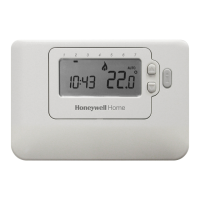
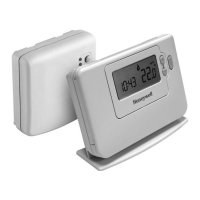
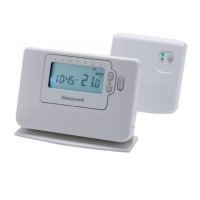
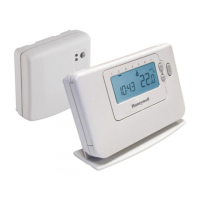
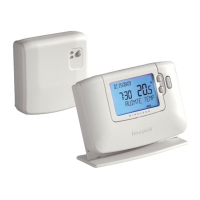
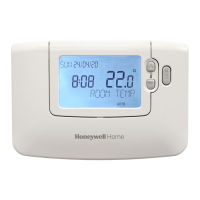
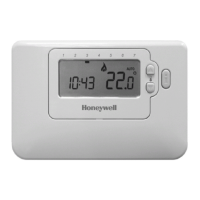
Honeywell CM707 - User Manual

Honeywell CM707
16 pages
Print Icon
To Next Page IconTo Next Page
Loading...
AUTO
1 2 3 4 5 6 7
CM701 ..................................2-6
CM707 ................................7-11
USER GUIDE

Other manuals for Honeywell CM707

Questions and Answers

  • J
    Jason WestJul 26, 2025
    How to fix a Honeywell Thermostat with a blank display?
    • W
      Wendy AlexanderJul 27, 2025
      If your Honeywell Thermostat has a blank display, it indicates a power loss. Check that the batteries are installed correctly by removing the battery cover and ensuring they are in the correct orientation. If they are not, correct their position. If they are correctly installed, try replacing the batteries.
  • A
    Amanda BrewerJul 31, 2025
    What to do if my Honeywell Thermostat displays 'SERVICE'?
    • R
      Robert TuckerAug 1, 2025
      If your Honeywell Thermostat displays the word 'SERVICE', it means your installer has set a scheduled maintenance alert. You should call your installer to arrange a maintenance visit.
  • W
    william23Aug 5, 2025
    What to do if my Honeywell CM707 display shows a symbol?
    • M
      Mark ChapmanAug 5, 2025
      If your Honeywell Thermostat displays a symbol indicating a fault in your heating system, first remove and re-insert the batteries. If the symbol persists after a few minutes, it's best to contact your installer for further assistance.
  • R
    Ricky HoltAug 10, 2025
    Why is my Honeywell Thermostat display flashing?
    • C
      Crystal BryantAug 11, 2025
      If your Honeywell Thermostat display shows a flashing symbol, it typically means the batteries are low. Replace the batteries to resolve this issue.
  • K
    Kenneth PerryAug 15, 2025
    What to do if my Honeywell CM707 Thermostat display shows the word ‘SERVICE’?
    • M
      Mrs. Angela JonesAug 15, 2025
      If your Honeywell Thermostat displays the word ‘SERVICE’, it indicates that a maintenance visit is required. Contact your installer to arrange this.
  • W
    William PetersonAug 20, 2025
    Why does my Honeywell CM707 display a flashing symbol?
    • K
      Kaitlin CastanedaAug 20, 2025
      If your Honeywell Thermostat displays a flashing symbol, this indicates that the batteries are low on power. Replace the batteries to resolve this issue.

Summary

Setting Up the CM701

CM701: Installing the Batteries

Instructions for installing batteries.

CM701: Setting the Date and Time

Guide to setting the date and time on the thermostat.

CM701: Running the Built-in Heating Program

Steps to start the thermostat's heating program.

Programming the CM701

CM701: Modifying the Heating Program

Step-by-step guide to changing program times and temperatures.

Operating the CM701

CM701: Choosing the Operating Mode

Explains AUTO, MAN, and OFF modes.

CM701: Temperature Override

How to manually adjust the temperature temporarily.

CM701 Special Features

CM701: Optimum Start

Feature that optimizes heating start times for comfort and energy saving.

CM707 Troubleshooting and FAQs

CM707: Troubleshooting Symptoms and Remedies

Common issues and their solutions for the CM707.

CM707: FAQs on Battery Replacement and Temperature Setting

Answers common user questions about batteries and temperature.

Setting Up the CM707

CM707: Installing the Batteries

Instructions for installing batteries.

CM707: Setting the Date and Time

Guide to setting the date and time on the thermostat.

CM707: Running the Built-in Heating Program

Steps to start the thermostat's heating program.

Programming the CM707

Operating the CM707

Honeywell CM707 Specifications

General IconGeneral
TypeProgrammable Thermostat
DisplayLCD
Power Source2 x AA batteries
Temperature Range5°C to 35°C
MountingWall-mounted
Contact TypeSPDT
Temperature DisplayYes
Frost ProtectionYes
Holiday FunctionYes
Programming7-day
Control ModeTPI (Time Proportional Integral)
Voltage24-230V AC
Switching Current3A (resistive)

Related product manuals