EasyManua.ls Logo

Honeywell CM900 - User Manual

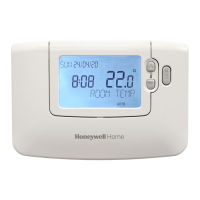
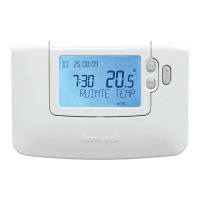
Honeywell CM900
13 pages
Print Icon
To Next Page IconTo Next Page
Loading...
ECO AND DATE
PART NUMBER
DRAWN
MKTINGARTWORK DESCRIPTION
DRAWING DETAILS
SIZE AND FOLDING
MATERIAL
PRINTING
SEE FOLLOWING PAGES FOR COLOUR DESIGNATION. ALL PRINTING MUST BE
CLEAR, FREE OF SMUDGES AND MULTI COLOUR PRINT PROPERLY REGISTERED
SPECIAL INSTRUCTIONS
ISS
DATE
DO NOT INCLUDE THIS PAGE IN THE PRINTING
Folding Sequence Finished Size
42011076-003
CM900 RF INSTALLATION GUIDE (UK - English)
0024168 08/06
MF BM
A3 A4 A5 A6 A7 OTHER
SIZE WHEN PRINTED x BOOKLET
SIZE WHEN FOLDED x
CARTRIDGE x
MATT ART
WEIGHT 70g 80g 100g 115g 150g OTHER
x
SINGLE SIDE
DOUBLE SIDE x
ONE COLOUR TWO COLOUR THREE COLOUR FULL COLOUR
x BLACK
R2
08/06
BackFront
105mm
148mm
12 page A5 saddle stitched booklet
folded to A6
Part Number
xxxxxxxxxx
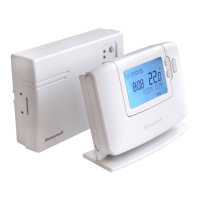
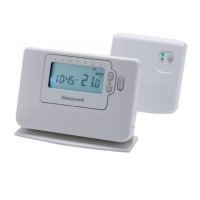
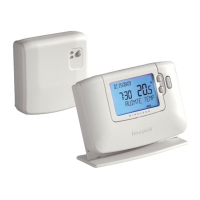
CM900 RF
Installation Guide

Questions and Answers

  • G
    Gerald McfarlandJul 26, 2025
    What to do if Honeywell Thermostat receiver box does not react to setpoint changes?
    • A
      Adam EllisJul 26, 2025
      If the receiver box isn't responding to temperature adjustments on the thermostat, the thermostat and receiver box might not be properly connected. Reset the receiver box by holding the push button for 15 seconds. After that, you will need to follow the binding procedure.
  • C
    connie85Jul 30, 2025
    Why is the red LED on my Honeywell Thermostat Relay Box illuminated?
    • S
      sheri23Jul 30, 2025
      If the red LED on your Honeywell Thermostat Relay Box is illuminated, it means communication has been lost. This can happen if the Relay Box isn't receiving RF messages from the thermostat, often because the RF signal is blocked due to the thermostat's location, or the thermostat batteries are dead. Try relocating the thermostat, following the instructions in section 2, or replace the batteries in the thermostat.
  • J
    Jonathan HebertAug 3, 2025
    What to do if Honeywell CM900 Relay Box does not react to setpoint changes?
    • W
      Wesley RodriguezAug 3, 2025
      If your Honeywell Thermostat's Relay Box isn't reacting to temperature adjustments made on the thermostat, it could be that the thermostat and Relay Box aren't properly connected. Try resetting the Relay Box by holding the push button for 15 seconds. Then, redo the binding procedure as detailed in section 5.
  • D
    Daniel CollinsAug 8, 2025
    Why is the red LED on and the green one flashing after binding my Honeywell Thermostat?
    • B
      brittanyjohnsonAug 8, 2025
      If, after binding your Honeywell Thermostat, the red LED remains on and the green LED flashes every 3 seconds on the Relay Box, it indicates an incorrect or incomplete binding process, possibly due to the thermostat's position during binding. Repeat the binding procedure, ensuring the thermostat is approximately 1 meter away from the Relay Box.
  • B
    brian03Aug 12, 2025
    Why is the red LED on my Honeywell CM900 Thermostat receiver box illuminated?
    • J
      John AshleyAug 12, 2025
      The red LED indicates a loss of communication. This happens when the receiver box isn't getting radio frequency (RF) signals from the thermostat, possibly because the RF signal is blocked due to the thermostat's location or the thermostat batteries are dead. Try relocating the thermostat, or replace the batteries.
  • E
    Ebony DavenportAug 16, 2025
    How to fix red LED on after binding procedure on Honeywell Thermostat?
    • G
      George NelsonAug 16, 2025
      If the red LED is on and the green one flashes every 3 seconds after binding, the binding procedure was probably done incorrectly, or the thermostat was too far away during binding. Repeat the binding procedure, keeping the thermostat about 1 meter away from the receiver box.
  • M
    Mrs. Sylvia Smith MDAug 20, 2025
    What to do if Honeywell CM900 Thermostat displays a symbol, but the receiver box relay doesn't switch on?
    • T
      Taylor LewisAug 20, 2025
      If the thermostat shows a symbol but the receiver box relay isn't activating, adjust the temperature setpoint by a few degrees using the button. The receiver box should activate the relay after a short delay.

Summary

Installation Information

Installing the CM900 Wireless System

Installing the Receiver Box

Details the steps for installing the receiver box, including placement and wiring for different boiler types.

Installing the Room Thermostat

Guides through powering up the thermostat and performing an RF communication check.

System Check

Details how to verify the complete system installation is correct after setup.

Basic Operation of the System

Automatic Operation

Explains how the receiver box manages heat demand based on thermostat signals.

Temporary Manual Override

Describes how to manually override the system and its return to automatic control.

Communication Loss

Covers what happens during communication loss and the receiver box failsafe mode.

Installer Mode

Entering Installer Mode

Details the procedure for accessing and navigating the installer settings menu.

HC60 NG Receiver Box Fail-Safe Mode Setup

Configures the receiver box behavior during loss of RF communication.

Using the Room Thermostat for Specific Applications

Lists settings for different heating/cooling applications like boilers and zone valves.

Using the Special Features of the Room Thermostat

Explains features like optimisation, heating/cooling modes, and temperature offsets.

Installer Parameters Table

Provides detailed tables for category 1 (Room Thermostat) and category 2 (System) settings.

Additional Installation Information

Binding; Rebinding Procedure

Explains the process for pairing or re-pairing system components.

Multi-Zone System

Discusses compatibility and setup for multi-zone heating systems.

Trouble Shooting

Trouble Shooting Guide

Lists common symptoms, possible causes, and remedies for installation issues.

Diagnostic Mode

Details how to access diagnostic information and model details.

Honeywell CM900 Specifications

General IconGeneral
BrandHoneywell
ModelCM900
CategoryThermostat
LanguageEnglish

Related product manuals