EasyManua.ls Logo

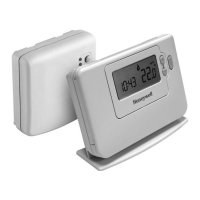
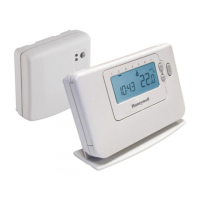
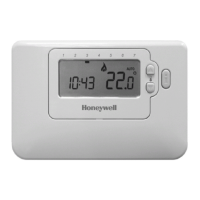
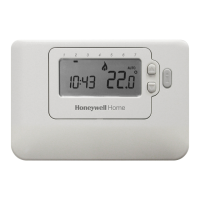
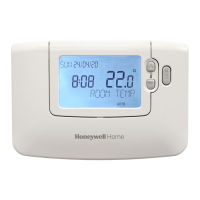
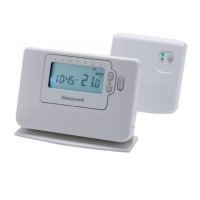
Honeywell CM727 - User Manual

Honeywell CM727
16 pages
Print Icon
To Next Page IconTo Next Page
Loading...
1
CM721 ..................................2-6
CM727 ................................7-11
USER GUIDE
This is a legacy product document
supported by Resideo. It is no
longer manufactured

Other manuals for Honeywell CM727

Questions and Answers

  • B
    Brent Edwards DVMJul 30, 2025
    Why is the red LED on my Honeywell CM727 Thermostat relay box illuminated?
    • D
      donnamarshallJul 30, 2025
      The red LED on the relay box illuminates because it's not receiving radio frequency (RF) signals from the room thermostat. This could be due to the thermostat being in a location where the RF signal is blocked, or because the thermostat batteries are dead. Try relocating the room thermostat as per the installation instructions or replace the batteries in the room thermostat.
  • D
    Donald AlvarezAug 3, 2025
    What to do if my Honeywell CM727 Thermostat relay box doesn't react to setpoint changes?
    • F
      Frances BrownAug 3, 2025
      If the relay box isn't responding to setpoint changes from the room thermostat, it's likely that the thermostat and relay box aren't properly connected. You should reset the relay box by holding the push button for 15 seconds. Then, follow the binding procedure as described in section 5) Additional Installation Information.
  • B
    btranAug 7, 2025
    What to do if the red LED is on and the green one is flashing after binding Honeywell Thermostat?
    • E
      Eduardo YoungAug 8, 2025
      If, after binding, the red LED is on and the green one flashes every 3 seconds on the relay box, it indicates an incorrect or incomplete binding procedure, or the thermostat was incorrectly positioned during binding. Repeat the binding procedure, ensuring the room thermostat is approximately 1 meter away from the relay box.
  • S
    Susan McdanielAug 12, 2025
    How to make the Honeywell CM727 relay switch on if it only displays the symbol?
    • J
      Julie BrockAug 12, 2025
      When the room thermostat displays the symbol, it's normal for the relay not to immediately switch on. To activate it, adjust the temperature setpoint by a few degrees using the button. The relay box should then switch on after a short delay.
  • B
    Bonnie BrownAug 16, 2025
    What to do if the Honeywell CM727 relay box does not react to setpoint changes?
    • M
      Meghan JenkinsAug 16, 2025
      If the relay box isn't responding to setpoint changes on the room thermostat, it's likely that the room thermostat and relay box aren't properly bound. Reset the relay box by pressing and holding the push button for 15 seconds, then follow the binding procedure as described in section 5) Additional Installation Information.
  • K
    Karen ContrerasAug 20, 2025
    What to do if the Honeywell CM727 relay box red LED is on and the green one is flashing after binding?
    • T
      Tonya WestAug 20, 2025
      If, after binding, the red LED is on and the green one is flashing once every 3 seconds on the relay box, it indicates an incorrect or incomplete binding procedure, or an incorrect thermostat position during binding. Repeat the binding procedure, keeping approximately 1 meter distance between the relay box and the room thermostat.
  • P
    Patricia ReedAug 25, 2025
    How to fix a Honeywell Thermostat when the symbol is displayed but the relay doesn't switch on?
    • K
      Kim BradleyAug 26, 2025
      If the room thermostat displays the symbol but the relay box relay doesn't switch on, try changing the temperature setpoint by a few degrees using the button. The relay box should switch the relay on after a few seconds delay. Also, this can be normal operation. The relay box cycles the relay on and off for times proportional to the demand signal (0-100%) from the room thermostat. The symbol only indicates that the demand value is greater than 0%.

Summary

Setting Up the CM721 Thermostat

Installing the Batteries

Guide to inserting batteries into the thermostat for initial power-up and operation.

Setting the Date and Time

Instructions for configuring the thermostat's current date and time for accurate scheduling.

Running the Built-in Heating Program

How to start the pre-set heating schedule after initial setup.

Programming the CM721 Thermostat

Reviewing the Heating Program

Steps to view the existing heating schedule periods and temperatures.

Modifying the Heating Program

Guide on how to change time and temperature settings for daily heating periods.

Disabling or Enabling Time Periods

Instructions for removing or re-adding specific programmed time periods.

Operating the CM721 Thermostat

Choosing the Operating Mode

Selecting between Automatic, Manual, or Off modes for thermostat control.

Temperature Enquiry

How to check the target temperature the thermostat is trying to maintain.

Temperature Override

Manually adjusting the temperature temporarily without changing the program.

Adjusting the Time

Procedure for changing the thermostat's current time display.

SERVICE Indicator

Explanation of the 'SERVICE' indicator and its meaning for maintenance.

Setting Up the CM727 Thermostat

Installing the Batteries

Guide to inserting batteries into the thermostat for initial power-up and operation.

Setting the Date and Time

Instructions for configuring the thermostat's current date and time for accurate scheduling.

Running the Built-in Heating Program

How to start the pre-set heating schedule after initial setup.

Programming the CM727 Thermostat

Reviewing the Heating Program

Steps to view the existing heating schedule periods and temperatures for each day.

Modifying the Heating Program

Guide on how to change time and temperature settings for daily heating periods.

Disabling or Enabling Time Periods

Instructions for removing or re-adding specific programmed time periods.

Operating the CM727 Thermostat

Choosing the Operating Mode

Selecting between Automatic, Manual, or Off modes for thermostat control.

Temperature Enquiry

How to check the target temperature the thermostat is trying to maintain.

Temperature Override

Manually adjusting the temperature temporarily without changing the program.

Adjusting the Time

Procedure for changing the thermostat's current time display.

HOLIDAY Function

Setting a constant temperature for a specified duration when away from home.

Honeywell CM727 Specifications

General IconGeneral
BrandHoneywell
ModelCM727
CategoryThermostat
LanguageEnglish

Related product manuals