EasyManua.ls Logo

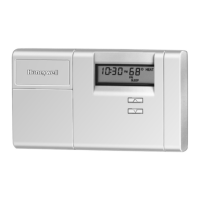
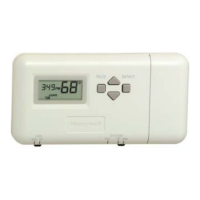
Honeywell CT3451 - User Manual

Honeywell CT3451
12 pages
Print Icon
To Next Page IconTo Next Page
Loading...
® U.S. Registered Trademark
Copyright © 2003 Honeywell • •All Rights Reserved
OWNER’S GUIDE
69-1620-1
CT3451
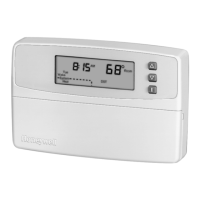
Programmable Thermostat
Programmable Heat and/or Cool
Low Voltage (20 to 30 Vac) Thermostat and Wallplate
Congratulations on the purchase of your new thermostat!
More than 100 years of Honeywell engineering produced
this thermostat that can provide you with a more
comfortable and convenient living environment.
Your new thermostat automatically controls the
temperature in your home, keeping you comfortable
while saving energy when programmed according to
these instructions.
Direct questions about this thermostat to our Web site at
www.honeywell.com/yourhome or call the customer
information line at 1-800-468-1502.
MERCURY NOTICE
If this control is replacing a control that contains
mercury in a sealed tube, do not place your old
control in the trash. Dispose of it properly.
Contact your local waste management authority
for instructions regarding recycling and the
proper disposal of an old control.
1 PREPARE FOR INSTALLATION
Check Table 1 to make sure this thermostat is
compatible with your system. If not, return it to the
retailer.
Acquire tools and items, as needed. See Fig. 1.
Fig. 1. Required installation tools/supplies.
M10614
MERCUR
Y
SWITCH
T
YPICAL LOCATION OF A MERCURY
S
WITCH IN A THERMOSTAT
M20551
SCREWDRIVER
HAND OR POWER
DRILL WITH 3/16 INCH
DRILL BIT, IF NEEDED TO
DRILL HOLES IN WALL
WIRE CUTTER/STRIPPER IF NEEDED TO STRIP WIRES
LEVEL, IF NEEDED TO LEVEL
THERMOSTAT FOR APPEARANCE

Questions and Answers

  • J
    Jennifer PatelAug 17, 2025
    Why is my Honeywell CT3451 heating not working?
    • B
      Brittany EdwardsAug 17, 2025
      If the heating system isn't turning on, there are several things you can check. First, ensure that the System switch is set to Heat. Also, check the system fuse or circuit breaker and replace or reset it if necessary. Verify the wiring is correct and the connections are secure. If the display is blank or shows “bAtLo,” install fresh batteries. Allow some time for the furnace to heat up and the fan to activate before checking for heat at the register. If the temperature setting is higher than the current room temperature and the flame is displaying, the thermostat is operating correctly; in this case, you should contact a heating contractor for assistance.
  • J
    John LeachAug 20, 2025
    Why is my Honeywell CT3451 Thermostat cooling not working?
    • C
      Christopher LindseyAug 20, 2025
      If your cooling system isn't turning on, start by checking that the System switch is set to Cool. Then, inspect the system fuse or circuit breaker, replacing or resetting it if needed. Ensure the wiring is correctly connected and secure. If the display is blank or displays “bAtLo,” install fresh batteries. Note that the thermostat has a built-in time delay on cooling, so allow five to ten minutes after changing the setting before the air conditioner starts. If the temperature setting is lower than the current room temperature and the snowflake icon is displayed, the thermostat is operating correctly. If problems persist, contact an air conditioning contractor.
  • T
    timothy63Aug 23, 2025
    How to fix a Honeywell CT3451 when the display does not come on?
    • Q
      qhuntAug 23, 2025
      If the display on your Honeywell Thermostat doesn't come on, ensure that the batteries are fresh and installed correctly.
  • K
    Kevin YoungAug 26, 2025
    Why does my Honeywell CT3451 Thermostat temperature change at the wrong time?
    • T
      Thomas BatesAug 26, 2025
      If the temperature changes on your Honeywell Thermostat are occurring at the wrong time, check the program times for the affected period. Ensure that the AM and PM settings are correct, and verify that the current day and time are accurate. If necessary, reprogram the thermostat.
  • A
    Andrew ColeAug 28, 2025
    Why does my Honeywell CT3451 setting not match the room temperature?
    • S
      Sarah CombsAug 28, 2025
      If the current setting on your Honeywell Thermostat doesn't match the displayed room temperature within plus or minus 1 degree, plug the wiring hole in the wall behind the mounting plate with insulation to prevent drafts. Also, remember that it is normal for the current setting and the displayed room temperature to differ occasionally, especially during recovery from setback or setup; temperatures can differ for up to 30 minutes after the recovery period.
  • E
    Emily ElliottAug 31, 2025
    How to adjust cycle length on Honeywell CT3451 Thermostat?
    • S
      Spencer MeltonAug 31, 2025
      If the furnace cycles too frequently, or the system cycle length is too short or too long on your Honeywell Thermostat, adjust the heat cycle rate in the Customize Your Thermostat section.
  • T
    Tasha GreeneSep 3, 2025
    What to do if my Honeywell CT3451 Thermostat displays 'bAtLo'?
    • W
      Willie SantiagoSep 3, 2025
      If your Honeywell Thermostat display shows a flashing or steady “bAtLo,” it means the batteries are low and should be replaced as soon as possible.
  • T
    Tyler HernandezSep 5, 2025
    What to do if my Honeywell CT3451 Thermostat system indicator is on but there's no air?
    • B
      Brenda DanielsSep 6, 2025
      If the System On indicator is lit but no warm or cool air is coming from the registers, wait five minutes after seeing the flame or snowflake and check the registers again. If there is still no hot or cool air, refer to the troubleshooting steps for “Heating does not come on” or “Cooling does not come on”. If all else fails, contact your heating and air conditioning contractor.
  • L
    ljohnsonSep 8, 2025
    Why does my Honeywell CT3451 Thermostat temperature not go below 40F or above 99F?
    • C
      christopher92Sep 8, 2025
      If the temperature display on your Honeywell Thermostat does not go lower than 40°F (4°C) or higher than 99°F (37°C) during programming, it means that your thermostat has reached the temperature limit. Ensure that the setting range is within 40°F to 99°F (4°C to 37°C).
  • T
    tinasmithSep 12, 2025
    Why is my Honeywell CT3451 backlight dim?
    • A
      ashley76Sep 12, 2025
      If the thermostat backlight on your Honeywell thermostat appears dim, wait until the Replace Battery indicator is illuminated and then replace the batteries. You can also replace the batteries immediately.

Summary

PREPARE FOR INSTALLATION

INSTALLING AND REPLACING BATTERIES

CUSTOMIZE YOUR THERMOSTAT

SETTING °F;°C INDICATION, HEAT CYCLE RATE, HEATING;COOLING TEMPERATURE CONTROL

Adjusting display units, heating cycle rate, and temperature control algorithms.

PROGRAM YOUR THERMOSTAT

SETTING WEEKDAY PROGRAM

Setting temperature schedules for weekdays.

SETTING SATURDAY AND SUNDAY PROGRAMS

Setting temperature schedules for weekend days.

OPERATE YOUR THERMOSTAT

SETTING TEMPORARY TEMPERATURE HOLD

Temporarily overriding programmed settings.

SETTING INDEFINITE TEMPERATURE HOLD

Permanently holding a specific temperature setting.

SET FAN AND SYSTEM SWITCHES

CHECK OPERATION AFTER INSTALLATION;PROGRAMMING

Honeywell CT3451 Specifications

General IconGeneral
BrandHoneywell
ModelCT3451
CategoryThermostat
LanguageEnglish

Related product manuals