EasyManua.ls Logo

Honeywell DC915 series - User Manual

Honeywell DC915 series
10 pages
Print Icon
To Next Page IconTo Next Page
Loading...
Installation and Operation Guide
Portable, Wired & Wireless Doorbell
English
German
French
Dutch
Spanish
Portuguese
Italian
DC915/7XX
DW915XX
A1
A2
B1
B2
AC1
AC2
Preparation
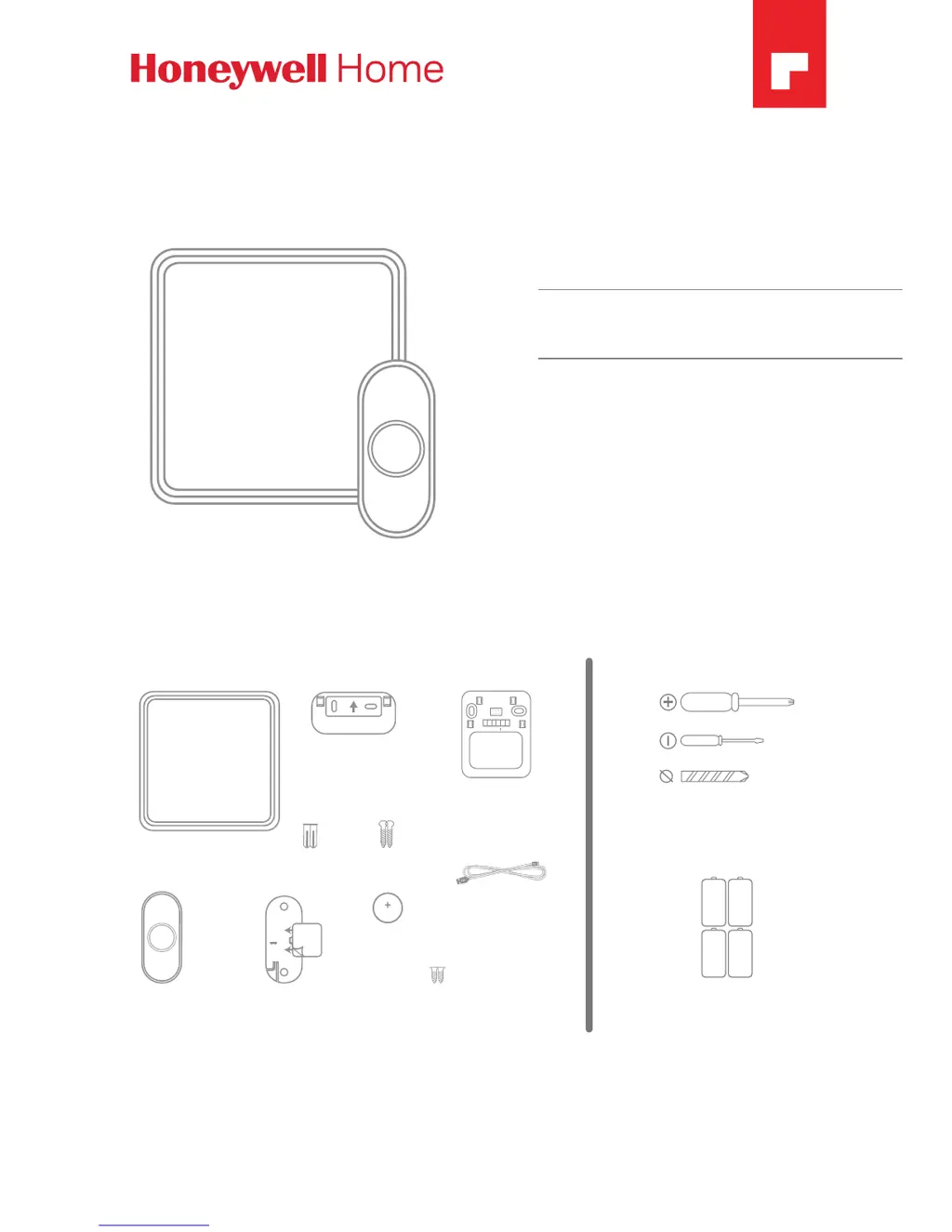
Doorbell
Push
Button
Wall
Anchors
Round Head
Screws
Flat Head
Screws
Phillips Screwdriver
Standard Screwdriver
Drill and 1/4 in. (6 mm) Drill Bit
4 C Alkaline Batteries
Doorbell Wall
Mounting Bracket for
DC91X Models Only
Push Button Mounting
Bracket and Adhesive Pad
For installation, you will need
Content will vary according to your kit
The push button supplied with this kit is pre-programmed to operate with the doorbell.
If it is not, see “Connect a Push Button” on page 8. Push button model and
contents may vary from those shown above.
CR2032
Battery
USB Cable
DC917
Models Only
Doorbell Wall
Mounting Bracket for
DW915 Models Only

Other manuals for Honeywell DC915 series

Questions and Answers

  • M
    Michelle RamosAug 3, 2025
    How to fix a Honeywell DC915 Accessories doorbell that is not working?
    • O
      obakerAug 4, 2025
      If your Honeywell Accessories doorbell isn't working, here are some steps to try: * Ensure all Mute lights are off by pressing the Mute button. * Verify that the correct batteries (4 C alkaline cells, 1 CR2032) are installed with the correct polarity. * Test the doorbell in a different location to rule out range issues. * Reconnect the doorbell, following the instructions in “Connect a Push Button” on page 8. * Check and replace batteries if needed. * Confirm the confidence LED on the transmitters is working when activated. * Ensure the doorbell isn't muted. * Check that the transmitter is linked with the chime.
  • C
    Collin MooreAug 11, 2025
    What to do if the Honeywell DC915 Accessories halo light flashes yellow?
    • C
      Christina LucasAug 11, 2025
      If the halo light on your Honeywell Accessories doorbell flashes yellow at the bottom edge, it indicates that the doorbell batteries need to be replaced. Replace the doorbell batteries with 4 new C alkaline batteries.
  • S
    Shannon SmithAug 18, 2025
    Why is the range reduced on my Honeywell DC915 Accessories doorbell?
    • D
      David ThompsonAug 18, 2025
      Reduced range on your Honeywell Accessories doorbell can be caused by a few factors: * Metal structures, including uPVC door frames, can interfere with the signal. Avoid mounting the doorbell or push button on or near metal. * Try moving the doorbell closer to the push button. * Weak batteries will reduce range. In cold conditions (below 5ºC), batteries may need more frequent replacement.
  • C
    Christopher JacobsonAug 26, 2025
    What to do if my Honeywell Accessories makes two beeps after the tune?
    • J
      Joseph SolomonAug 26, 2025
      If you hear two ‘beep’ sounds after the normal tune on your Honeywell Accessories doorbell, it means you should replace the doorbell push battery with a new CR2032.

Summary

Preparation

Overview and Safety

Safety Warnings

Important safety precautions to follow during installation and use.

Installation

Install Doorbell

Steps for mounting the doorbell unit to a wall or placing it independently.

Product Operation

Install the Push Button

Instructions for mounting the push button bracket and attaching the button.

Install Batteries

Guide for inserting the required C cell and CR2032 batteries into the doorbell.

Advanced Connectivity

Connect a Push Button

Instructions for pairing an additional push button to the doorbell.

System Management

Troubleshooting

Common issues and their solutions for doorbell functionality.

Honeywell DC915 series Specifications

General IconGeneral
TypeDoorbell
Power SourceBattery
CommunicationWireless
CompatibilityHoneywell
InputsPush Button
OutputsWireless Signal

Related product manuals