EasyManua.ls Logo

Honeywell DC515 Series - User Manual

Honeywell DC515 Series
10 pages
Print Icon
To Next Page IconTo Next Page
Loading...
Installation and Operation Guide
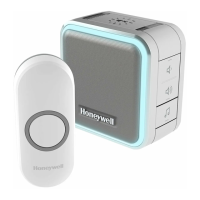
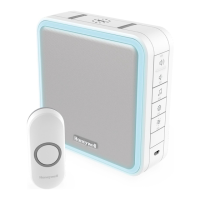
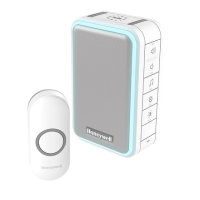
Portable and Plug-In Wireless Doorbell
English
German
French
Dutch
Spanish
Portuguese
Italian
DC515XX
Preparation
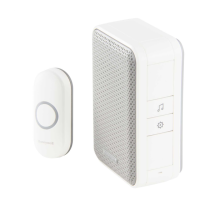
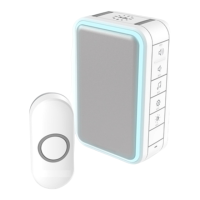
Doorbell
Push
Button
Flat Head
Screws
Phillips Screwdriver
Standard Screwdriver
Push Button Mounting
Bracket
and Adhesive Pad
To install you will need
Content will vary according to your kit
The push button supplied with this kit is pre-programmed to operate with the doorbell.
If it is not, see “Connect a Push Button” on page 7. Push button model may vary
from the one shown above.
CR2032 Battery
Mounting Bracket
Wall
Anchors
Round Head
Screws

Other manuals for Honeywell DC515 Series

Questions and Answers

  • K
    Katie PatelJul 27, 2025
    Why is my Honeywell DC515 doorbell not working?
    • W
      willistamiJul 27, 2025
      If your Honeywell Accessories doorbell isn't working, here are a few things to try: 1. Make sure the doorbell isn't muted by pressing the Mute button until all Mute lights are off. 2. Verify that the batteries are correctly installed in both the push button and the doorbell, paying attention to polarity. 3. Test the doorbell in a different location to rule out range issues. 4. Reconnect the doorbell (see 'Connect a Push Button' on page 7). 5. Replace all batteries if needed. 6. Check if the confidence LED on the transmitters is working when activated. 7. Ensure the transmitter is linked with the chime.
  • A
    andre18Aug 6, 2025
    Why is the range of my Honeywell DC515 Accessories doorbell reduced?
    • A
      Angela MckinneyAug 6, 2025
      The range of your Honeywell Accessories doorbell might be reduced due to several factors: * Metal structures, like uPVC door frames, can interfere with the signal. Avoid mounting the doorbell or push button on or near metal. * Try moving the doorbell closer to the push button. * Weak batteries can also reduce the range. If you're in cold conditions (below 5ºC), you might need to replace the batteries more often. Check the batteries and replace them if necessary.
  • S
    Shane JohnsonAug 16, 2025
    What to do if my Honeywell DC515 doorbell makes two beeps after the tune?
    • B
      Brooke RobinsonAug 16, 2025
      If you hear two beeps after the normal tune on your Honeywell Accessories doorbell, replace the push button battery with a new CR2032.

Summary

Preparation

Overview

Power-up

Steps to power on the doorbell and its components.

Setup and Operation

Basic setup and initial operation checks for the doorbell.

Change the Light Pattern

How to customize the doorbell's flashing light patterns.

Operational Adjustments

Change the Tune

Procedure to change the doorbell's audible tune selection.

Change the Halo Light Colour

How to select the desired colour for the doorbell's halo light.

Adjust the Volume

Instructions for adjusting the doorbell's volume level.

Mute the Doorbell

Method to silence the doorbell temporarily or permanently.

Install Push Button

Set the Mute

How to mute the doorbell for specific durations.

Wall Mount Installation

Install Doorbell

Steps for mounting the doorbell unit onto a wall bracket.

Accessories

Connect a Motion Sensor

Guide to pairing an outdoor motion sensor with the doorbell.

Advanced Features

Connect a Push Button

Process for pairing an additional push button to the doorbell.

Night-Light

Instructions for using the doorbell as a night-light.

Secret Knock

Setting up a unique ring and light for a specific push button.

Maintenance

Low Battery Notification

Understanding alerts for low battery status.

Reset

Procedure to reset the doorbell to factory default settings.

Specifications

Troubleshooting

Doorbell does not work

Solutions for when the doorbell fails to operate.

Two beep sounds are heard after the normal tune

Diagnosing and resolving low battery sound alerts.

Range is reduced

Factors affecting and solutions for reduced wireless range.

Honeywell DC515 Series Specifications

General IconGeneral
BrandHoneywell
ModelDC515 Series
CategoryAccessories
LanguageEnglish

Related product manuals