3
Change the Tune
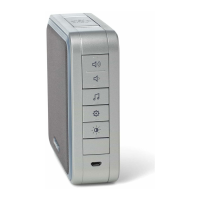
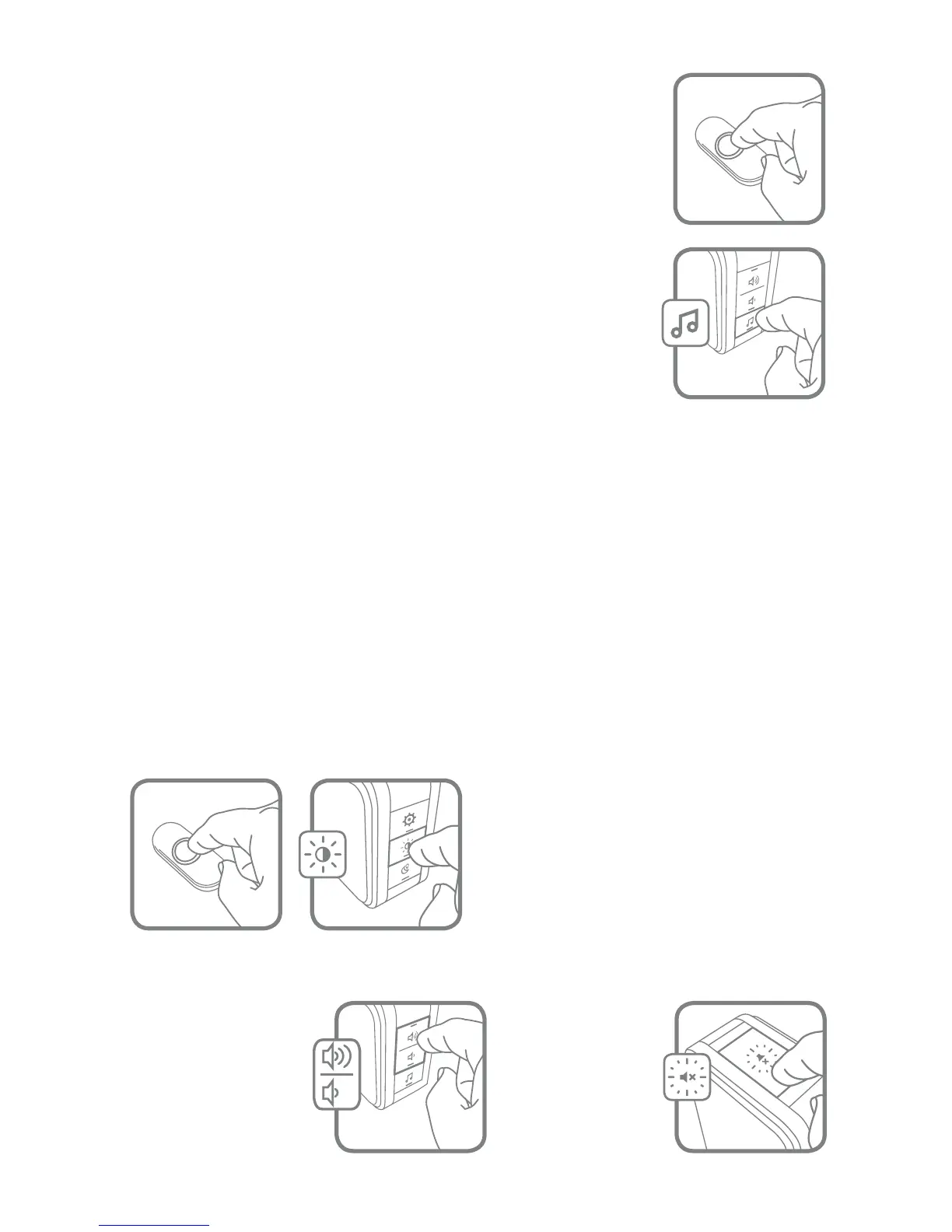
Press the Music button to change the doorbell tune.
Every time you press the Music button, the tune will
change. Stop pressing the Music button when you hear
the tune you want.
If you have multiple push buttons paired with the chime,
you can select the melody for the last push button that
was triggered.
Press the push button. (For any new push button, ensure
that it is paired rst. Refer to “Connect a Push Button” on
page 7.)
Within 12 seconds, press the melody selection button
until the desired tune is selected.
Ding Dong
Westminster
Piano
Fantasy
Soft Alert
Smart Sax
Change the Halo Light Colour
Press the push button.
Within 12 seconds, press the Sunlight
button.
Light Blue
White
Red
Dark Blue
Green
Purple
Yellow
Every time you press the Sunlight
button, the halo light will change
colour. Stop pressing the Sunlight
button when you see the colour you
want:
Adjust the Volume
Press the Volume
Up or Volume
Down buttons to
adjust the volume
of the Doorbell.
Mute the Doorbell
Press the
Mute button
to silence the
doorbell.



 To Next Page
 Loading...