
 Need help?
Do you have a question about the Honeywell HBD1PR1 and is the answer not in the manual?
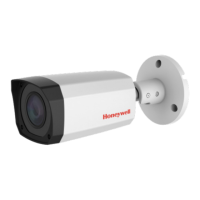
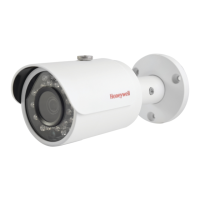
The Honeywell HBD1PR1/HBD3PR1 is a True Day/Night Indoor/Outdoor IR Bullet IP Camera designed for surveillance applications. This camera is built to provide reliable monitoring in various environments, offering both day and night vision capabilities thanks to its integrated infrared (IR) illumination. Its robust design makes it suitable for both indoor and outdoor installations, ensuring continuous operation regardless of lighting conditions.
The primary function of this device is to capture and transmit video footage over an IP network. It is equipped with a bullet-style form factor, which is commonly used for discreet yet effective surveillance. The camera's True Day/Night functionality means it can automatically switch between color mode during the day and black-and-white mode at night, utilizing its IR illuminators to capture clear images in low-light or no-light conditions. This ensures that critical details are not missed, even in complete darkness. The IR LEDs emit invisible radiation at 850 nm, providing illumination without being visible to the human eye, which is beneficial for covert surveillance.
For usage, the camera offers straightforward installation and configuration. It can be powered either through a 12 VDC power source or via Power over Ethernet (PoE) if connected to a compatible PoE switch or Network Video Recorder (NVR). PoE simplifies installation by allowing both power and data to be transmitted over a single Ethernet cable, reducing cabling complexity and costs. The camera connects to an IP network via an RJ-45 port, enabling remote access and management. Users can log on to the camera using a PC by installing the Honeywell Config Tool from the provided software and documentation CD. This tool helps in discovering the camera on the network and opening its web browser interface for detailed configuration. The default username is 'admin' (case-sensitive) and the default password is '1234'.
The camera's field of view is adjustable, allowing installers to fine-tune the angle to cover the desired surveillance area. A locking screw on the mounting bracket arm can be loosened to adjust the camera's position and then tightened to secure it in place. It's important to note that when the camera body and mounting bracket are at a 90-degree angle, the camera body should not be rotated more than 360 degrees once the locking screw is tight. This flexibility in adjustment ensures optimal coverage for various installation scenarios. The camera is designed to be mounted on a wall or ceiling, with a mounting template provided to assist in accurate screw hole placement.
In terms of usage features, the HBD1PR1/HBD3PR1 is designed for seamless integration into existing IP surveillance systems. Its compatibility with Honeywell Embedded NVRs allows for direct configuration when connected to a PoE port on the NVR. This simplifies the setup process for users already within the Honeywell ecosystem. The camera's adherence to IEEE 802.3af PoE standard ensures broad compatibility with standard PoE equipment.
Maintenance features for this camera emphasize safety and longevity. Users are advised to read and keep the provided instructions for proper handling and operation. To prevent damage to the imager, the camera should not be aimed toward bright light sources for extended periods. Similarly, operating the unit near unstable light sources, fluorescent lamps, or objects reflecting light should be avoided to prevent flickering or image distortion. Physical care includes not touching the camera lens, avoiding dropping the camera or subjecting it to physical shock, and refraining from using strong or abrasive detergents for cleaning.
Environmental considerations are also important for maintenance and longevity. The camera should not be operated or stored in extremely humid, dusty, hot/cold environments that fall outside its recommended operating temperature range. This precaution helps ensure the camera's internal components remain functional and reliable over time. Before installation, it is crucial to confirm that the mounting surface can support at least three times the weight of the camera plus its bracket, ensuring a secure and stable installation.
The device also carries important safety warnings. It is designed for use with a Listed Power Adapter marked with "Limited Power Source" (LPS), outputting 12 VDC minimum 0.33A, or from PoE provided by Listed Information Technology Equipment meeting the IEEE 802.3af PoE standard. The Ethernet connection is not intended for connection to exposed (outside plant) networks. Crucially, users should never connect two power sources to the camera simultaneously. The camera contains no user-serviceable parts inside, and any servicing should be referred to qualified service personnel to avoid electric shock and maintain warranty validity. The invisible LED radiation (850 nm) emitted by the IR illuminators requires caution, and users should avoid exposure to the beam. These guidelines are essential for safe operation and to ensure the device performs optimally throughout its lifespan.
 General
| Series | Performance Series |
|---|---|
| Resolution | 1080p |
| Image Sensor | 1/2.7" CMOS |
| Lens | 2.8 mm fixed lens |
| Weatherproof Rating | IP66 |
| Night Vision | Yes |
| Two-Way Audio | No |
| Motion Detection | Yes |
| Weather Resistance | Yes |
| Power Source | 12V DC |
| Connectivity | Wired |





 To Next Page