EasyManua.ls Logo

Honeywell RDWL313P2000 - User Manual

Honeywell RDWL313P2000
24 pages
Print Icon
To Next Page IconTo Next Page
Loading...
Home
RDWL313P2000
Installation and Operation Guide


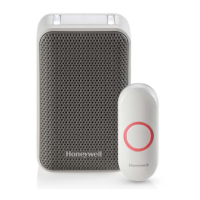
Doorbell
Push
Button
Flat Head
Screws
Phillips Screwdriver
Standard Screwdriver
Push Button Mounting
Bracket
and Adhesive Pad
To install you will need
In the box you will find
The push button supplied with this kit is pre-programmed to operate with the doorbell.
If it is not, see “Connect a Push Button” on page 4.
CR2032
Battery

Questions and Answers

  • A
    Andrea BeltranAug 9, 2025
    Why is the range reduced on my Honeywell Accessories doorbell?
    • M
      Mark ConradAug 9, 2025
      If the range of your Honeywell Accessories doorbell is reduced, avoid mounting the doorbell or push button on or near metal structures, as metal structures including uPVC door frames can reduce the range. You can also try moving the doorbell closer to the push button. Weak batteries can also reduce the range, and in cold conditions (below 41ºF [5ºC]), batteries may need to be replaced more often.
  • A
    amooreAug 16, 2025
    What to do if the LED on the side of my Honeywell RDWL313P2000 Accessories doorbell turns on?
    • K
      Kerry CarlsonAug 16, 2025
      If the LED on the side of your Honeywell Accessories doorbell turns on, replace the doorbell batteries with 4 new AA alkaline batteries.
  • V
    vanessalangAug 23, 2025
    How to fix a Honeywell RDWL313P2000 Accessories doorbell that does not work?
    • E
      Elizabeth ChapmanAug 23, 2025
      If your Honeywell Accessories doorbell does not work, ensure that the correct batteries (4 AA alkaline cells, 1 CR2032) are installed with the correct polarity. The doorbell might also be out of range; try the doorbell in a different location. You may also need to reconnect the doorbell.
  • C
    Christopher SalinasSep 1, 2025
    What to do if my Honeywell RDWL313P2000 Accessories doorbell makes two beeps after the tune?
    • J
      Jamie SmithSep 1, 2025
      If you hear two ‘beep’ sounds after the normal tune on your Honeywell Accessories doorbell, replace the push button battery with a new CR2032.

Honeywell RDWL313P2000 Specifications

General IconGeneral
Maximum range76 m
Connectivity technologyWireless
Built-in cameraNo
Volume84 dB
Product colorGrey, White
Number of melodies6
Weight and Dimensions IconWeight and Dimensions
Bell depth42.41 mm
Bell width69.85 mm
Bell height110 mm

Related product manuals