EasyManua.ls Logo

Honeywell 5800PIR-RES - User Manual

Honeywell 5800PIR-RES
8 pages
Print Icon
To Next Page IconTo Next Page
Loading...
5800PIR-OD Wireless Outdoor Motion Sensor – Installation Instructions
GENERAL INFORMATION
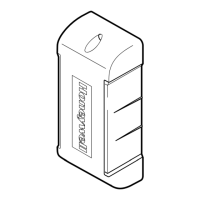
The Honeywell 5800PIR-OD Wireless Outdoor Motion Sensor
(referred to as the 5800PIR-OD) combines the convenience of
wireless technology with a full featured outdoor PIR motion
sensor. The major features are highlighted below:
Immunity to bright light
disturbances from headlights,
sunlight, and other bright
light sources.
Selectable detector
range and angle.
Discriminates both large and
small animals to reduce false
alarms.
Tamper detection.
Battery saving circuit
allows for a 5 or 120
second period of
inactivity before being
reactivated.
SPECIFICATIONS
Detection Method
Passive Infrared
Initial Warm Up
~ 2 minutes
Dimensions
Height 199mm (7.8 in.)
Width 82mm (3.2 in.)
Depth 120mm (4.7 in.)
Mounting Height
0.8 - 1.2m (2.7 - 4ft) To the center of
lens.
Range
Adjustable up to 12m (40ft)
Pattern
90° pattern consisting of 13 zones. This
pattern can be adjusted in 15° incre-
ments from center up to 45°.
Sensitivity
2.0° C at 0.6m/s (3.6° F at 2.0ft/s)
Detection Speed
0.3 - 1.5m/s (1 - 5ft/s)
Operating Voltage
6 VDC (uses 4 lithium 1.5VDC AA cells)
Battery Saving Timer
Adjustable 120sec or 5sec
Alarm Period
~ 2.5 seconds
LED Indicator
Enabled during a walk test.
Disabled for normal operation.
Weatherproof
IP54 compliance
Operating Temperature
– 20 to + 50 ° C (– 4 to +122° F)
Humidity
95% Max
Accessories (included)
Pole mounting kit, screw kit, detection
masking strips.
INSTALLATION (refer to the Component Identification Diagram on page 7)
1 Select the Mounting Position
Avoid strong sunlight into the sensor's field.
Avoid moving or swaying trees and bushes.
Orient the detector
so that intrusion
passes across the
detection field, not
into the sensor.
Allow 110mm (4.4")
above the sensor to
enable opening the cover.
Choose an installation
height of 0.8m to 1.2m
(2.7 to 4ft).
Ensure the sensor can be
mounted on a perpendicular
wall or pole that would make
its detection pattern parallel
to the ground.
Parallel
2 Prepare the Sensor for Mounting
1. Remove the Cover by pulling from bottom.
2. Remove Detector from the Back Box by pulling from top.

Questions and Answers

  • C
    Crystal MartinezJul 26, 2025
    Why do my Honeywell Security Sensors keep alarming when no one is there?
    • G
      Glenn WrightJul 26, 2025
      If your Honeywell Security Sensors trigger alarms when no one is walking through the detection area, several factors could be the cause: * The sensor might not be perpendicular to the ground. Remount and align the sensor so the detection area is parallel to the ground. * The sensor may be detecting moving trees, bushes, or a strong light source. Check for these and perform a Settings & Adjustments procedure. * The lower detection area might be too long. Set the Detection Length to a shorter range. * A heat source in the area may be causing an abrupt temperature change. Move or remove the heat source, mask the area pointing to the source of heat, or shorten the Detection Length.
  • A
    Angela FergusonAug 1, 2025
    How to solve low battery fault on Honeywell Security Sensors?
    • S
      Samantha MccarthyAug 1, 2025
      If your system keypad display indicates a low battery fault for your Honeywell Security Sensors, the batteries are likely very low or dead. Replace the batteries to resolve this issue.
  • C
    Craig Torres MDAug 7, 2025
    What to do if my Honeywell 5800PIR-RES system displays a “low battery” message?
    • S
      susanhaasAug 7, 2025
      If your Honeywell Accessories system shows a 'low battery' message, replace the battery within 7 days.
  • B
    Brooke SheltonAug 12, 2025
    How to fix Honeywell Security Sensors with no detection?
    • B
      Barbara GallagherAug 13, 2025
      If your Honeywell Security Sensors aren't detecting motion when someone walks through the detection area, here are a few things to check: * Ensure the batteries are correctly installed and not dead. Replace if necessary. * Inspect all connectors and wiring for faults or looseness. * Check for cracks in the housing that could allow water infiltration. If there's water in the unit, replace it. * The transmitter or PIR sensor might be faulty, requiring unit replacement.
  • J
    Jodi ThompsonAug 19, 2025
    What to do if my Honeywell Security Sensors have poor detection?
    • K
      kelly10Aug 19, 2025
      If your Honeywell Security Sensors are occasionally missing detections or have poor detection, consider the following: * The sensitivity might be set too low. Try increasing the sensitivity setting. * The detection area may not be set correctly. Perform a Settings & Adjustments procedure.

Summary

Installation Procedures

Install and Replace Battery

Instructions for installing or replacing the sensor's lithium AA batteries, emphasizing polarity and proper handling.

Wall Mounting

Procedure for securely installing the sensor's back box and detector onto a wall.

Pole Mounting

Procedure for securely mounting the sensor's back box and detector onto a pole using provided brackets.

Settings and Adjustments

Set Detection Length

Adjusts the sensor's detection range using the Detection Length Adjustment Switch for optimal coverage.

Set Detection Area Angle

Adjusts the sensor's horizontal detection angle, typically 90°, in 15° increments.

Masking and Configuration

Walk Test and Control Panel Programming

Perform Walk Test

Test the sensor's detection capabilities by walking through the area and verifying LED indication and alarm generation.

Troubleshooting Guide

Honeywell 5800PIR-RES Specifications

General IconGeneral
Frequency345 MHz
Operating Temperature14°F to 122°F (-10°C to 50°C)
Operating Voltage3V
Tamper ProtectionYes
Field of View90°
Humidity Range5% to 95% non-condensing
TypePassive Infrared Motion Sensor
Pet Immunity80 lbs (36 kg)
BatteryOne 3V CR123A Lithium Battery
Mounting Height7.5 ft (2.3 m)
Battery Life5 years
Detection Range35 feet

Related product manuals