EasyManua.ls Logo

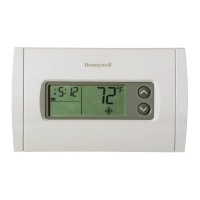
Honeywell RLV450 - User Manual

Honeywell RLV450
8 pages
Print Icon
To Next Page IconTo Next Page
Loading...
RLV450 69-2201EF-03 2009-08-04 1/4
* LP appears only for the first two minutes when the thermostat is without power. This
can occur during a power outage or when the thermal protection device inside the base-
board heater is opened.
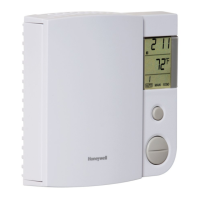
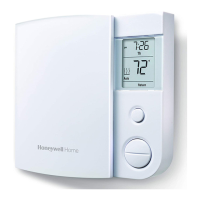
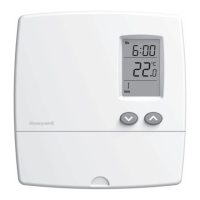
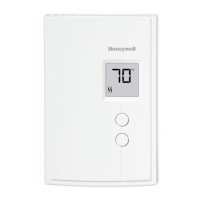
This programmable thermostat can be used to control an electric
heating system such as an electric baseboard heater, a radiant ceil-
ing, a radiant floor, a convector or a fan-forced heater.
The thermostat cannot be used with:
a resistive load over 16.7 A
a resistive load under 2 A
a system driven by a contactor or relay (inductive load)
a central heating system
SUPPLIED PARTS:
One (1) thermostat
Two (2) 6-32 screws
Two (2) solderless connectors
TURN OFF POWER TO THE HEATING SYSTEM AT THE MAIN
POWER PANEL TO AVOID ELECTRICAL SHOCK. THE INSTAL-
LATION MUST BE PERFORMED BY AN ELECTRICIAN.
All cables and connections must conform to the local electrical
code.
Special CO/ALR solderless connectors must be used when con-
necting with aluminum conductors.
Install the thermostat onto an electrical box.
Install the thermostat about 1.5 m (5 feet) high, on an inside wall
facing the heater.
Avoid locations where there are air drafts (such as the top of a
staircase or an air outlet), dead air spots (such as behind a
door), or direct sunlight.
Do not install the thermostat on a wall that conceals chimney or
stove pipes.
The thermostat wires are not polarized; either wire can be con-
nected to the load or to the power supply.
NOTE: Always keep the thermostat's vents clean and unobstructed.
n
o Connect the thermostat wires to the line wires and to the load
wires using solderless connectors for copper wires.
p Push any excess wire back into the electrical box.
NOTE: If necessary, before re-installing the front component, config-
ure the thermostat (see section 3).
q Return power to heating system.
n
Description
1.
o
Installation
2.
Select the mode
of operation
Set the time
Time and day
Temperature
Indicates the current
mode of operation
Skip a period
Program the schedule
Temperature
preset icon
Temperature
adjustment
buttons
Temperature
preset buttons
Indicates the
heating power
Indicates the current
period (appears in
automatic mode only)
Indicates that the
temperature setpoint
is displayed
Set the day
Indicates that the
thermostat is configured
for a fan-forced heater
Indicates that the ther-
mostat is without power *
Indicates that the
settings are locked
2-wire installation
4-wire installation
RLV450
User Guide
Programmable Thermostat
400-106-021-D_69-2201EF-03 (RLV450 Honeywell TH106B) ENG.fm Page 1 Tuesday, August 4, 2009 4:33 PM

Questions and Answers

  • C
    Christopher LopezAug 12, 2025
    Why is my Honeywell RLV450 displaying the wrong temperature?
    • E
      evansamyAug 12, 2025
      If your Honeywell Thermostat displays the wrong temperature, it might be exposed to an air draft or the sticker on the thermostat’s screen has not been removed. Try to eliminate the draft or remove the sticker on the thermostat’s screen.
  • S
    Sara GarciaAug 16, 2025
    How to fix a Honeywell RLV450 that does not follow the schedule?
    • N
      Nicholas MartinAug 16, 2025
      If the temperature on your Honeywell Thermostat isn't changing according to the programmed schedule, ensure that the thermostat is in Automatic mode. Also, verify the schedule and clock settings to make sure they are correct.
  • K
    kimberly31Aug 19, 2025
    Why does my Honeywell Thermostat display look faded when heating?
    • W
      William RasmussenAug 20, 2025
      If the display looks faded when heating is activated on your Honeywell Thermostat, it means that the heating system is less than the required minimum load. This thermostat cannot be used below that rating.
  • J
    Jamie BennettAug 23, 2025
    Is it normal if my Honeywell Thermostat is hot?
    • A
      Angela RobinsonAug 23, 2025
      The condition is normal. Under normal operation, the Honeywell Thermostat housing can reach a temperature between 35°C (95°F) and 40°C (104°F).
  • L
    lrobertsAug 27, 2025
    What does 'LO' mean on my Honeywell RLV450?
    • K
      Kathryn BurtonAug 27, 2025
      If 'LO' is displayed on your Honeywell Thermostat, it means the measured temperature is below the display range, and the heating is activated.
  • E
    Emily MartinezAug 31, 2025
    What does 'HI' mean on my Honeywell Thermostat display?
    • T
      Thomas NelsonAug 31, 2025
      If 'HI' is displayed on your Honeywell Thermostat, it indicates that the measured temperature is above the display range.
  • A
    Alejandro FrenchSep 3, 2025
    Why is the time wrong on my Honeywell RLV450 Thermostat?
    • J
      Jasmine StuartSep 3, 2025
      If your Honeywell Thermostat displays the wrong time, it means that the thermostat was without power for more than 4 hours.
  • M
    Meghan BrownSep 7, 2025
    What to do if the Honeywell RLV450 clock must be re-adjusted after a power failure?
    • E
      Erica JordanSep 7, 2025
      If the Honeywell Thermostat clock requires re-adjustment following a power failure exceeding 4 hours, you should re-adjust the thermostat’s clock and re-enable the automatic Daylight Savings Time changeover function.

Summary

Description

Installation

Wire Connections

Connect thermostat wires to line and load wires using solderless connectors.

Wire Management

Push excess wire back into the electrical box after connections.

Power Restoration

Restore power to the heating system after installation.

Configuration

Clock and Day Setting

Daylight Savings Time

Configure automatic clock adjustment for Daylight Savings Time.

Temperature Setting

Setpoint Adjustment

Adjust the desired temperature setpoint using the up/down buttons.

Preset Temperature Usage

Utilize Comfort, Economy, or Vacation preset temperatures.

Storing Preset Temperatures

Save custom temperatures for Comfort, Economy, or Vacation modes.

Modes of Operation

Automatic Mode

Operate the thermostat based on the programmed schedule.

Temporary Bypass

Temporarily override the automatic schedule setpoint.

Manual Mode

Set the temperature manually, bypassing the programmed schedule.

Schedule

Modifying the Schedule

Steps to program or adjust the thermostat's daily schedule.

Troubleshooting

Technical Specifications

Warranty

Customer Assistance

Contact information for questions about thermostat operation.

Honeywell RLV450 Specifications

General IconGeneral
BrandHoneywell
ModelRLV450
CategoryThermostat
LanguageEnglish

Related product manuals