EasyManua.ls Logo

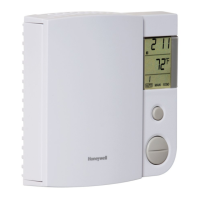
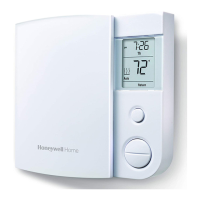
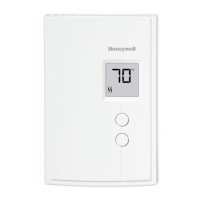
Honeywell RLV4300 - User Manual

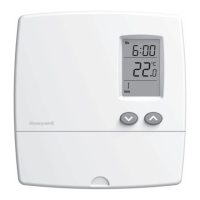
Honeywell RLV4300
48 pages
Print Icon
To Next Page IconTo Next Page
Loading...
RLV4300
5-2 Programmable Thermostat
Owners
Guide
69-1918EF-03.book Page -1 Wednesday, March 20, 2013 4:24 PM

Other manuals for Honeywell RLV4300

Questions and Answers

  • H
    Heather JonesJul 31, 2025
    Why doesn't my Honeywell Thermostat temperature change according to schedule?
    • R
      Rita MckinneyJul 31, 2025
      If the temperature on your Honeywell Thermostat doesn't change according to the programmed schedule: * Make sure that the thermostat is in Automatic mode. * Check the clock and the schedule settings. If your thermostat is set to a 12-hour format, verify that 'PM' is displayed when it should be.
  • A
    allison56Aug 7, 2025
    Why is my Honeywell RLV4300 displaying the wrong temperature?
    • M
      Mark McculloughAug 7, 2025
      If your Honeywell Thermostat is displaying the wrong temperature, it might be due to a few reasons. First, check if the thermostat is exposed to an air draft. Second, make sure you've removed the sticker from the thermostat's screen. Lastly, ensure the thermostat isn't located near a heat source, like a light dimmer.
  • C
    Chelsea HinesAug 14, 2025
    Why is my Honeywell Thermostat displaying the wrong time?
    • S
      Sarah BrockAug 14, 2025
      If your Honeywell Thermostat is showing the wrong time, it likely means the time hasn't been set yet, or the thermostat was without power for more than 5 hours.
  • E
    Eric ThompsonAug 22, 2025
    Why is the housing of my Honeywell RLV4300 hot?
    • C
      Cynthia FreemanAug 22, 2025
      It is normal for the Honeywell Thermostat's housing to feel hot. Just make sure that the heater capacity does not exceed the thermostat’s maximum load.

Summary

About Your New Thermostat

Controls

Display

Installation Guidelines

Wiring

Mounting the Thermostat

Advanced Settings

Clock and Day Setting

Temperature Display and Setting

Automatic Mode

Temporary Override

Allows temporary adjustment of the setpoint, which lasts until the end of the current period.

Manual Mode

Economy Mode

Power Outage

In Case of Difficulty

Specifications

Warranty

Honeywell RLV4300 Specifications

General IconGeneral
ColorWhite
Stages1
Backup BatteryNo
ApplicationElectric baseboards, convectors, and fan-forced heaters
Temperature Range5°C to 30°C (40°F to 86°F)
DisplayDigital
CompatibilityElectric Baseboard Heaters, Electric Resistance Heaters
ProgrammableNon-Programmable

Related product manuals