14 15
16 Turn your power ON
Turn on the power at the breaker box
or switch that controls the heating/
cooling system.
ON
OFF
ON
15 Attach your thermostat
Align the thermostat onto the
UWP and firmly snap it into place.
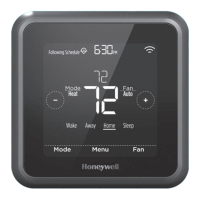
17 Return to the thermostat
Return to the thermostat. Confirm the
screen shows START SETUP. If it does,
continue to “Setup with Lyric App” on
page 15.
If your thermostat does not show
START SETUP, please contact
Honeywell support.
Breaker box
Switch


 To Next Page
 Loading...