EasyManua.ls Logo

Honeywell T3R - User Manual

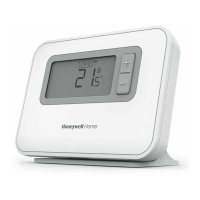
Honeywell T3R
22 pages
Print Icon
To Next Page IconTo Next Page
Loading...
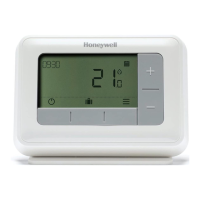
T3
Programmable Thermostat
T3M
Programmable Modulating
Thermostat
T3R
Wireless Programmable Thermostat
T3, T3R, T3M
Programmable Thermostat
EN User Guide

Questions and Answers

  • P
    Pamela SmithAug 12, 2025
    What to do if my Honeywell T3R Thermostat heating system does not respond to temperature adjustments?
    • J
      jcontrerasAug 12, 2025
      If your heating system isn't responding to temperature adjustments, ensure the set temperature is higher than the current room temperature. Also, verify that the heating system is powered on. If you have the T3R model, check that the Receiver Box is powered and that the Thermostat has a wireless signal.
  • R
    Ricardo GonzalesAug 16, 2025
    Why is the screen blank on my Honeywell T3R Thermostat?
    • S
      samuelgriffinAug 16, 2025
      If the screen on your Honeywell Thermostat is blank, replace the batteries if you have a T3 or T3R model. If you have a T3M model, check that the OpenTherm boiler has power, or contact your installer.
  • E
    Elizabeth SantosAug 20, 2025
    What does it mean when my Honeywell T3R Thermostat is flashing + and the Receiver Box LED is flashing RED?
    • J
      James JordanAug 20, 2025
      If your Thermostat is flashing + and the Receiver Box LED is flashing RED, it indicates a lost wireless signal. Try moving the Thermostat to a different location to restore communication.
  • S
    Samantha OliverAug 23, 2025
    What does it mean if my Honeywell Thermostat is flashing + and the Receiver Box LED is off?
    • K
      Kristine HallAug 23, 2025
      If the Thermostat flashes + and the Receiver Box LED is off, check if the Receiver Box has power by pressing the button to switch the boiler on. If the Receiver Box has power, it means no wireless binding data is stored. In this case, follow the binding procedure in the installation guide or contact your installer.
  • K
    Kim LutzAug 27, 2025
    What does it mean when my Honeywell T3R shows +?
    • K
      Kevin FletcherAug 27, 2025
      If your Honeywell Thermostat displays , it indicates that the batteries have less than 10% power and should be replaced soon.
  • J
    Jason KaufmanAug 31, 2025
    What does it mean when my Honeywell T3R shows ?
    • K
      kirkmarkAug 31, 2025
      If your Honeywell Thermostat displays , it indicates that the batteries have less than 10% power and should be replaced soon.
  • K
    Krista WilliamsSep 3, 2025
    What to do if my Honeywell T3R shows but the boiler does not switch on?
    • M
      Michael HobbsSep 4, 2025
      The boiler cycles on and off to control the temperature. The icon may appear even when the boiler has cycled off. However, if the boiler doesn't switch on after a long period, contact your installer.
  • D
    derek58Sep 7, 2025
    What does it mean if the Receiver Box LED is flashing ORANGE on my Honeywell Thermostat?
    • J
      Jeremy CraigSep 7, 2025
      If the Receiver Box LED is flashing ORANGE, it means the Receiver Box is in binding mode. It will automatically exit this mode after 3 minutes.

Summary

Thermostat Interface

Screen and Button Overview

Details the visual display and physical buttons on the thermostat for user interaction.

Status Icons

Explains the meaning of various icons displayed on the thermostat screen to indicate status.

Navigating the Menu

Provides step-by-step instructions for using the thermostat's menu and buttons.

Menu

Heating Schedule

Details the default heating schedule and its adjustable parameters for optimal comfort.

Adjusting the Schedule

Guides users through the process of modifying the heating schedule settings.

Device Modes

Changing the Batteries (T3 & T3 R only)

Wireless Receiver Box (T3 R only)

Troubleshooting

Honeywell T3R Specifications

General IconGeneral
BrandHoneywell
ModelT3R
CategoryThermostat
LanguageEnglish

Related product manuals