EasyManua.ls Logo

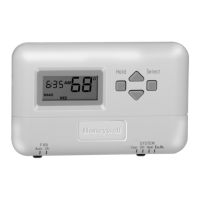
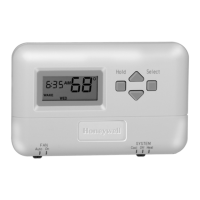
Honeywell T8000 - User Manual

Honeywell T8000
24 pages
Print Icon
To Next Page IconTo Next Page
Loading...
1
69-1431–1
OWNER’S GUIDE
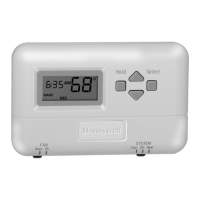
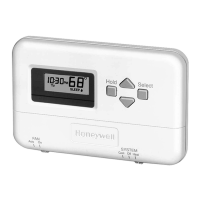
T8000, T8001,T8002, T8011, T8024
Programmable Thermostats
69-1431-1

Other manuals for Honeywell T8000

Questions and Answers

  • J
    Joseph ColemanJul 25, 2025
    How to fix a Honeywell T8000 Thermostat when the display does not come on?
    • R
      Ryan YoungJul 26, 2025
      If the Honeywell Thermostat display doesn't turn on, make sure it's properly mounted and latched on the wallplate. Also, check the circuit breaker and reset it if it's tripped. Replace the fuse if it's blown. Ensure the equipment switch is in the On position. If you have a T8002 model, verify the batteries are good and correctly installed.
  • M
    melissa68Aug 1, 2025
    Why is my Honeywell T8000 heating not working?
    • M
      Mariah RivasAug 1, 2025
      If your Honeywell Thermostat's heating isn't turning on, first check the circuit breaker and reset it if necessary. Also, check the fuse and replace it if blown. Ensure the equipment switch is set to the On position. Give the system five minutes to respond. Make sure the SYSTEM switch is set to Heat. If the temperature setting is higher than the current room temperature and the flame is displayed, your thermostat is working correctly. In this case, it is recommended to contact a heating contractor.
  • B
    Barbara MorrisAug 9, 2025
    Why is my Honeywell Thermostat cooling not turning on?
    • M
      Matthew DickersonAug 9, 2025
      If your Honeywell Thermostat's cooling isn't activating, begin by checking the circuit breaker and reset it if it has tripped. Next, inspect the fuse and replace it if it's blown. Confirm that the equipment switch is in the On position. Allow the system five minutes to respond. Ensure the SYSTEM switch is set to Cool. If the temperature setting is lower than the current room temperature and the snowflake is displayed, your thermostat is functioning correctly. In this case, it is recommended to contact an air conditioning contractor.
  • A
    adrianaortegaAug 17, 2025
    Why is the Honeywell T8000 system on indicator flashing?
    • T
      Timothy LeeAug 17, 2025
      If the system on indicator is flashing on your Honeywell Thermostat, the minimum off-timer is in effect. Please wait five minutes until the minimum off-timer is complete.

Summary

Thermostat Features Overview

Key Locations and Descriptions

Thermostat Control Buttons

Explains the function of the thermostat's control buttons.

Thermostat Switches and Ports

Details the location and function of switches and the battery compartment.

Planning Program Schedule

Program Schedule Template

Programming Thermostat

Setting Current Time and Day

Instructions for setting the current time and day on the thermostat.

Setting Weekday Program

Step-by-step guide for programming weekday heating and cooling schedules.

Setting Weekend Program

Step-by-step guide for programming weekend heating and cooling schedules.

Temperature Hold Options

How to set temporary and indefinite temperature holds on the thermostat.

Operating Thermostat

SYSTEM and FAN Switch Settings

How to use the SYSTEM and FAN switches to control thermostat operation.

Heat and Cool Indicators

Explains the indicators for heating and cooling calls.

Back Lighting

Replacing the Batteries

Minimum Off-Timing

Troubleshooting

Customer Assistance

Warranty Information

Honeywell T8000 Specifications

General IconGeneral
Wi-Fi ConnectivityYes
GeofencingYes
Power SourceBattery
Programmability7-day programmable
Display TypeTouchscreen
Voice ControlAmazon Alexa, Google Assistant
Energy Saving FeaturesSmart Response
Remote AccessYes

Related product manuals