EasyManua.ls Logo

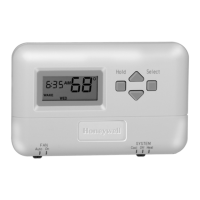
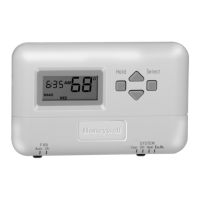
Honeywell T8001F - User Manual

Honeywell T8001F
20 pages
Print Icon
To Next Page IconTo Next Page
Loading...
OWNER’S GUIDE
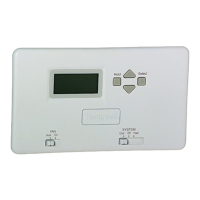
T8001F, T8024F Flush Mount
Programmable Thermostat
69-1464-1

Other manuals for Honeywell T8001F

Questions and Answers

  • S
    Shane SanchezJul 30, 2025
    What to do if the Honeywell Thermostat display does not come on?
    • J
      Jeffery BrownJul 30, 2025
      If the display on your Honeywell Thermostat doesn't turn on, make sure the thermostat is properly mounted and latched on the wallplate. Also, check the circuit breaker and reset it if it has tripped. Inspect the fuse and replace it if it's blown. Finally, ensure the switch at the equipment is in the On position.
  • F
    fperryAug 6, 2025
    Why is my Honeywell T8001F heating not working?
    • R
      Russell PowellAug 7, 2025
      If your Honeywell Thermostat's heating isn't working, check the following: First, see if the circuit breaker has tripped and reset it if necessary. Then, check the fuse and replace it if it's blown. Ensure the switch at the equipment is in the On position. Also, wait five minutes for the system to respond. Lastly, make sure the SYSTEM switch is set to Heat.
  • N
    Nicole BellAug 14, 2025
    How to fix Honeywell Thermostat when cooling does not come on?
    • D
      David YangAug 15, 2025
      If the cooling function on your Honeywell Thermostat isn't working, try these steps: Check the circuit breaker and reset it if tripped. Examine the fuse and replace it if blown. Verify that the switch at the equipment is in the On position. Allow five minutes for the system to respond. Ensure the SYSTEM switch is set to Cool. Wait a couple of minutes after seeing the snowflake icon, then check the registers.
  • D
    David AndersonAug 22, 2025
    What does it mean when the system on indicator is flashing on Honeywell T8001F?
    • S
      stephanie28Aug 22, 2025
      If the system on indicator is flashing on your Honeywell Thermostat, the minimum off-timer is in effect. Please wait five minutes until the timer is complete.

Summary

Features Overview

Planning and Scheduling

Planning Program Schedule

Plan your thermostat's daily time and temperature settings using this guide.

Preprogrammed Settings

Overview of default time and temperature settings provided by the manufacturer.

Thermostat Programming Guide

Setting Current Time and Day

Instructions for setting the thermostat's current time and day of the week.

Programming Weekday and Weekend Schedules

Steps to program temperature settings for weekdays and weekends.

Temperature Hold Functions

Setting Temporary Temperature Hold

Temporarily override programmed settings for a specific temperature.

Setting Indefinite Temperature Hold

Permanently hold a specific temperature setting on the thermostat.

Operating Thermostat Controls

Setting SYSTEM and FAN Switches

Guide to using SYSTEM and FAN switches for heating/cooling and fan modes.

Minimum Off-Timing Feature

Troubleshooting Common Issues

Warranty Details

Honeywell T8001F Specifications

General IconGeneral
BrandHoneywell
ModelT8001F
CategoryThermostat
LanguageEnglish

Related product manuals