EasyManua.ls Logo

Honeywell T8095A/191108AJ - User Manual

Honeywell T8095A/191108AJ
28 pages
Print Icon
To Next Page IconTo Next Page
Loading...
D.F. • Rev. 10-94 • • ©Honeywell Inc. 1994 • Form Number 69-0639—1
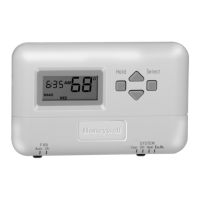
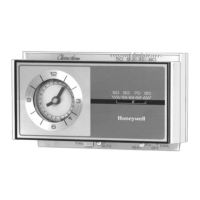
T8095A/191108AJ; TS8095A/191108AC; T8095A/Q682
Heating-only Thermostat and Wallplate or
Heating/Cooling Thermostat and Subbase
OWNER’S MANUAL
M3375
Automation and Control Solutions
Honeywell International Inc. Honeywell Limited—Honeywell Limitée
1985 Douglas Drive North 35 Dynamic Drive
Golden Valley, MN 55422 Scarborough, Ontario M1V 4Z9

Questions and Answers

  • M
    Mary NorrisJul 30, 2025
    How to fix Honeywell Thermostat if there is no heat?
    • G
      Gerald WalkerJul 30, 2025
      If your Honeywell Thermostat isn't producing heat, ensure the system switch is in the HEAT position. Also, check the fuse or circuit breaker and replace or reset if necessary. Make sure the furnace power switch is ON, and if your furnace has a pilot light, ensure it is lit according to the manufacturer's instructions. Finally, turn OFF power to the furnace and check the thermostat connections for correct terminal hookups, repairing any frayed or broken wires, and firmly tighten all terminal screws before turning the power back on.
  • J
    Jacqueline ThompsonAug 4, 2025
    Why do Honeywell T8095A/191108AJ setting and thermometer reading disagree?
    • W
      William PageAug 4, 2025
      If your Honeywell Thermostat setting and thermometer reading disagree, reinstall the thermostat wallplate or subbase using a spirit level to ensure it's level. The thermostat should be about 5 ft [1.5m] above the floor on an inside wall. For change of location contact a qualified service technician.
  • J
    jamie31Aug 11, 2025
    Why does my Honeywell Thermostat clock keep losing time?
    • H
      higginschristopherAug 11, 2025
      If your Honeywell Thermostat clock continues to lose time, it may be due to a high limit control cutting off power. Consider wiring a separate transformer to power the clock or installing backup batteries. Additionally, a clogged filter might be causing the safety limit on the equipment to cut off power to the system, so replace the filter and reset the clock. Finally, the backup batteries may need replacement. Replace with two new AAA alkaline batteries.
  • S
    Sharon StewartAug 16, 2025
    How to fix Honeywell T8095A/191108AJ energy savings temperature program 12 hours off?
    • E
      Elizabeth HansenAug 16, 2025
      If the energy savings temperature program on your Honeywell Thermostat is 12 hours off, turn the clock ahead 12 hours by moving the minute hand clockwise only.
  • C
    Cynthia ValenciaAug 23, 2025
    What to do if rooms do not warm up at programmed time on Honeywell Thermostat?
    • N
      Nathaniel ScottAug 23, 2025
      If rooms do not warm up at the programmed time with your Honeywell Thermostat, move the red pin one-half hour earlier on the program dial.

Summary

Thermostat Features and Components

Controls and Indicators Overview

Identifies main controls like the clock, levers, indicators, and program dial.

Programming and Anticipator Settings

Explains program pins, levers, manual advance, and anticipator adjustment.

Wallplate and Subbase Functionality

Details the mounting and wiring interface components.

Setting the Temperature

Setting Subbase Switches

Inserting Clock Batteries

Setting the Clock

Daylight Savings Time Adjustment

Specific instructions for adjusting the clock for Daylight Saving Time.

Programming Your Thermostat

Setting the Heating Program

How to set temperature periods for heating.

Setting the Cooling Program

How to set temperature periods for cooling.

Manual Program Advance

Troubleshooting Common Issues

Servicing the Thermostat

Cycle Rate Adjustment

How to adjust the heating system's cycle rate using the anticipator.

Thermometer Adjustment

Limited One-Year Warranty

Honeywell T8095A/191108AJ Specifications

General IconGeneral
BrandHoneywell
ModelT8095A/191108AJ
CategoryThermostat
LanguageEnglish

Related product manuals