EasyManua.ls Logo

Honeywell T6812DP08 - User Manual

Honeywell T6812DP08
4 pages
Print Icon
To Next Page IconTo Next Page
Loading...
1
APH07CH04
-
R2000EN
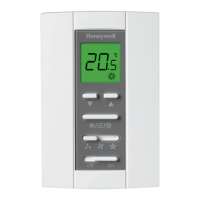
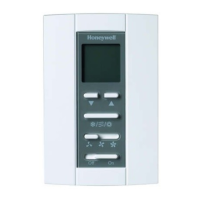
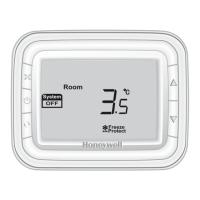
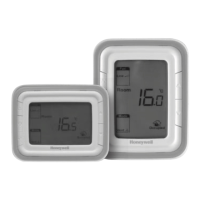
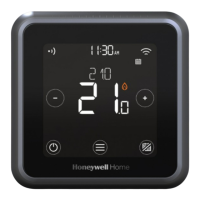
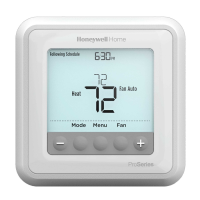
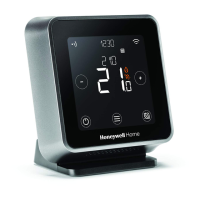
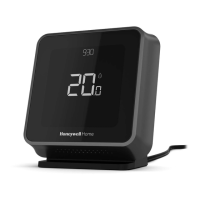
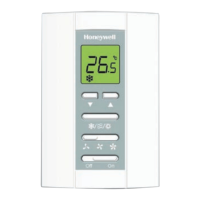
T6811/6812 Series LCD Digital Thermostat
110/120/220 VAC
2-pipe fan coil control
Application
T6811/6812 digital thermostats are designed for
application of 3-speed fan and valves in 2-pipe fan
coil system.
Including:
- 2-pipe cool only/heat only/manual
changeover between heat and cool
- Ventilation mode
- Manual 3-speed fan control
- Water valve control
In ventilation mode, fan only support manual speed
control.
Data sheet
Features
● Super modern appearance design, suitable for
office, hotel and residential building
● Independant installation on 86 size box directly
● Big LCD with English and icon display
● Easy to install and set-up
● Selectable room temperature or setpoint display
● Manual fan speed selection
Adjustment of display room temperature
● Temperature unit either
o
C or
o
F
● User setting can be kept when power off
● Lock or unlock keys in Installer Set-up
● Heat and cool setpoint limitation for energy
saving
Model summary
Model
2-pipe/
4-pipe
Operating
voltage
(V)
Energy
saving
Ventilation
Manual
/Automatic
fan
T6812DP08
2 220 N Y Y
T6811DP08
2 110 N Y Y

Other manuals for Honeywell T6812DP08

Questions and Answers

  • J
    Jeffrey MooreAug 8, 2025
    Why is my Honeywell T6812DP08 Thermostat heating system not turning on?
    • M
      Michelle CarpenterAug 8, 2025
      If your Honeywell Thermostat's heating system isn't turning on, first ensure that the mode is set to Heat by pressing the Mode button. Also, verify that the heat temperature setting is higher than the current room temperature and that “Heat On” is steadily displayed. If these settings are correct, allow up to five minutes for the heating system to respond.
  • J
    Jennifer TurnerAug 15, 2025
    What to do if Honeywell T6812DP08 cooling system does not turn on?
    • S
      Stephanie WilliamsAug 15, 2025
      If your Honeywell Thermostat's cooling system isn't activating, make sure the mode is set to Cool using the Mode button. Check that the cool temperature setting is lower than the room temperature, and “Cool On” is continuously displayed. After confirming these settings, give the cooling system five minutes to respond.
  • L
    Lisa KellerAug 22, 2025
    How to fix a Honeywell T6812DP08 Thermostat when the fan doesn’t work?
    • R
      Ronald Johnston PhDAug 22, 2025
      If the fan on your Honeywell Thermostat isn’t working, check that the Fan mode is set to Auto. Additionally, verify if the heating or cooling system is functioning correctly.
  • G
    greendannyAug 31, 2025
    What to do if the Up or Down button doesn’t work on Honeywell T6812DP08 Thermostat?
    • M
      Marissa KrauseAug 31, 2025
      If the Up or Down buttons on your Honeywell Thermostat are unresponsive, first check if the keypad is locked. Also, check if the system is operating in Energy saving mode, or if the thermostat is turned off.

Summary

Product Application and Model Summary

Mechanical Design and Thermostat Appearance

Thermostat Appearance

Visual overview of the thermostat's physical layout and buttons.

Thermostat Functionality

Temperature Display

Setting options for displaying room temperature or setpoint.

Keypad Lock

Configuration for locking or unlocking thermostat buttons.

Ventilation Mode

Operation details for ventilation mode with fan speed control.

Technical Specifications

Wiring and Installation Guide

Troubleshooting Guide

Dimension Overview

Installer Setup Configuration

Setup Function Settings & Options

Configuration table for system type, temperature scales, and keypad lock.

Honeywell T6812DP08 Specifications

General IconGeneral
TypeDigital
Power Source24V AC
Display TypeLCD
CompatibilityConventional and Heat Pump Systems
OutputRelay
Voltage24 VAC
Stages1 Heat / 1 Cool
BacklightYes
ProgrammableYes
Hold FeatureYes
Filter Change AlertYes
Battery BackupNo
ApplicationResidential
MountingWall-mounted
Power Supply24 VAC, 50/60 Hz
DisplayLCD

Related product manuals