EasyManua.ls Logo

Honeywell T8501 - User Manual

Honeywell T8501
16 pages
Print Icon
To Next Page IconTo Next Page
Loading...
PRODUCT DATA
® U.S. Registered Trademark
Copyright © 1997 Honeywell Inc. • • All Rights Reserved
T8501 and T8511
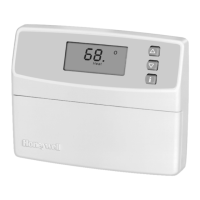
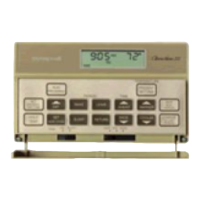
Deluxe Electronic Thermostats
APPLICATION
The T8501 and T8511 Deluxe Electronic Thermostats provide
electronic control of 18 to 30 Vac single stage or multistage
heating and cooling systems, including heat pump systems.
T8501/T8511
FEATURES AND BENEFITS
Attractive styling complements any decor to the
homeowner’s delight.
Ease-of-use means fewer homeowner questions and
increased homeowner satisfaction.
Back lighting the large display makes the Liquid
Crystal Display (LCD) very easy to read.
Most frequently used keys are located by the LCD for
quick and easy access to information.
Models available with outdoor temperature sensor
capability for homeowner convenience. The sensor is
also more accurate than a thermometer.
Configurable features allows one model to be used to
replace many different models (less inventory, no
need to carry separate models to get these features).
°F or °C temperature display;
Automatic or manual changeover;
Electric or conventional heat fan operation;
Adjustable heating cycle rate.
Minimum off time for cooling compressors and heat
pumps protects and extends the life of the equipment.
Easy installation, setup and system test saves
installer time and increases productivity.
System test simplifies troubleshooting and saves time
by overriding the time delays.
Setpoints are permanently held in memory (no
batteries used) and retained during power outages for
increased installer and homeowner convenience.
Contents
Application........................................................................... 1
T8501/T8511 Features and Benefits ................................... 1
Specifications ...................................................................... 2
Ordering Information ........................................................... 2
Installation ........................................................................... 3
Wiring .................................................................................. 4
Settings ............................................................................... 6
Installer Setup ..................................................................... 6
Installer System Test ........................................................... 8
Checkout ............................................................................. 10
Operation ............................................................................ 11
Wiring Diagrams (Fig. 13-18) .............................................. 12
Troubleshooting Guide ........................................................ 14

68-0162-1

Other manuals for Honeywell T8501

Questions and Answers

  • A
    Alicia SimmonsAug 20, 2025
    Why Honeywell Thermostat display will not come on?
    • D
      David DavidsonAug 20, 2025
      If your Honeywell Thermostat display isn't turning on, the thermostat might not be getting power. Ensure the 'C' terminal is connected to the system transformer and check for 24 Vac between the 'C' and 'R' or 'RH' terminals. If there's no 24 Vac, check if the circuit breaker has tripped (reset it if needed), check if the system fuse is blown (replace if needed), ensure the HVAC equipment's power switch is in the 'On' position, and inspect the wiring between the thermostat and HVAC equipment, replacing broken wires and tightening loose connections. If 24 Vac is present, further troubleshooting is needed.
  • A
    Anthony KellyAug 22, 2025
    Why Honeywell T8501 Thermostat heating will not come on?
    • T
      Teresa OnealAug 22, 2025
      If your Honeywell Thermostat's heating isn't turning on, there could be several reasons. First, check that the 'C' terminal is connected to the system transformer and verify 24 Vac between 'C' and 'R' or 'RH' terminals. If there's no 24 Vac, check the circuit breaker (reset if tripped), the system fuse (replace if blown), the equipment switch (set to 'On'), and the wiring (repair or tighten connections). Also, the thermostat's minimum off time may be activated, so wait up to five minutes. Ensure the system selection is set to 'Heat'. For select models, check Installer Setup number 29 to correctly configure the O/B terminal, and verify the O or B terminal wiring based on your system's requirements.
  • J
    John EdwardsAug 26, 2025
    Why won't my Honeywell T8501 turn on the heat?
    • K
      Katherine CisnerosAug 27, 2025
      If your Honeywell Thermostat's heating isn't turning on, here's what to check: * First, ensure the thermostat has power by verifying the 'C' terminal is connected and checking for 24 Vac between the 'C' and 'R' or 'RH' terminals. If there's no 24 Vac, inspect the circuit breaker (reset if tripped), the system fuse (replace if blown), and the HVAC equipment's power switch (set to 'On'). Also, check and fix any broken wires or loose connections between the thermostat and HVAC equipment. * Second, the thermostat might be in minimum off time mode, so wait up to five minutes. * Third, confirm that the system selection is set to 'Heat'. * Fourth, on select models, verify the O/B terminal configuration in Installer Setup number 29 and rewire if the O or B terminal is miswired.
  • D
    Daniel ClarkAug 28, 2025
    What to do if Honeywell T8501 Thermostat temperature settings will not change?
    • A
      April LoweAug 28, 2025
      If you cannot adjust the temperature settings on your Honeywell Thermostat, it might be due to reaching the upper or lower temperature limits. Check the temperature setpoints: for T8511, heating limits are 40°F to 90°F (7°C to 31°C), and for T8501, heating limits are 45°F to 88°F. Cooling limits are 48°F to 99°F (9°C to 37°C). Also, the setpoint temperature range stops might be configured. Check Installer Setup numbers 34 and 35 and reconfigure the setpoint stops.
  • R
    Russell BarnettAug 29, 2025
    Why is Honeywell Thermostat temperature display incorrect?
    • J
      Jennifer IbarraAug 29, 2025
      If the temperature display on your Honeywell Thermostat is incorrect, it could be due to several reasons. The room temperature display may have been reconfigured; enter Installer Setup number 37 and reconfigure the display. Alternatively, the thermostat might be configured for °F or °C display; enter Installer Setup number 14 and reconfigure the display. Finally, a bad thermostat location can cause incorrect readings; relocate the thermostat.
  • M
    Michael BellAug 31, 2025
    How to fix a Honeywell T8501 Thermostat with a blank display?
    • C
      Christina GutierrezAug 31, 2025
      If the display on your Honeywell Thermostat isn't turning on, it might not be getting power. Check that the 'C' terminal is connected to the system transformer and verify that there is 24 Vac between the 'C' and 'R' or 'RH' terminals. If there is no 24 Vac, check if the circuit breaker is tripped (reset it if needed), if the system fuse is blown (replace it if needed), and if the power switch on the HVAC equipment is in the Off position (set it to the On position). Also, check the wiring between the thermostat and HVAC equipment, replacing any broken wires and tightening any loose connections. If 24 Vac is present, continue troubleshooting.
  • M
    Monica RitterSep 2, 2025
    Why is the temperature wrong on my Honeywell T8501 Thermostat?
    • H
      Hannah NicholsSep 2, 2025
      If the temperature displayed on your Honeywell Thermostat is incorrect, it could be due to several reasons: * The room temperature display might have been reconfigured. If so, enter Installer Setup number 37 and reconfigure the display. * The thermostat might be configured for a different temperature scale (°F or °C). Enter Installer Setup number 14 to reconfigure the display. * The thermostat might be poorly located. Relocate the thermostat.
  • J
    Jacqueline OwenSep 4, 2025
    What to do if my Honeywell T8501 temperature settings won't change?
    • R
      Roger SanchezSep 4, 2025
      If you cannot change the temperature settings on your Honeywell Thermostat, it might be because: * You've reached the upper or lower temperature limits. For T8511 models, heating limits are 40°F to 90°F (7°C to 31°C), and for T8501 models, heating limits are 45°F to 88°F. Cooling limits are 48°F to 99°F (9°C to 37°C). * Setpoint temperature range stops have been configured. Check Installer Setup numbers 34 and 35 and reconfigure the setpoint stops.
  • J
    Jeffrey FordSep 6, 2025
    Honeywell T8501: System On, but no heat - what's wrong?
    • I
      ingramjustinSep 6, 2025
      If the 'System On' indicator is lit on your Honeywell Thermostat, but no heat is being delivered, the heating equipment might not be operating. Verify the operation of the heating equipment in the system test.
  • T
    Tanya JohnsonSep 8, 2025
    Why is my Honeywell T8501 Thermostat outdoor temperature wrong?
    • B
      brandondickersonSep 8, 2025
      If the outdoor temperature display on your Honeywell Thermostat is incorrect, it could be due to: * The outdoor sensor might be connected incorrectly. Refer to the C7089B1000 installation instructions and check the wiring between the thermostat and the sensor. * You might have the wrong sensor. Replace the sensor with a C7089B1000 sensor.

Honeywell T8501 Specifications

General IconGeneral
BrandHoneywell
ModelT8501
CategoryThermostat
LanguageEnglish

Related product manuals