EasyManua.ls Logo

Honeywell T8611M - User Manual

Honeywell T8611M
12 pages
Print Icon
To Next Page IconTo Next Page
Loading...
® U.S. Registered Trademark
Copyright © 2002 Honeywell • • All Rights Reserved 69-1415—1
INSTALLATION INSTRUCTIONS
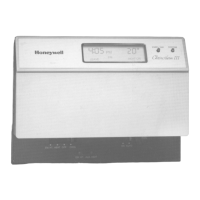
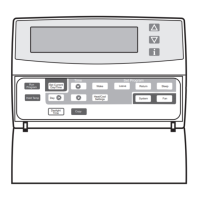
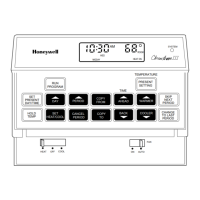
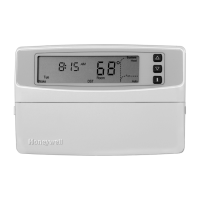
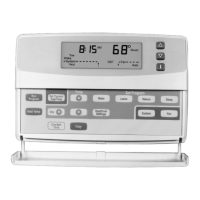
T8611M Deluxe Programmable
Heat Pump Thermostats
APPLICATION
The T8611M Deluxe Programmable Heat Pump Thermostat provides electronic control of 24 Vac single-zone two
compressor or two speed heat pump systems with auxiliary heat. The T8611M can be configured to run a single
compressor heat pump system. Refer to Table 1 for a general description of the thermostat. All T8611 thermostats
require a common wire to supply power.
Table 1. Description of T8611 Thermostats.
MERCURY NOTICE
If this control is replacing a control that contains
mercury in a sealed tube, do not place your old
control in the trash. Dispose of properly.
Contact your local waste management authority
for instructions regarding recycling and the
proper disposal of the old control.
INSTALLATION
When Installing this Product...
1. Read these instructions carefully. Failure to follow
the instructions can damage the product or cause
a hazardous condition.
2. Check the ratings given in the instructions and on
the product to make sure the product is suitable for
your application.
3. Installer must be a trained, experienced service
technician.
4. After completing installation, use these instructions
to check out the product operation.
Location
Install the thermostat about 5 ft (1.5m) above the floor in
an area with good air circulation at average temperature.
See Fig. 1.
Do not install the thermostat where it can be affected by:
drafts, or dead spots behind doors and in corners.
hot or cold air from ducts.
radiant heat from sun or appliances.
concealed pipes and chimneys.
unheated (uncooled) areas such as an outside wall
behind the thermostat.
T8611 Changeover System Selection
Fan
Selection Comments
M Automatic Em Heat-Heat-Off-Cool-Auto On-Auto Down-selectable for single-compressor
systems.


Questions and Answers

  • F
    fharrisJul 29, 2025
    Why is my Honeywell T8611M Thermostat not turning on the heat?
    • P
      Patricia HarrisonJul 29, 2025
      Several factors can prevent your Honeywell thermostat from activating the heat. First, there might be no power reaching the thermostat; check the circuit breaker, system fuse, and HVAC equipment power switch, and ensure all wiring connections are secure. Also, the thermostat's minimum off time might be active, so wait up to five minutes. Ensure the system selection is set to Heat and that the heating setpoint is set to your desired temperature, which should be above the current room temperature.
  • M
    Michelle YorkAug 2, 2025
    What to do if the Honeywell T8611M cooling doesn't come on?
    • Y
      ymcdonaldAug 2, 2025
      If your Honeywell thermostat fails to activate the cooling, several issues could be the cause. Begin by verifying that power is reaching the thermostat by checking the circuit breaker, system fuse, and the HVAC equipment's power switch. Make sure all wiring connections are secure. Also, the thermostat’s minimum off time may be active, so wait up to five minutes, or reconfigure the minimum off time in Installer Setup number 33. Ensure the system selection is set to Cool and that the cooling setpoint is set to your desired temperature, which should be below the current room temperature.
  • W
    wigginsamandaAug 6, 2025
    How to fix a Honeywell T8611M Thermostat display that doesn't come on?
    • D
      Deborah JohnsonAug 6, 2025
      If your Honeywell thermostat display isn't turning on, the thermostat may not be getting power. Check for 24 Vac between the R and C terminals. If there's no 24 Vac, check the circuit breaker (reset if tripped), the system fuse (replace if blown), and the HVAC equipment's power switch (set to the On position). Also, inspect the wiring between the thermostat and HVAC equipment, replacing any broken wires and tightening loose connections. If 24 Vac is present, further troubleshooting is needed.
  • M
    Monica CortezAug 11, 2025
    Why is the temperature wrong on my Honeywell T8611M?
    • P
      Peter McdonaldAug 11, 2025
      An incorrect temperature display on your Honeywell thermostat can stem from a few reasons. The room temperature display may have been reconfigured; if so, enter Installer Setup number 37 and reconfigure the display. Also, the thermostat might be configured for the wrong temperature scale (°F or °C); correct this by entering Installer Setup number 14. Finally, the thermostat's location could be causing inaccurate readings; in this case, relocate the thermostat.
  • L
    Leslie GarciaAug 14, 2025
    Why doesn't my Honeywell T8611M display the outdoor temperature?
    • O
      ogrossAug 14, 2025
      If your Honeywell thermostat isn't displaying the outdoor temperature, the option may not be activated. Enter Installer Setup number 24 and set it to 1. Note that your thermostat must have OT terminals and a C7089B1000 sensor installed.
  • J
    jaredfarmerAug 23, 2025
    How to fix incorrect outdoor temperature on Honeywell T8611M?
    • J
      Justin WhiteAug 23, 2025
      An incorrect outdoor temperature display on your Honeywell thermostat can be due to the outdoor sensor being connected incorrectly. Refer to the C7089B1000 Installation Instructions and check the wiring between the thermostat and the sensor. Another potential cause is using the wrong sensor; if so, replace the sensor with a C7089B1000 Sensor.
  • R
    randy04Sep 10, 2025
    What to do if Honeywell Thermostat shows heat or cool but no air comes out?
    • E
      epittmanSep 12, 2025
      If your Honeywell thermostat indicates that the system is on (flame for heat, snowflake for cool), but no warm or cool air is coming from the registers, the heating or cooling equipment itself may not be operating. Verify the operation of the heating or cooling equipment in self-test.

Summary

APPLICATION

Mercury Notice

Proper disposal instructions for mercury-containing controls.

INSTALLATION

Location

Guidelines for optimal thermostat placement.

Wallplate Installation

Step-by-step instructions for mounting the thermostat's wallplate.

WIRING

Electrical Shock Hazard

Critical safety warning about potential electrical shock during wiring.

Mounting Thermostat

Using Thermostat Keys

Explanation of the function and usage of each key on the thermostat.

SETTINGS

System and Fan Settings

How to configure system operation and fan settings on the thermostat.

LED Indication

Understanding the meaning of the thermostat's LED indicators.

Temperature Settings

Default program settings for heating and cooling temperature periods.

INSTALLER SETUP

Setting Current Day and Time

View or Reset Timer Settings

How to view and reset various timers on the thermostat.

INSTALLER SYSTEM TEST

Equipment Damage Hazard

Warning about potential equipment damage during system testing.

THERMOSTAT INFORMATION

Checkout and Sensor Use

Procedures for checking operation and using the outdoor temperature sensor.

TROUBLESHOOTING GUIDE

Troubleshooting Guide

Common issues and their solutions for the thermostat's operation.

Honeywell T8611M Specifications

General IconGeneral
Power Source24 VAC
Schedule7-day programmable
Thermostat TypeDigital
ProgrammabilityYes
StagesUp to 2 Heat / 1 Cool
Display TypeLCD
Current Rating1A
MountingWall-mounted
Temperature Range40°F to 90°F
Terminal DesignationsR, W, Y, G, C
Voltage Rating24VAC
Warranty1 year

Related product manuals