EasyManua.ls Logo

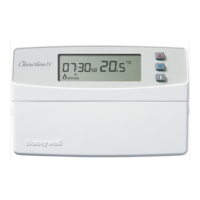
Honeywell T8635L - User Manual

Honeywell T8635L
48 pages
Print Icon
To Next Page IconTo Next Page
Loading...
1 69-1332—3
USER’S GUIDE
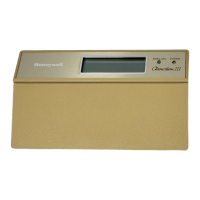
T8635L Microelectronic Communicating
Programmable Thermostat
69-1332-3

Other manuals for Honeywell T8635L

Questions and Answers

  • D
    dakotamaloneSep 18, 2025
    What does '6 COM' mean on my Honeywell T8635L Thermostat?
    • L
      Lynn DavisSep 18, 2025
      If '6 COM' is displayed on your Honeywell Thermostat, it means that Zone 1 was not found. To fix this, enter Installer Setup on the Zone 1 Thermostat and change Installer Setup Number 1 to 1.
  • J
    jason49Aug 25, 2025
    What to do if my Honeywell Thermostat heating does not come on?
    • S
      Sarah CruzAug 25, 2025
      If the heating isn't working, first, make sure the setpoint is higher than the room temperature. Second, check that the System selection is set to Heat. Finally, if the heating setpoint is indeed below room temperature, allow five minutes for the system to respond, during which the thermostat will display “Wait”.
  • H
    Hannah Butler MDAug 25, 2025
    What to do if my Honeywell T8635L Thermostat cooling does not come on?
    • E
      Emily FerrellAug 26, 2025
      If the cooling isn't working, first, make sure the setpoint is below the room temperature. Second, check that the System selection is set to Cool. Finally, if the cooling setpoint is above room temperature, allow five minutes for the system to respond, during which the thermostat will display “Wait”.
  • P
    pmitchellAug 27, 2025
    How to fix a Honeywell T8635L when the display does not come on?
    • L
      lestersharonAug 27, 2025
      If the Honeywell Thermostat display doesn't come on, the issue is likely a power problem. First, ensure the thermostat is correctly mounted and latched on the wallplate. Then, check the circuit breaker and reset it if it has tripped. Next, verify the fuse in the fuse box and replace it if blown. Also, check that the power switch at the equipment is in the On position. Finally, inspect the wires on terminals 2 and 3 for 24 VAC; replace any broken wires. If power is present, the thermostat may need replacement.
  • J
    John WhiteSep 23, 2025
    What does '7 COM' mean on my Honeywell Thermostat?
    • T
      Tammy GloverSep 23, 2025
      If '7 COM' is displayed on your Honeywell Thermostat, the system is configured to use an external timer. As this function is not currently available, enter Installer Setup and change Installer Setup 43 to 0.
  • W
    wilkinssylviaSep 23, 2025
    Why is the green LED on on my Honeywell Thermostat?
    • M
      Mario JohnsonSep 23, 2025
      If the green LED is on on your Honeywell Thermostat, the filter has expired. Replace the filter or clean electronic air cleaner cells. Press and hold the filter key to reset the timer. To disable the filter timer, select 0 as the timer value.
  • L
    Lisa BentleySep 10, 2025
    Why isn't the 2nd stage heat or cool working on my Honeywell T8635L Thermostat?
    • S
      shawnjimenezSep 10, 2025
      If the 2nd stage heat or cool does not energize on your Honeywell Thermostat (only when used with W8635A), the stage configuration might not be correctly set, or the cool load at the W8635 EIM is not connected correctly. Set the Stage configuration in Installer Setup for two stages of heat and/or two stages of cool. Check that 24 Vac is present at Y2, W2 or Aux. Terminal, depending on the EIM used. If 24 Vac is not present, all connections are good and the thermostat is properly configured, replace W8635A EIM or W8835.
  • S
    Sheila SerranoSep 12, 2025
    Why doesn't the emergency heat work on my Honeywell T8635L?
    • H
      hmarksSep 12, 2025
      If the Emergency Heat does not energize on your Honeywell Thermostat (only when used with W8635B or W8835), the Emergency Heat load at W8635 or W8835 may not be connected correctly. Check that 24 Vac is present at the E terminal. If 24 Vac is not present, all connections are good, and the thermostat is properly configured, replace W8635B or W8835.
  • C
    Cindy SimsSep 3, 2025
    What does “Filter” mean on Honeywell T8635L Thermostat?
    • A
      April KhanSep 4, 2025
      The “Filter” display along with the green LED indicates that the filter has expired. No answer.
  • D
    Daniel BookerSep 1, 2025
    Why is the red LED lit on my Honeywell T8635L Thermostat?
    • J
      justinmartinezSep 1, 2025
      The red LED indicates that the heat pump has signaled the thermostat about a problem. If you have a multistage heat pump, move the System switch to the Em.Ht setting. See Heat Pump Operating Instructions or no answer.

Summary

Using This Guide

Features

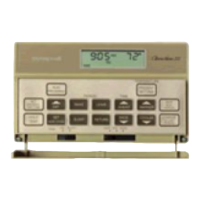
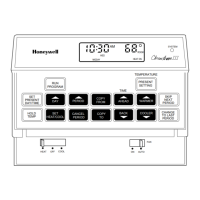
Keyboard and Display Description

Keyboard

Details the physical keys on the thermostat cover and next to the display.

Display

Explains the information shown on the thermostat display screen.

Adaptive Intelligent Recovery Control

Optimum Comfort and Energy Savings

Details how Adaptive Intelligent Recovery™ optimizes comfort and saves energy.

Operating Your Thermostat

Setting System and Fan Keys

Instructions for setting the heating/cooling system and fan modes.

Setting the System Key

How to select Heat, Off, Cool, or Auto system modes.

Setting the Fan Key

How to set the fan to Auto or On operation.

Setting Temporary Temperatures

How to temporarily adjust temperature settings.

Changing Temperature to Temporary Setting Until Next Schedule Period

Temporarily override current schedule until next period.

Changing and Holding Temperature Setting Indefinitely

How to set a permanent temperature hold.

Changing Temperature Setting Until a Designated Day and Period (Vacation Hold)

Setting a temporary hold for a specific duration like vacation.

Using the i (Information) Key

Displaying Outdoor Temperature

How to view the outdoor temperature if sensor is equipped.

Displaying Current Settings

How to check current temperature setpoints and modes.

Filter Indicator

Setting or Resetting Filter Indicator

How to set or reset the filter change reminder.

LED Indicators

Remote Override Temperature Indicator

Indicates when temperature is overridden remotely.

Setting the Clock

Setting Current Day and Time

How to set the current day and time on the thermostat.

Daylight Saving Time

How to adjust the thermostat for Daylight Saving Time.

Programming Your Thermostat

7-Day Program and Operation

Overview of 7-day programming and its four periods.

7-Day Preprogrammed Schedule

Details the default preprogrammed schedule for all days.

Customizing Your Own 7-Day Schedule

Table for planning and customizing a custom 7-day schedule.

Programming the First Day

Steps to begin programming the thermostat's schedule for a day.

Copying a Day

Clearing a Program Period

Troubleshooting

Display Issues

Troubleshooting problems with the thermostat display not showing information.

Temperature Setting Problems

Resolving issues where temperature settings do not change or heating/cooling fails.

System Indicator and Airflow Issues

Diagnosing problems with system indicators, no air from registers, or filter alerts.

Communication and Recovery Timing Issues

Addressing 'no com' errors, zoning delays, and early heat/cool activation.

Warranty

Customer Assistance

Honeywell T8635L Specifications

General IconGeneral
Power SourceBattery or Hardwired
ProgrammableYes
Power MethodBattery or Hardwired
MountingWall Mounted
ColorWhite
DisplayDigital
Temperature Differential1°F
Control TypeDigital

Related product manuals