EasyManua.ls Logo

Honeywell TH8110U - User Manual

Honeywell TH8110U
12 pages
Print Icon
To Next Page IconTo Next Page
Loading...
® U.S. Registered Trademark
Copyright © 2004 Honeywell International Inc. • • All Rights Reserved
INSTALLATION INSTRUCTIONS
69-1700
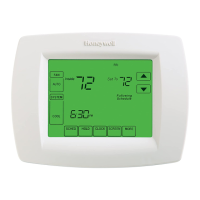
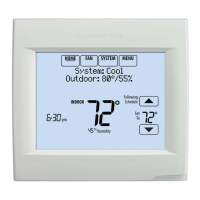
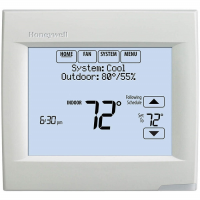
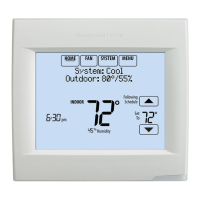
TH8110U Touch Screen
Programmable Thermostats
APPLICATION
The TH8110U Universal Programmable Thermostats provide electronic control of 24 Vac heating and cooling systems
or 750 mV heating system. See Table 1 for a general description.
RECYCLE NOTICE
If this control is replacing a control that contains
mercury in a sealed tube, do not place your old
control in the trash. Dispose of properly.
Contact your local waste management authority
for instructions regarding recycling and the
proper disposal of the old control.
INSTALLATION
When Installing this Product...
1. Read these instructions carefully. Failure to follow
the instructions can damage the product or cause
a hazardous condition.
2. Check the ratings given in the instructions to make
sure the product is suitable for your application.
3. Installer must be a trained, experienced service
technician.
4. After completing installation, use these instructions
to check out the product operation.
Selecting Location
Install the thermostat about 5 ft. (1.5m) above the floor in
an area with good air circulation at average temperature.
See Fig. 1.
Fig. 1. Selecting thermostat location.
Do not install the thermostat where it can be affected by:
Drafts or dead spots behind doors and in corners.
Hot or cold air from ducts.
Radiant heat from sun or appliances.
Concealed pipes and chimneys.
Unheated (uncooled) areas such as an outside wall
behind the thermostat.
Table 1. TH811 Thermostats Description.
Model
Power
Method Changeover System Selection Fan Selection Comments
TH8110U Batteries or
common wire
Automatic or
manual
selectable
Heat-Off-Cool-Auto On-Auto-Circ System and Fan
selection vary based on
system type
5 FEET
[1.5 METERS]
YES
NO
NO
NO
M19925

Questions and Answers

  • P
    phallJul 31, 2025
    Why is my Honeywell TH8110U heating or cooling not turning on?
    • O
      oolsenJul 31, 2025
      Several factors could prevent your Honeywell Thermostat from activating heating or cooling: * The thermostat's minimum off-time might be active. Wait up to five minutes to see if the system responds. * The system selection might not be set to Heat or Cool. Ensure it's in the correct position. * For heat pumps, the O/B terminal might be incorrectly set. Check Installer Setup Number 0190 and adjust as needed. * The system type selection could be wrong. Verify the correct system type is chosen in Installer Setup Number 0170.
  • J
    John GilbertAug 6, 2025
    What to do if my Honeywell TH8110U is calling for heat or cool but nothing is happening?
    • M
      manuelbrownAug 6, 2025
      If your Honeywell Thermostat indicates it's calling for heat or cool, but no heating or cooling is running, the heating or cooling equipment may not be operating. To resolve this: * Check the wiring. * Verify the correct system type is chosen in Installer Setup Number 0170. * Verify equipment operation in System Test mode.
  • D
    Damon McbrideAug 11, 2025
    How to unlock temperature settings on Honeywell TH8110U?
    • C
      Charles GillAug 11, 2025
      If you're unable to adjust the temperature settings on your Honeywell Thermostat, it could be due to: * Reaching the upper or lower temperature limits. Check the temperature setpoints and modify Installer Setup Numbers 0600 and 0610. * A fully locked keypad. Review Installer Setup Number 0670 to adjust keypad lock options.
  • M
    Maria GeorgeAug 18, 2025
    Why is my Honeywell Thermostat touchpad not responding?
    • J
      Jeremy DavisAug 18, 2025
      If your Honeywell Thermostat isn't responding when you press the touchpad, the keypad may be locked. Check Installer Setup Number 0670 to change keypad locked options.
  • J
    jeffrey25Aug 25, 2025
    How to fix Honeywell TH8110U when display does not come on?
    • A
      april37Aug 25, 2025
      If the display on your Honeywell Thermostat doesn't turn on, it might not be getting power. Check for 24 Vac between C and Rc and verify the AAA batteries are installed correctly and are good.

Summary

INSTALLATION

Installing Wallplate

Steps for mounting the thermostat wallplate to the wall.

CAUTION Electrical Hazard.

Warning about electrical hazards during installation.

WIRING

Instructions for wiring the thermostat according to system type.

Mounting the Thermostat

Steps for physically attaching the thermostat to the wallplate.

INSTALLER SETUP

Entering Installer Setup

Steps to access the installer setup menu for configuration.

Installer Setup Menus

Overview of different setup menus (Main, Regional, Advanced).

Changing Installer Setup Selections

How to navigate and modify installer setup options.

System Type Selection

Setting the thermostat to match the installed heating/cooling system type.

Fan Operation

Configuring how the fan operates in heat mode.

Cycles per hour (cph) for Compressor

Setting cycles per hour for the compressor for optimal operation.

Cycles per hour (cph) for Conventional Heat

Setting cycles per hour for conventional heat stages.

SYSTEM CHECKOUT

TROUBLESHOOTING

Honeywell TH8110U Specifications

General IconGeneral
ModelTH8110U
Programmability7-Day Programmable
Stages1 Heat/1 Cool
Wi-FiNo
TypeProgrammable Thermostat
Weight0.5 lbs
DisplayBacklit display
Power SourceBattery or Hardwired
Voltage20-30 VAC
Temperature Range40°F to 90°F

Related product manuals