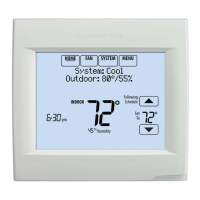
PRODUCT DATA
68-0312-03
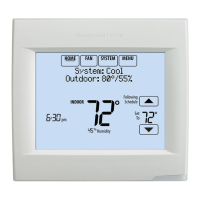
VisionPRO
®
8000 with RedLINK™
APPLICATION
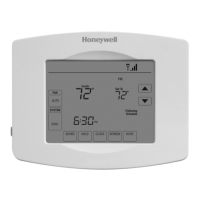
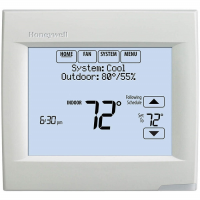
The VisionPRO® 8000 with RedLINK™ features an effortless,
7-Day programmable touchscreen thermostat that provides
control of temperature, humidification, dehumidification, and
ventilation for up to 4 Heat/2 Cool heat pump systems or up to
3 Heat/2 Cool conventional systems for residential and
commercial applications.
FEATURES
• RedLINK™ Compatible
Increase your content and profit per job by including
RedLINK™ accessories that meet your customers comfort
and convenience needs. RedLINK accessories include the
Wireless Outdoor Sensor, Portable Comfort Control (PCC),
Equipment Interface Module (EIM), RedLINK Internet
Gateway, Wireless Indoor Sensor, TrueSTEAM™ humidi-
fier with Wireless Adapter, TrueZONE™ zoning panel with
Wireless Adapter, Vent Boost Remote and Entry/Exit
Remote.
• Customizable Service Reminders
Set up to 10 service reminders. Choose from the pre-set
options or customize your own. Reminders can be based
on date or the outdoor temperature.
• Universal Inputs
Thermostat - S1
EIM - S1, S2, S3, S4
Assignable inputs allow you to setup Indoor and Outdoor
Temperature Sensors, Discharge and Return Air Sensors
or Dry Contact Devices. Dry Contact Devices can be used
to trip pre-set or customized alerts on the thermostat home
screen. Note: Dry Contact Alerts require an Equipment
Interface Module (EIM).
• User Interaction Log
The interaction log stores history of thermostat setting
changes including temperature, system and installer setup.
You can use the interaction log to save time by determining
if the issue is a system error or an accidental user error.
The Interaction Log is only viewable on a computer after
you download it from the thermostat to a microSD card.
• Selectable for Residential and Light Commercial
Applications
One thermostat does it all to meet the needs of Residential
and Light Commercial applications. Simply select Residen-
tial or Commercial during the installer setup. If Commercial
is selected, the thermostat will use commercial language,
meet building codes and offer 365 day holiday scheduling.
• MicroSD Card Port for Quick Installer Setup
Save time by using a microSD card to upload installer set-
tings and service reminders in one simple step.
• Selectable Sensors
When paired with a Wireless Indoor Sensor(s) you have
the ability to choose which sensor(s) to use for tempera-
ture, humidification and dehumidification. They can be
used in combination for temperature averaging—or individ-
ually—to condition humidity levels in separate spaces.


 To Next Page
 General