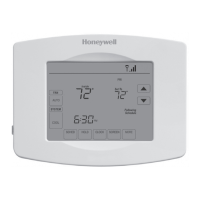
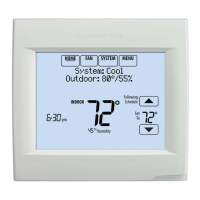
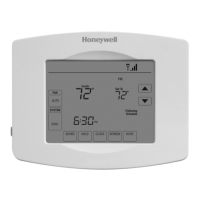
This document describes the Honeywell Wi-Fi Touchscreen Programmable Thermostat, Model RTH8580WF, a device designed for remotely monitoring and controlling heating and cooling systems. It offers a user-friendly touchscreen interface and connectivity to Honeywell's Total Connect Comfort Solutions, allowing users to manage their home or business comfort system from anywhere.
Function Description
The Honeywell RTH8580WF thermostat allows users to:
- Connect to the Internet: Monitor and control heating/cooling systems remotely via a laptop, tablet, or smartphone.
- View and Change Settings: Adjust heating/cooling system settings from anywhere.
- Set Temperature and Schedules: Program temperature settings and schedules for optimal comfort and energy savings.
- Receive Alerts and Automatic Upgrades: Get email notifications and automatic software updates for the thermostat.
The thermostat is pre-programmed with energy-saving schedules for four time periods (WAKE, LEAVE, RETURN, SLEEP), which can reduce heating/cooling expenses by up to 33% when used as directed. These schedules are fully customizable.
Important Technical Specifications
- Power Requirements: Operates on 24-volt systems. It is NOT compatible with 120/240 volt systems. A "C" (common) wire is required for operation, providing 24 VAC power. Older mechanical or battery-operated thermostats may not have a C wire, and installation of a new C wire might be necessary.
- Battery: Includes a coin cell battery (inside the back of the thermostat) for internal clock and settings retention during power outages.
- Wi-Fi Connectivity: Connects to a home wireless network for remote access and control.
- System Compatibility: Supports various heating/cooling system types, including:
- Conventional single-stage, multistage heat and cool systems (natural gas, oil, or electric furnace, air conditioner).
- Heat pump systems (with or without backup/auxiliary heat).
- Heat only systems (with or without fan).
- Cool only systems.
- Temperature Range: Allows setting of both heat and cool temperatures. For auto changeover, heat and cool settings must be at least 3 degrees apart.
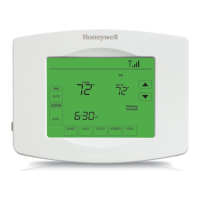
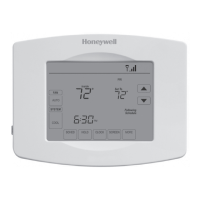
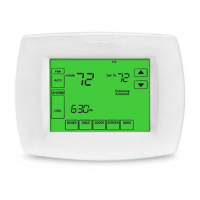
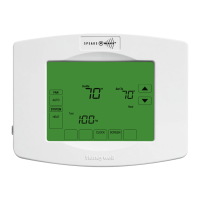
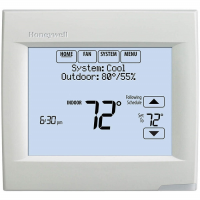
- Display: Touchscreen display with a message center for Wi-Fi connection and registration status, MAC ID, and MAC CRC. The screen is typically lit at low intensity and brightens when touched.
- MAC ID and MAC CRC: Alphanumeric codes unique to each thermostat, essential for online registration. These are found on the Thermostat ID Card and in the message center.
Usage Features
Maintenance Features
-
Cleaning the Screen: Press SCREEN to lock the screen for 30 seconds for cleaning. Spray liquid onto a damp cloth (water or household glass cleaner), not directly onto the thermostat. Avoid abrasive cleansers.
-
Filter Change Reminder: If activated during installation, a message alerts when it's time to replace the filter. Press RESET after changing the filter to restart the timer. The reminder interval can be adjusted in system settings (Function 0500).
-
System Setup and Options: Access system functions (designated by four-digit numbers) by pressing SYSTEM and holding the center blank button. These allow customization of various settings, including:
- Device Name (0112)
- Year/Month/Date Setting (0120, 0130, 0140, 0150)
- Schedule Options (0160)
- Restore Schedule Defaults (0165)
- Select System Type (0170)
- Heating Fan Control (0180)
- Heat Pump Changeover Valve (0190)
- Heating Cycle Rate (0240, 0250)
- Backlight (0280)
- Manual/Auto Changeover (0300)
- Temperature Format (°F/°C) (0320)
- Automatic Daylight Saving Time Adjustment (0330)
- Smart Response Technology (0530)
- Clock Format (0640)
- Restore Original Settings (0710)
- Wi-Fi On/Off (0890)
- Wi-Fi Connection (0900)
-
Troubleshooting: The manual provides solutions for common issues such as a blank display, inability to change system settings, fan not turning on, "Wait" message, heat pump issues, blank button, and red light indicator. It also addresses frequently asked questions regarding Wi-Fi connection, router passwords, Wi-Fi setup page visibility, connection issues, MAC ID/CRC codes, registration problems, and signal strength extension.

 Need help?
 General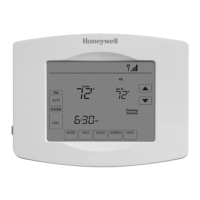



 To Next Page