
 Need help?
Do you have a question about the Honeywell TH8320U and is the answer not in the manual?
Warning about mercury disposal and recycling instructions.
Instructions on choosing an optimal location for thermostat installation.
Steps and precautions for mounting the thermostat wallplate correctly.
Instructions for wiring the thermostat according to system type and terminal identification.
Explains the two methods to power the thermostat: batteries or 24 Vac common wire.
Instructions for physically attaching the thermostat to the wallplate.
Guide to setting the current date and time on the thermostat.
How to interact with the touch screen interface and use its basic functions.
Default system (Heat) and fan (Auto) settings and how they can be configured.
Explains the function of the LED indicator and its relation to system status.
Overview of the default program settings for different periods like Wake, Leave, Return, Sleep.
Introduces the different menus available for thermostat configuration.
Step-by-step guide to access the installer setup mode on the thermostat.
How to navigate and change settings within the Installer Setup menus.
Procedure to exit the installer setup screen and return to the home screen.
Guide to using the installer system test mode to verify HVAC equipment operation.
Instructions for using outdoor or indoor sensors for temperature readings.
Details on heat pump operation with fossil fuel or electric auxiliary heat.
Explanation of how the thermostat controls dehumidification.
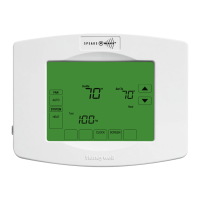
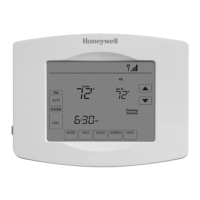
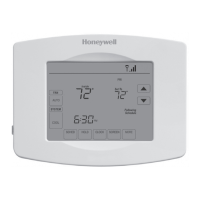
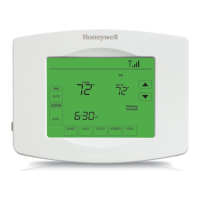
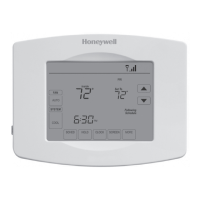
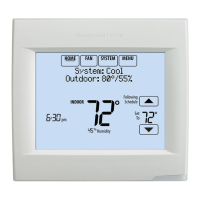
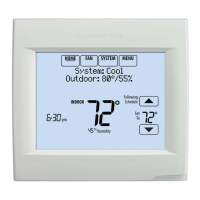
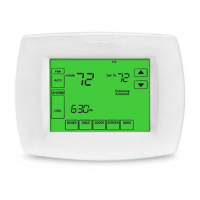
The Honeywell TH8320U and TH8321U Touch Screen Programmable Thermostats are advanced electronic controls designed for 24 Vac heating and cooling systems, as well as 750 mV heating systems. These thermostats offer a user-friendly touch screen interface, allowing for intuitive control and customization of your home's climate.
The primary function of these thermostats is to provide precise and programmable control over heating and cooling systems. They allow users to set schedules for different times of the day (Wake, Leave, Return, Sleep) and days of the week, optimizing energy usage and comfort. The TH8320U and TH8321U models offer universal compatibility, supporting various system types including standard heat/cool, heat-only, cool-only, multistage conventional, and heat pump systems with or without auxiliary heat.
The TH8320U model provides basic programmable functionality with automatic or manual changeover between heating and cooling, and selectable system and fan operations (Heat-Off-Cool-Auto, Em. Heat for heat pumps; On-Auto-Circ). The TH8321U model expands on this by including a humidity sensor, enabling dehumidification control for enhanced indoor air quality.
Both models feature a real-time clock that automatically keeps track of the current time and day for up to ten years once set, ensuring schedules remain accurate. An LED indicator, visible when lighted, signals when the thermostat is in Emergency Heat mode or, if wired to an equipment monitor, when a check or fail signal is sent from the system.
The touch screen interface is a key usage feature, simplifying navigation and setting adjustments. Users interact with words or symbols that appear on the screen, pressing keys with their fingertips. The thermostat guides the user through various settings, from basic temperature adjustments to complex programming.
Key usage features include:
The TH8320U and TH8321U thermostats are designed for minimal maintenance, primarily focusing on power supply and periodic reminders.
Overall, the Honeywell TH8320U and TH8321U thermostats combine advanced control capabilities with user-friendly features and helpful maintenance reminders, making them a versatile solution for managing indoor comfort and energy efficiency.
 General
| Model | TH8320U |
|---|---|
| Display | Touchscreen |
| Power Method | Hardwired |
| Programmability | 7-Day Programmable |
| Compatibility | Conventional and Heat Pump systems |
| Humidity Control | No |
| Wi-Fi Capable | No |
| Stages | 3 Heat/2 Cool |
| Power Source | 24 VAC |
| Battery Type | AA |



 To Next Page