l Switch to a recently used app: Swipe left or right on the screen to nd the app you want to use,
and touch the app tab.
l Close an app: Swipe up on an app tab to close the corresponding app.
l Close all apps: Touch to close all apps.
Use Shortcut Switches to Quickly Enable Frequently
Used Features
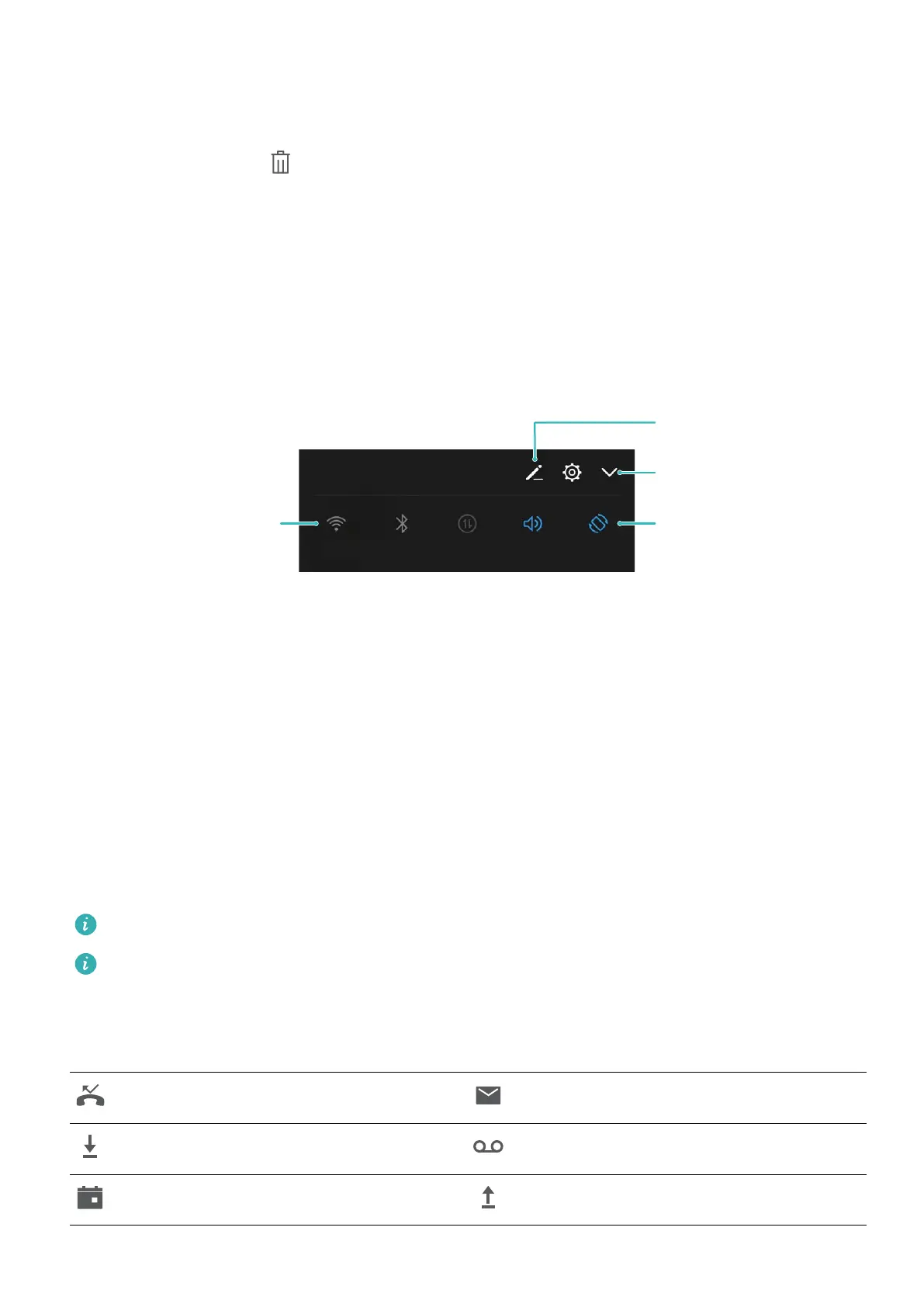
Want to quickly enable or disable mobile data or hotspot? You can enable frequently used features by
using shortcut switches.
Display all shortcut
switches
Touch the shortcut
switch to enable
the feature
Touch and hold to
enter settings
Rearrange shortcut
switches
Notication Panel and Status Bar
Notication and Status Icons and Descriptions
The icons in the status bar give you a quick view of the overall status of your Phone, including its
network connection, battery level, and any new messages received when your Phone is in Silent
mode.
Status icons: By glancing at the status icons, you can quickly learn the status of your device, such as
network connection, signal strength, battery level, time, and more.
The network status icons may vary by regions and service providers.
Only HRY-LX1 supports NFC. Please keep the NFC area close to other devices or objects while
using the NFC function.
Notication icons: When there is a new message, notication or reminder on your Phone, the
relevant icon will be displayed in your status bar.
Missed call
New emails
Downloading data New voicemails
Event reminder Uploading data
Home Screen
10



 To Next Page