You can view your screen recordings in Gallery.
Take a Screenshot of Your Entire Screen
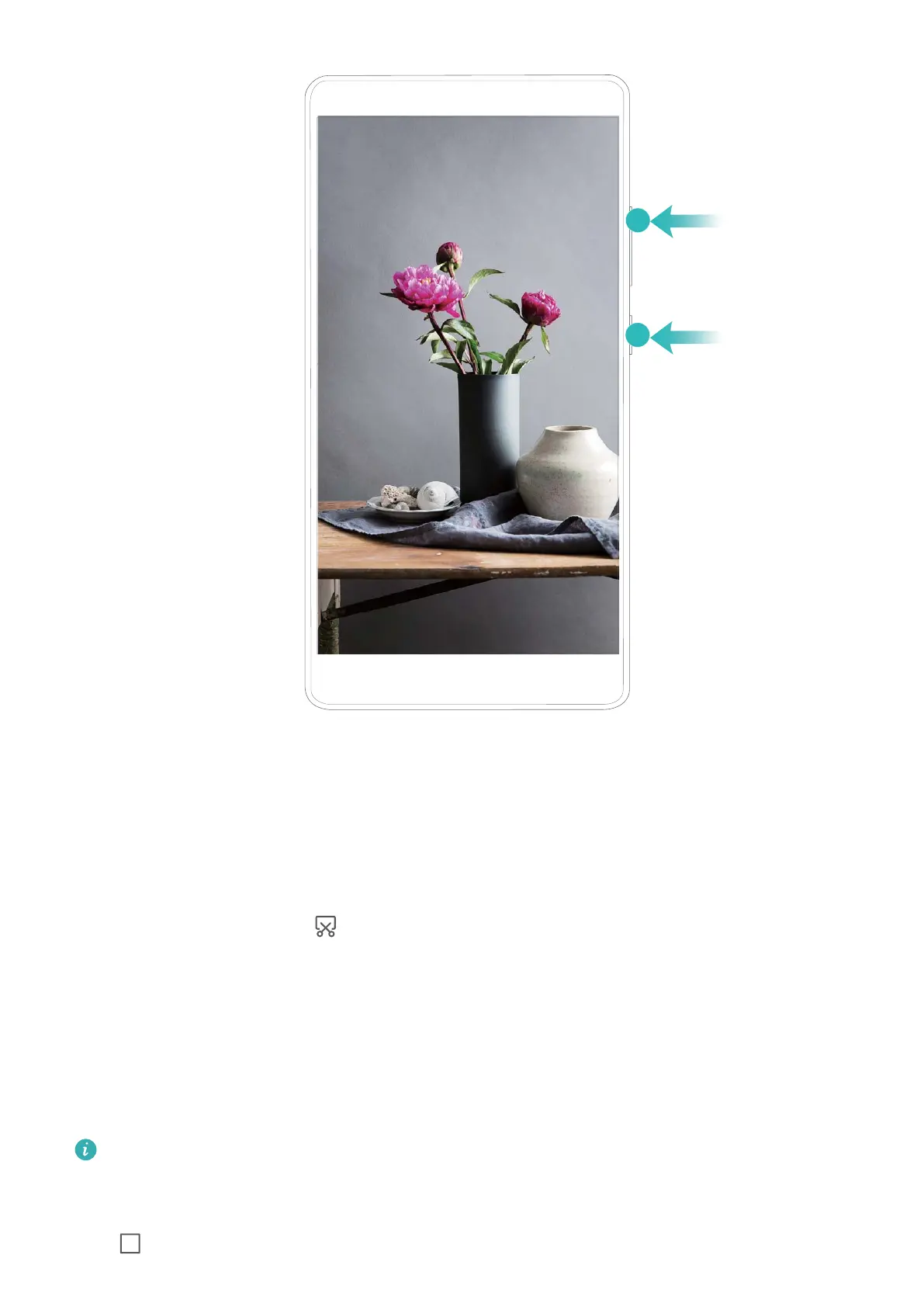
Use combo key to take screenshot: Simultaneously press and hold the Power button and
the Volume down button to take a screenshot of the full screen.
Use shortcut switch to take screenshot: Swipe down from the status bar and open the
shortcuts panel, then touch
to take a screenshot of the full screen.
Split-screen
Enable Split-Screen Mode
Split-screen mode can help you multitask by separating your screen into two panes, allowing
you to display and operate two
dierent apps simultaneously.
Not all devices or apps support Split-screen mode. Some apps may be not able to run
properly in this mode.
Use the Recent key to enable Split-screen mode: Open a compatible app, then touch and
hold .
Gestures and Operations
12



 To Next Page