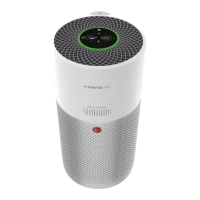
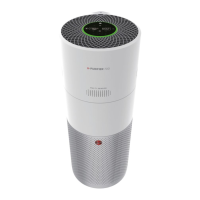
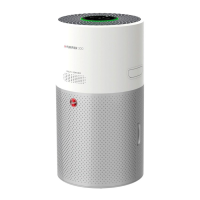
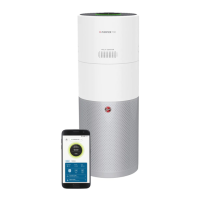
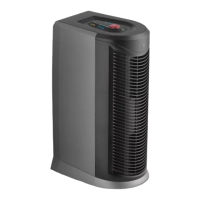
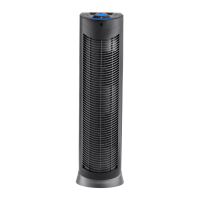
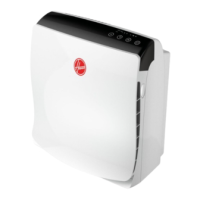
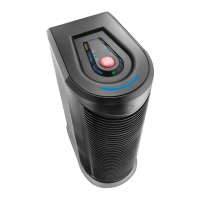
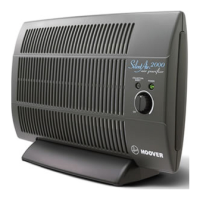
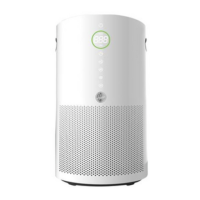
The Hoover H-Purifier HHP30C011 is an air purifier designed for private household use, featuring a multi-sensor system to continuously monitor indoor air quality and an integrated Carbon Monoxide (CO) alert system.
Function Description:
The H-Purifier continuously monitors indoor air conditions for PM10, PM2.5, and Volatile Organic Compounds (GAS) using its multi-sensor system. The Air Quality LED Ring visually indicates real-time air quality with different colors: Green for excellent, Yellow for satisfactory, Orange for poor, and Red for very poor.
A key safety feature is the CO Alert system. It constantly monitors for Carbon Monoxide. If unsafe CO levels are detected, a loud audible alarm will sound, and the Air Quality LED Ring along with the CO Alert button will flash red. The alarm persists until CO levels drop to a safe threshold or are manually silenced. The CO Alert LED also indicates the sensor's status: green for normal, yellow for malfunction/end of life, and red when an alert is active. A monthly test of the CO alarm is recommended.
The device offers three main air purifying modes:
- AUTO MODE: This is the default setting. The H-Purifier automatically adjusts its fan speed based on the actual indoor air quality to ensure optimal purification. After 30 minutes of excellent air quality, it enters an ECO mode (stand-by) where purification pauses, but monitoring continues, reactivating purification when needed.
- MAX MODE: Activates air purification at the maximum power setting for rapid cleaning.
- SLEEP MODE: Operates at the lowest, quietest power setting, with the Sleep mode button dimly lit and other display lights off (adjustable via the Light Control button).
- POLLEN ALLERGY MODE: This mode is exclusively activated via the hOn App. After creating a Pollen Allergy Profile, it works only when AUTO MODE is selected. It receives real-time data on outdoor pollen concentration and optimizes performance to capture pollen, which is then inactivated to alleviate allergic symptoms. Notification lamps (white for no risk, yellow for risk detected) indicate pollen presence.
Additional features include:
- LIGHT CONTROL Function: Offers three display lighting settings: On, Dim, and Off.
- CHILD LOCK Function: Locks all buttons to prevent accidental changes, activated by pressing and holding the Child Lock button for 3 seconds.
- Wi-Fi Connectivity: Allows control and access to all functions via the hOn App, and is compatible with Hey Google and Amazon Alexa.
Important Technical Specifications:
- CO Sensor Lifetime: 7 years, after which it must be replaced.
- Operating Humidity: 15 – 90% RH.
- Operating Temperature: 0°C to + 40°C.
- Wireless Parameters for Pairing:
- Wi-Fi Standard: IEEE 802.11 b/g/n, Frequency Band: 2401-2483 MHz, Max Power: 100 mW, Max RF Power: 18.9 dBm.
- Bluetooth Standard: v4.2, BLE, Frequency Band: 2402-2480 MHz, Max Power: 10 mW.
- Air Quality Levels (PM10, PM2.5, GAS VOC):
- Green (Excellent): 0-50 µg/m³ PM10, 0-25 µg/m³ PM2.5, L1 GAS VOC.
- Yellow (Satisfactory): 50-80 µg/m³ PM10, 25-50 µg/m³ PM2.5, L2 GAS VOC.
- Orange (Poor): 80-160 µg/m³ PM10, 50-100 µg/m³ PM2.5, L3 GAS VOC.
- Red (Very Poor): ≥ 160 µg/m³ PM10, ≥ 100 µg/m³ PM2.5, L4 GAS VOC.
Usage Features:
The H-Purifier should be placed on a dry, stable, level horizontal surface, with at least 20cm free space behind and on both sides, and 30cm above. It should be at least 2m away from other electrical appliances using airborne radio waves to prevent interference. Nothing should be placed on top of the appliance. It should not be used with indoor smoke-type insect repellents or in areas with oily residues, burning incense, or chemical fumes. Avoid placing it near hot surfaces, open flames, gas appliances, heating devices, air conditioning vents, doors, windows, or in enclosed/humid spaces.
Maintenance Features:
The H-Purifier monitors the filter condition, alerting the user when cleaning or replacement is needed via yellow illumination of the FILTER CLEANING or FILTER REPLACEMENT buttons.
- Filter Cleaning: The external layer of the filter can be cleaned with a vacuum cleaner. After cleaning, press and hold the FILTER CLEANING button for 3 seconds to reset the alert.
- Filter Replacement: When the FILTER REPLACEMENT button turns yellow, the filter needs to be replaced. After replacement, press and hold the FILTER REPLACEMENT button for 3 seconds to reset the alert.
- Storage: Before storing, switch off and unplug the H-Purifier. Clean all internal and external surfaces, ensuring all components are dry. The power cord can be neatly stored using the cord hook and transport location. Store the H-Purifier in a cool, dry place.
- Troubleshooting: The manual provides a list of common problems and solutions. If issues persist, contact an authorized Hoover service engineer. Do not attempt to disassemble the H-Purifier yourself.

 Need help?
 General

 To Next Page