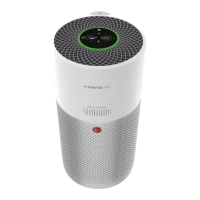
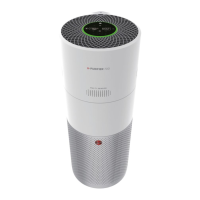
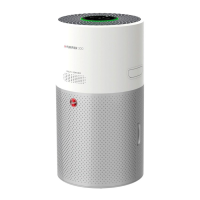
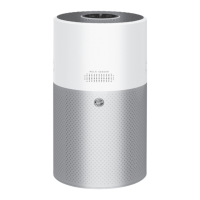
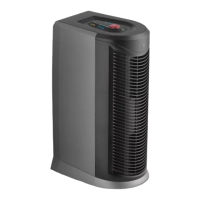
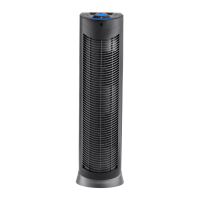
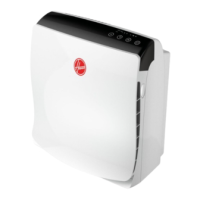
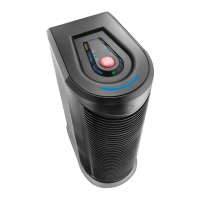
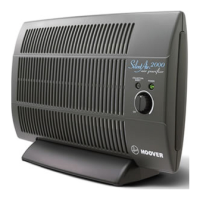
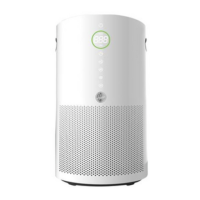
The Hoover H-Purifier is an air purification device designed for private household use, continuously monitoring indoor air quality and providing various purification modes. It incorporates a Multi Sensor Monitoring System that analyzes PM10, PM2.5, Volatile Organic Compounds (GAS), and Carbon Monoxide (CO) concentrations.
Function Description:
The H-Purifier's primary function is to purify indoor air by filtering out pollutants and allergens. It offers multiple operating modes, including Auto Mode, Max Mode, Sleep Mode, and a specialized Pollen Allergy Mode. The device is equipped with a CO monitor and alarm system to detect unsafe levels of carbon monoxide, providing both visual and audible alerts. The CO monitor function is a supplemental monitoring device and not a substitute for certified CO alarms. The device can be controlled via a physical control panel/display or remotely through the hOn App, which also enables advanced features like Pollen Allergy Mode and detailed air quality monitoring.
Important Technical Specifications:
- Operating Humidity: 15 – 90% RH
- Operating Temperature: 0°C to + 40°C
- CO Sensor Lifetime: 5 years (requires replacement after this period)
- CO Alarm Sound Level: 85~110dB(A)
- Wireless Connectivity: Wi-Fi (IEE 802.11 b/g/n, 2401~2483 MHz, Max Power 100 mW) and Bluetooth (v4.2, BR/EDR, BLE, 2402~2480 MHz, Max Power 10 mW)
Usage Features:
- Control Panel/Display: Features a central display with buttons for Power, Child Lock, Sleep Mode, Auto Mode, Max Mode, Light Control, Wi-Fi, Filter Cleaning, Filter Replacement, and CO Alert.
- Air Quality LED Ring: Illuminates with different colors to indicate real-time indoor air quality: Green (Excellent), Yellow (Satisfactory), Orange (Poor), and Red (Very Poor).
- CO Monitor and Alarm: Continuously monitors CO levels. When unsafe levels are detected, the CO Alert button and Air Quality LED Ring blink red, and an audible alarm sounds. The alarm stops when CO concentration falls below 50 ppm or is manually silenced. A green CO Alert LED indicates normal sensor condition, while yellow indicates malfunction or end of life.
- Power On/Off: Press the Power button to switch the product on or off. Upon plugging in, all lights illuminate briefly, and the CO sensor light turns on.
- Wi-Fi Pairing: The device can be paired with the hOn App by pressing and holding the Wi-Fi button for 5 seconds, allowing remote control and access to additional features.
- Auto Mode: The default mode, where the H-Purifier automatically adjusts fan speed based on indoor air quality for optimal purification. After 30 minutes of excellent air quality, it enters ECO mode, pausing purification but continuing monitoring.
- Max Mode: Activates air purification at maximum power setting for rapid cleaning.
- Sleep Mode: Operates at the lowest, quietest power setting, with most display lights off (adjustable via Light Control).
- Pollen Allergy Mode: Activated exclusively via the hOn App after creating a Pollen Allergy Profile. This mode works only when Auto Mode is selected. It continuously receives real-time outdoor pollen data from the app to maximize pollen capturing and inactivation. The Pollen Allergy Lamp indicates pollen presence: White (no risk) or Yellow (risk detected), with the Pollen Allergy Circle lamp also turning white when risk is detected.
- Light Control Function: Offers three display lighting settings: On, Dim, and Off, cycled through by pressing the Light Control button.
- Child Lock Function: Activates by pressing and holding the Child Lock button for 3 seconds, disabling all other buttons on the control panel. An audible sound confirms activation/deactivation.
Maintenance Features:
- Filter Cleaning Alert: The Filter Cleaning button turns yellow when the outer layer of the filter needs cleaning. Users can clean it with a vacuum cleaner. After cleaning, the alert is reset by pressing and holding the Filter Cleaning button for 3 seconds.
- Filter Replacement Alert: The Filter Replacement button turns yellow when the filter needs to be replaced. After replacing the filter, the alert is reset by pressing and holding the Filter Replacement button for 3 seconds.
- Filter Assembly/Replacement: Involves removing the Air Inlet Cover, unlocking the filter release switch, removing the old filter (and its packaging if new), cleaning the external mesh or replacing with a new HOOVER filter, refitting the filter, locking the release switch, and reattaching the Air Inlet Cover.
- Storage: Before storing, the device should be switched off, unplugged, and all internal and external surfaces, including the filter mesh, should be cleaned and dried. The power cord can be tidied and secured using the cord hook and storage hook, with the plug fitted into the transport location. The device should be stored in a cool, dry place.
- Troubleshooting: The manual provides a list of common problems and solutions, including issues with the fan, display lights, unresponsive buttons, weak airflow, loud operation, and CO alarm activation. Users are advised to contact a local Hoover representative for persistent failures and not to disassemble the H-Purifier themselves.
- Hoover Service: For continued safe and efficient operation, all servicing and repairs should be carried out by an authorized HOOVER service engineer. Only genuine HOOVER spares and consumables are recommended.


 To Next Page
 General