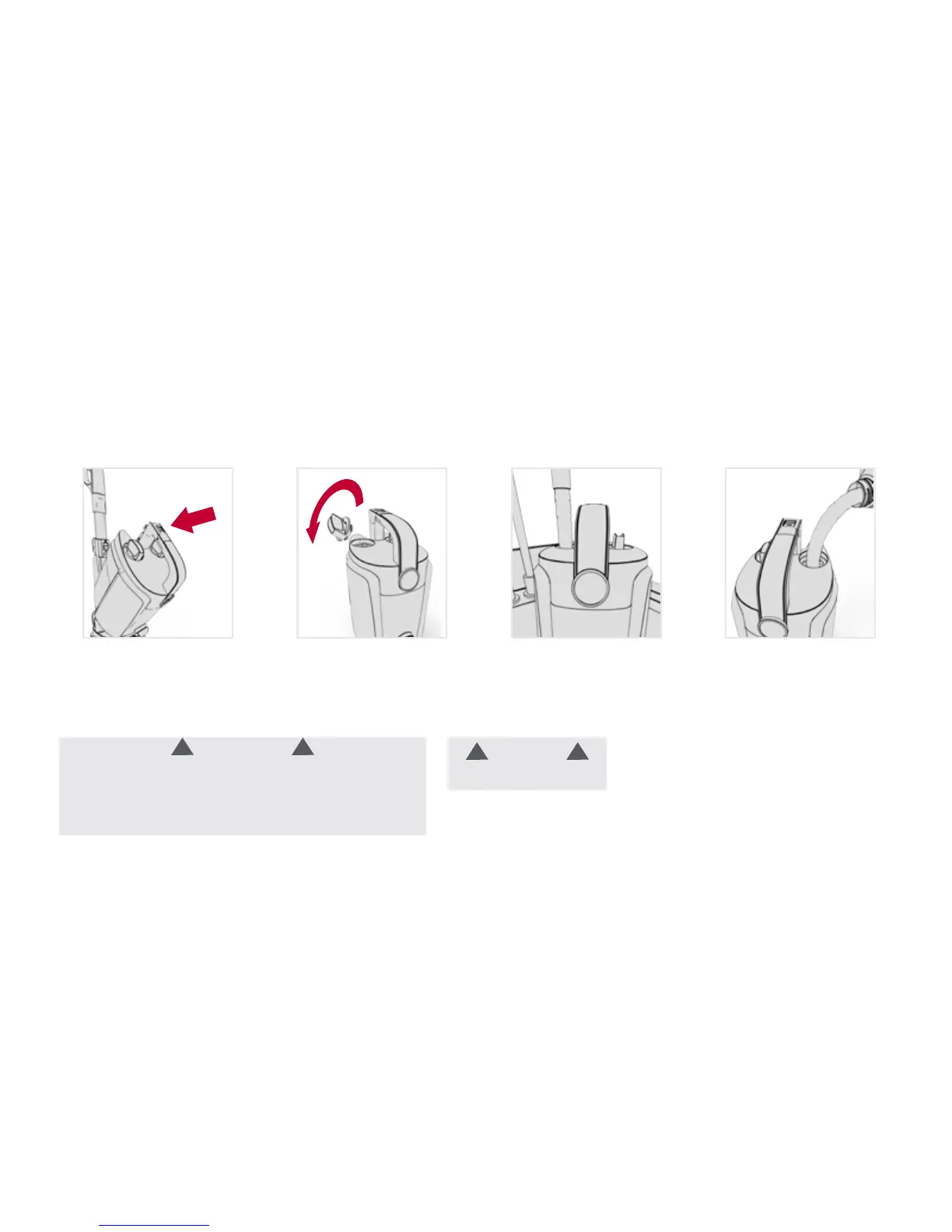
5
1 42 3
Press the Clean Water
Solution Tank button on
handle. Tilt the Clean
Water Solution Tank out
and remove.
Fill Solution Tank with
solution. Replace
both caps.
Turn water cap counter-
clockwise and pull up
to remove.
Fill Clean Water Tank with
hot tap water.
Remove and replace clean water solution tank:
WARNING
Use only HOOVER cleaning products intended for use
with this machine. (See the "Cleaning products" section in
this manual for details.) They are specially formulated for
use with your cleaner. Non-Hoover cleaning solutions may
harm the machine and void the warranty.
CAUTION
Do not ll with water above
140˚F (60˚C).
!!
!!
Getting started with your Power Path
™
Pro:





 To Next Page