Maintenance
9.
Cleaning and changing the cone filter
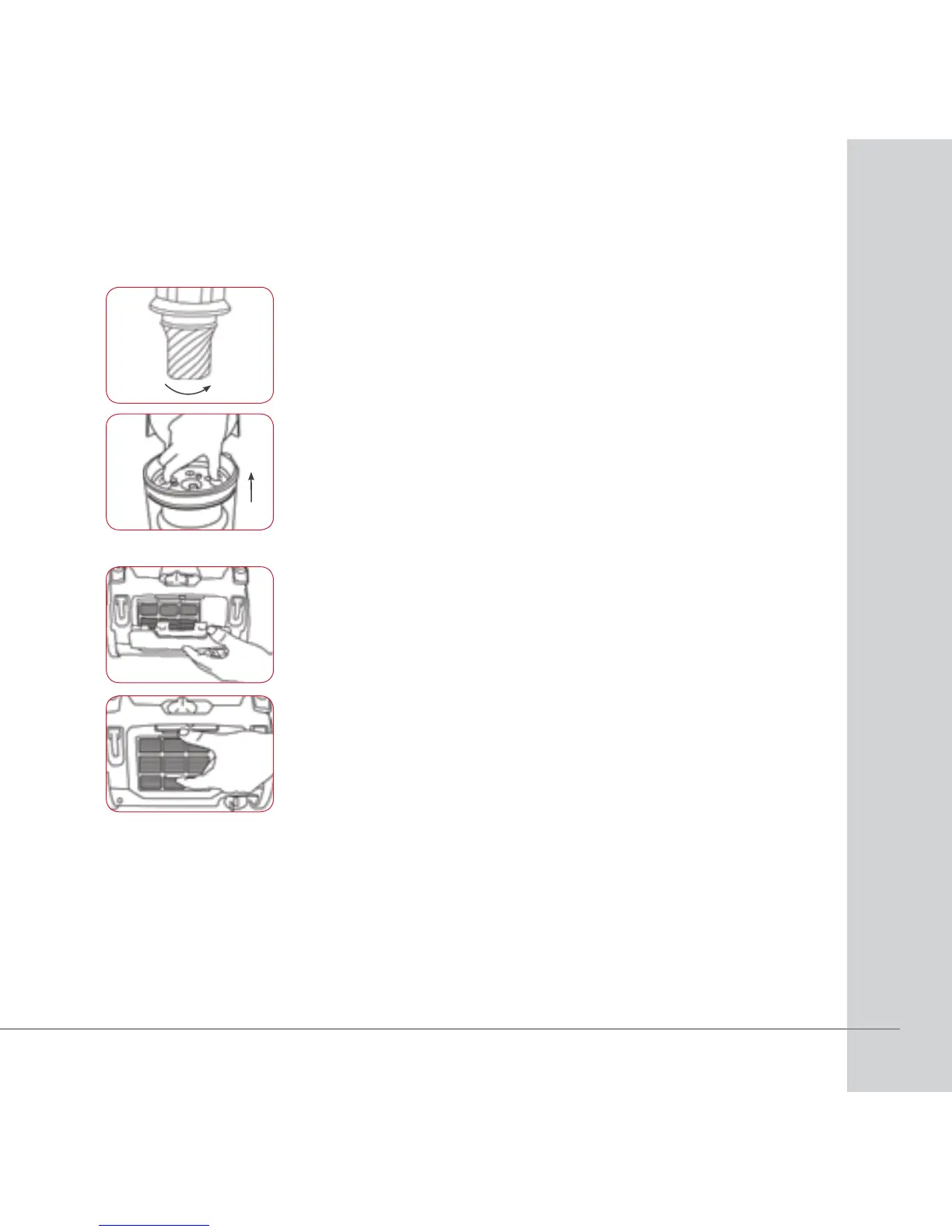
1. To clean the cone filter, turn anti-clockwise and remove
from dust bin.
2. Rinse with lukewarm water and allow to dry or wipe
with cloth.
3. Reinsert filter back into dust bin, turn clockwise to lock,
then close the base flap.
4. Reinsert the dust bin back into the appliance. It will click
into place and you can start to vacuum again.
NOTE: Any moisture in the filter can cause damage to the
motor.
Maintenance (continued)
1. Press the filter grill release button on the filter grill.
2. Remove the filter from the filter grill.
3. Rinse under lukewarm water and air dry for 24 hours
before use.
4. Refit the filter to the filter grill and refit the grill to the
machine.
NOTE: Any moisture in the filter can cause damage to the
motor.
Replacing the exhaust air filter
WARNING! Ensure the cleaner is not connected
to the mains powers supply when performing any
maintenance task.




 To Next Page