EasyManua.ls Logo

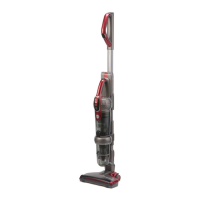
Hoover Vortex Pro 5231 - User Manual

Hoover Vortex Pro 5231
20 pages
Print Icon
To Next Page IconTo Next Page
Loading...
Digital Brushless Motor
Air Velocity Technology
Cordless Freedom

Questions and Answers

  • T
    Travis BoydAug 4, 2025
    Why is my Hoover Vortex Pro 5231 losing suction?
    • S
      Sharon JacksonAug 4, 2025
      Reduced suction in your Hoover Vacuum Cleaner can be attributed to a few key issues. First, check if the dust canister is full and empty it if necessary. Next, examine the handvac canister filter for dust accumulation; clean or replace the filter. Lastly, inspect the powerhead air path for any blockages and clear them out.
  • C
    christinagrayAug 9, 2025
    What to do if my Hoover Vortex Pro 5231 Vacuum Cleaner won't turn on and the power indicator is flashing?
    • E
      Erin EvansAug 9, 2025
      If your Hoover Vacuum Cleaner won't switch on and the power indicator is flashing, it likely means the battery is flat. You should charge the cleaner.
  • N
    Nicole RichmondAug 16, 2025
    Why Hoover Vortex Pro 5231 has insufficient running time after charging?
    • N
      nicholasfarmerAug 16, 2025
      There are several reasons why your Hoover Vacuum Cleaner might not be running for long enough after being charged. It could be due to overheat protection on the motor being activated because of a blockage – clear the blockage to resolve this. Alternatively, the battery may not have been charged for long enough; ensure you fully charge it until the green light turns on before use. Finally, it could be due to normal discharge reduction in the battery. If problems persist, consider purchasing a new battery.
  • E
    Evelyn WarrenAug 21, 2025
    Why Hoover Vortex Pro 5231 roller brush does not spin?
    • N
      Nathan SmithAug 21, 2025
      If the roller brush on your Hoover Vacuum Cleaner isn't spinning, it's probably blocked. Remove the roller brush from the powerhead and clear any hair or debris.
  • C
    Chad CohenAug 27, 2025
    What to do if my Hoover Vortex Pro 5231 can’t be charged?
    • P
      Pamela MillsAug 27, 2025
      If your Hoover Vacuum Cleaner isn’t charging, make sure the cleaner is correctly placed on the charging base. Also, verify that the charging base is properly connected to a working power socket. Try unplugging and plugging it into a different socket. Lastly, check that the battery is correctly assembled by removing it and reinserting it into the cleaner.

Summary

Before You Begin

Precautionary Measures

General safety advice for operating the vacuum cleaner.

Safety Precautions & Warnings

Battery Use and Care

Guidelines for charging, handling, and maintaining the vacuum cleaner's battery.

Assembly

Instructions for Use

Charging

Process for charging the vacuum cleaner's battery.

On;Off & Power Control Buttons

How to operate the cleaner's power and suction settings.

Maintenance

Emptying the Handvac Dust Canister

Steps to remove and empty the dust container from the hand unit.

Emptying the Diverter Dust Canister

How to empty the main dust container and clean its filter.

Cleaning & Replacing the Dust Canister Filter

Procedure for cleaning or replacing the dust canister's filter.

Troubleshooting

Hoover Vortex Pro 5231 Specifications

General IconGeneral
ModelVortex Pro 5231
CategoryVacuum Cleaner
Filter TypeHEPA
Power SourceElectric
Cord Length7.5 meters
Weight5.5 kg
Included Accessoriesdusting brush

Related product manuals