32
Use the "▲" or "▼" key on the measurement parameter setting interface to
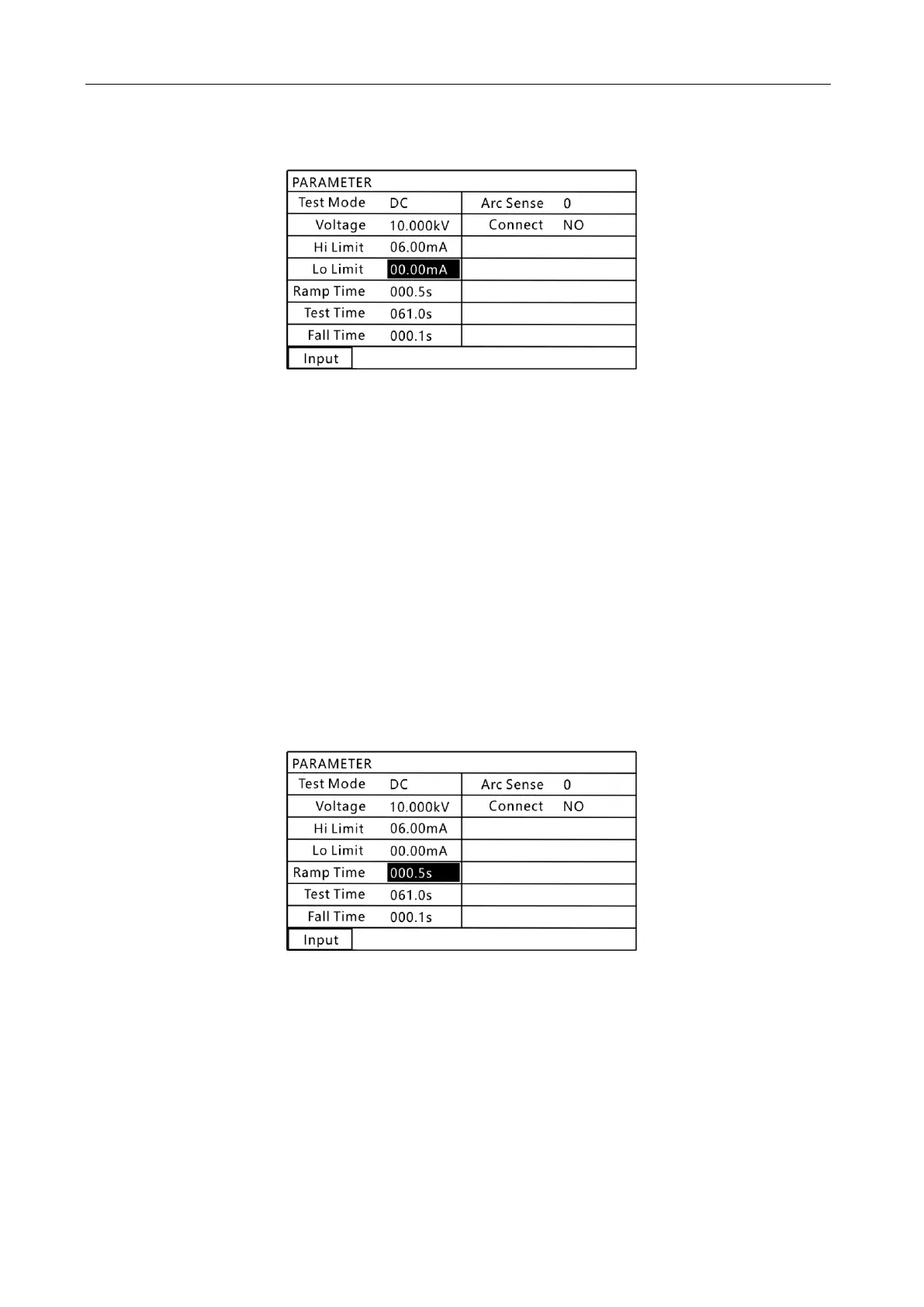
select the setting content of " judgment value lower limit ", as shown in the figure
below:
8.10 lower limit "judgment value lower limit" setting interface
In this interface, press the "Input" key, the first digit of the voltage value appears
in reverse, and use the numeric keys to set the required lower limit of the judgment
value. After setting, press “Enter” to confirm. To cancel the setting, press the "Esc" key
to exit the current setting.
Note: If the set lower limit setting value is not in the range, the
instrument will automatically determine that it is not in the range and
will automatically restore the setting value to the previous setting
value.
5. Hi-pot test rise time setting (DC Hi-pot test)
Use the "▲" or "▼" key on the measurement parameter setting interface to
select the "rise time" setting content, as shown in the figure below:
8.11 Hi-pot test "Rise time" setting interface
In this interface, press the "Input" key, the first digit of the voltage value will
appear in reverse, and use the numeric keys to set the required rise time. After setting,
press “Enter” to confirm. To cancel the setting, press the "Esc" key to exit the current
setting.
The hi-pot rise time setting is a set value for which the output voltage value rises
within this time.
For example:
Setting the output voltage to 3.000kV requires a voltage rise rate of



 To Next Page