Horizont User manual, 1970 year
– 3 –
3. Loading the camera
Do not load the camera in direct sun light. It should be loaded and unloaded in subdued light. To load
the camera act as follows:
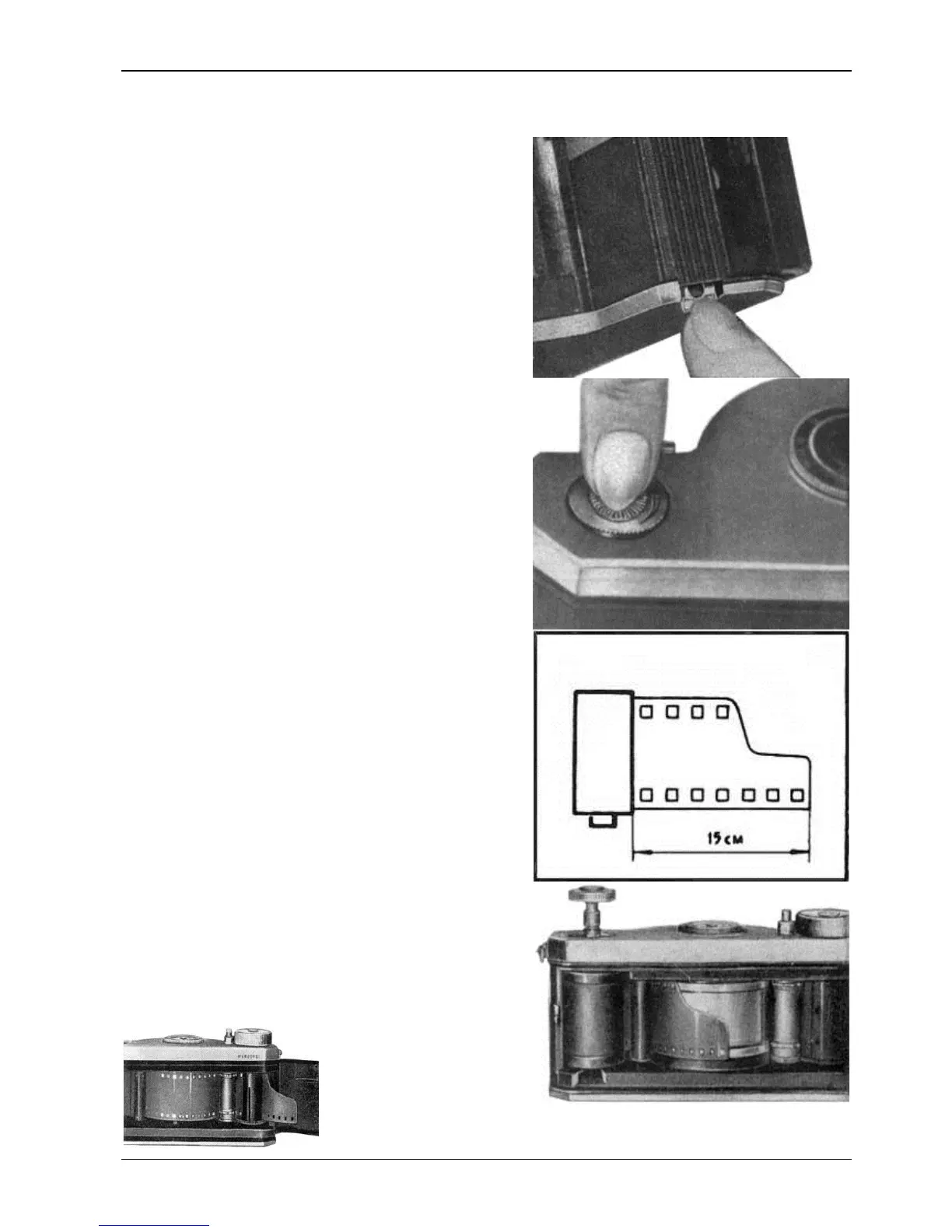
1. Remove the viewfinder
2. Open the back cove
r having pulled down the lock
Press the film rewind knob and turn it against the
direction shown by the arrow. Pull the knob up as far as
it will go; then remove the cassette.
The HORIZONT camera is designe
It is not recommended to use cassettes consisting of
. Load the cassette with film.
If the latter has not a standard-cut end, cut it in
way shown in the picture.
5.
Carefully insert the film end under the guide
roller and pull about 15 cm of film from under it.
Put the cassette into the chamber, having pulled
up the film rewind knob as far as it will go.
7.
Pass the end of the film under the sprocket so that
it appears from under the take-
of drawing the film easier, press the falling in
button and rotate the sprocket with your finger thus
moving the film to the take-up spool.


 To Next Page