Avatar SD40
Unfolding
11
Unfolding
Pay attention to the seq u ence of the following steps!
• Connect the machine to the tractor.
• Connect all hoses, including the case drain!
• Switch on the E-Manager.
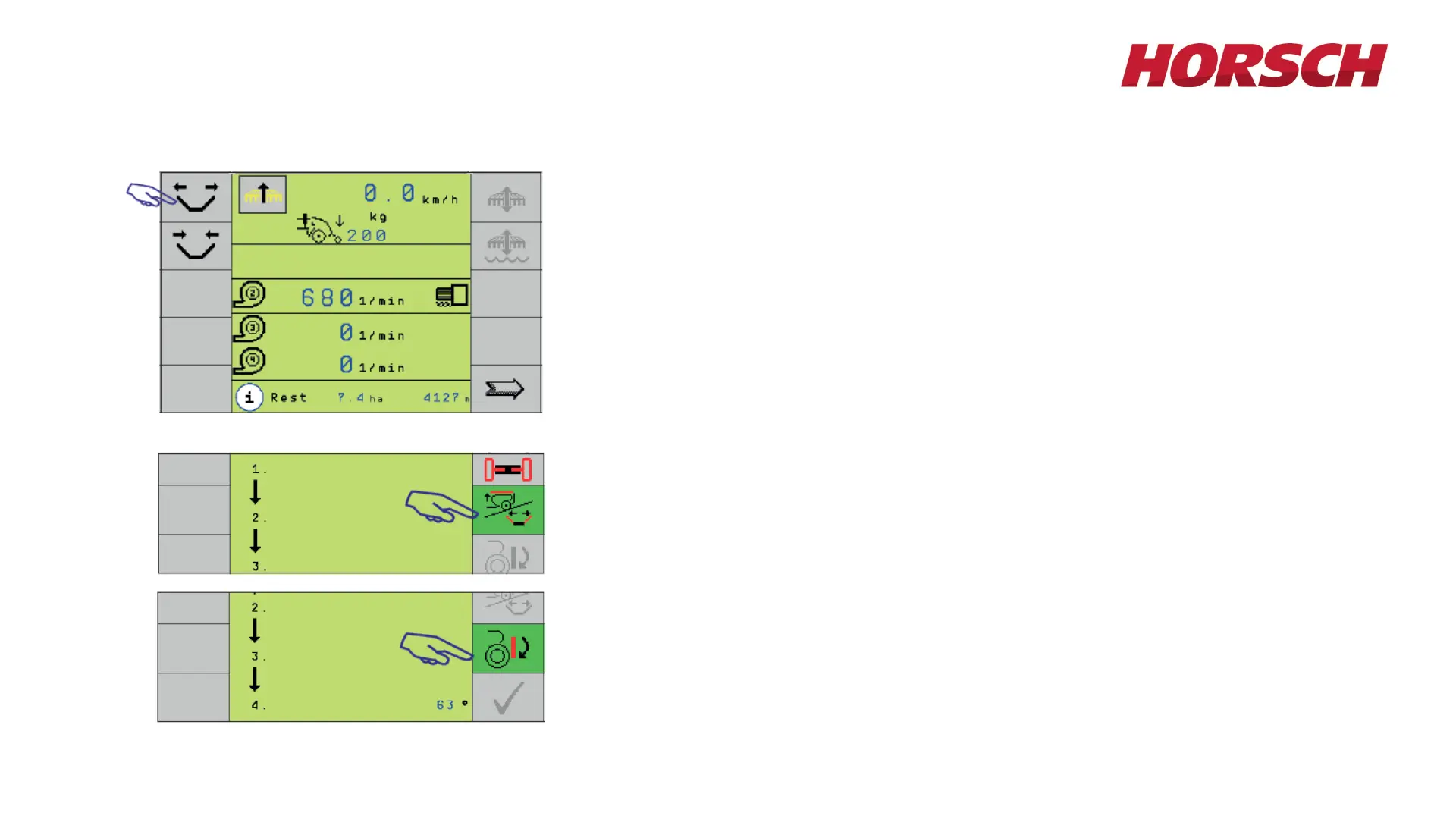
• Switch on the hydraulic Unfolding function in the monitor.
• The machine will only unfo l d a t a standstill!
• Press the softkey for "Lift/Fold". The button changes to green.
• Lift toolbar with the tractor hydraulics.
• Lift both wings out of the transport racks and completely unfold the
wings.
• Press the button for lowering. The symbol becomes green and the
toolbar can be lowered.
• At 50° the distribution towers are automatically extended.
• After lowering the toolbar the machine is unfolded.








 To Next Page