Save and Power Down – Wi-Fi Systems
To save all of your calibrations and exit the app:
1. Select the Exit app icon in the menu bar.
A box opens and asks, “Are you sure you want to
exit?”
2. Select Yes.
A box opens and asks, “Would you like to create an
Error file
package?”
3. Select yes or no and the app will close.
See Error File Package in the Message Lists section of
the manual for more information on Error File
Packages.
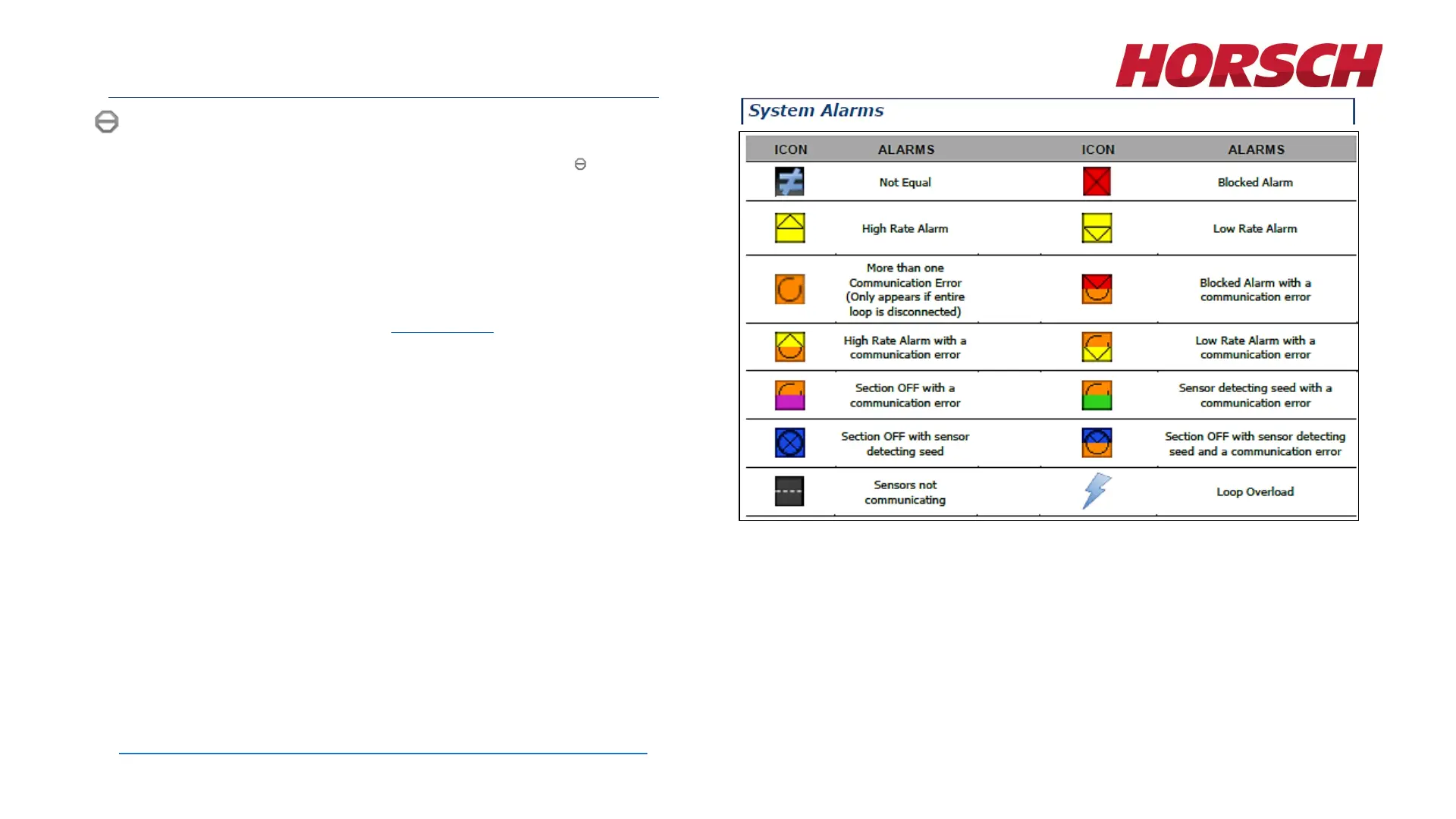
For complete operating instructions, system alarms, error codes and troubleshooting guide of the LEGEND Blockage Monitoring System and a full list
of system alarms, error codes and troubleshooting information see the operator’s manual included with the selected blockage monitor system option, or
to view the manual electronically or download, see the Download Center on the official HORSCH web site, located at
https://www.horsch.com/us/service/downloads/downloadcenter/us.
28








 To Next Page