Setting the Time of Day
When setting the time or altering the temperature settings, if a period exceeding
65 seconds is allowed to elapse between button presses then the CentaurStat will
automatically return to the run position. Any alterations made since the last press of the
ENTER button will not be recognised.
Time and Temperature Settings
The CentaurStat 7 has
six temperature settings
per 24 hours.
These all have different
start times and temperature
settings. The default
factory settings are shown
opposite. Should you want
to alter these default times
and temperatures, proceed
as per the instructions on
page 5.
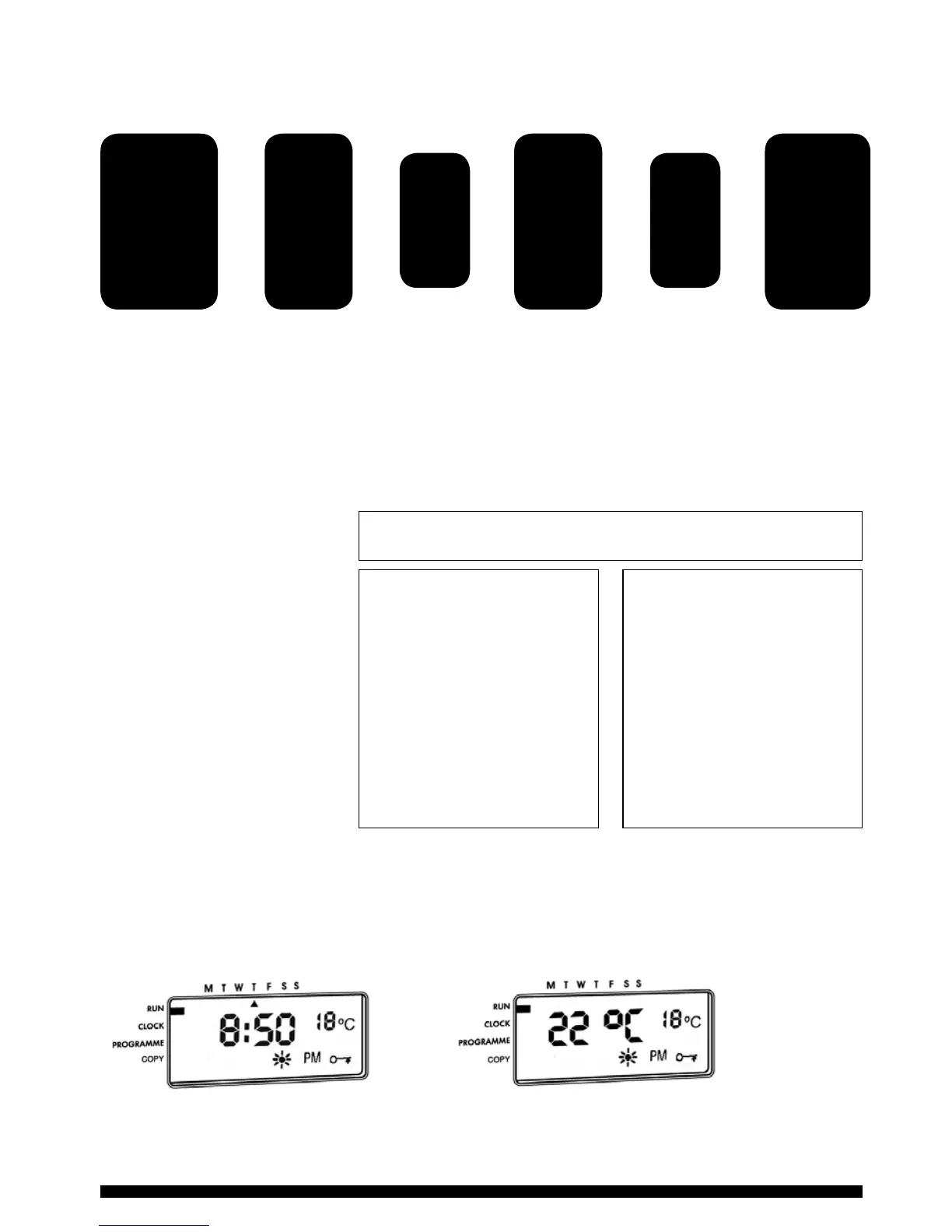
Display Features
The CentaurStat has two user displays, by pressing the PLUS and MINUS buttons
simultaneously, the user can toggle between either Display 1 or Display 2.
4
Press the
SET button
until SET
indicator is
next to clock
position on
the display
Use the
PLUS and
MINUS
buttons
to adjust
the day
Use the
PLUS and
MINUS
buttons
to adjust
the time
Press
ENTER
Press
ENTER
Press the
SET button
until SET
indicator
is returned
to the RUN
position
Monday - Friday
Period Times Temps.
1 6:00am 20ºC
2 8:30am 18ºC
3 11:30am 20ºC
4 1:30pm 18ºC
5 5:00pm 21ºC
6 10:00pm 15ºC
Saturday/Sunday
Period Times Temps.
1 7:00am 20ºC
2 10:00am 18ºC
3 11:30am 21ºC
4 1:30pm 18ºC
5 5:00pm 21ºC
6 11:00pm 15ºC
DEFAULT SETTINGS
Display 1 - Shows current time
and target temperature
Display 2 - Shows current and
target temperature



 To Next Page