12 13
Start
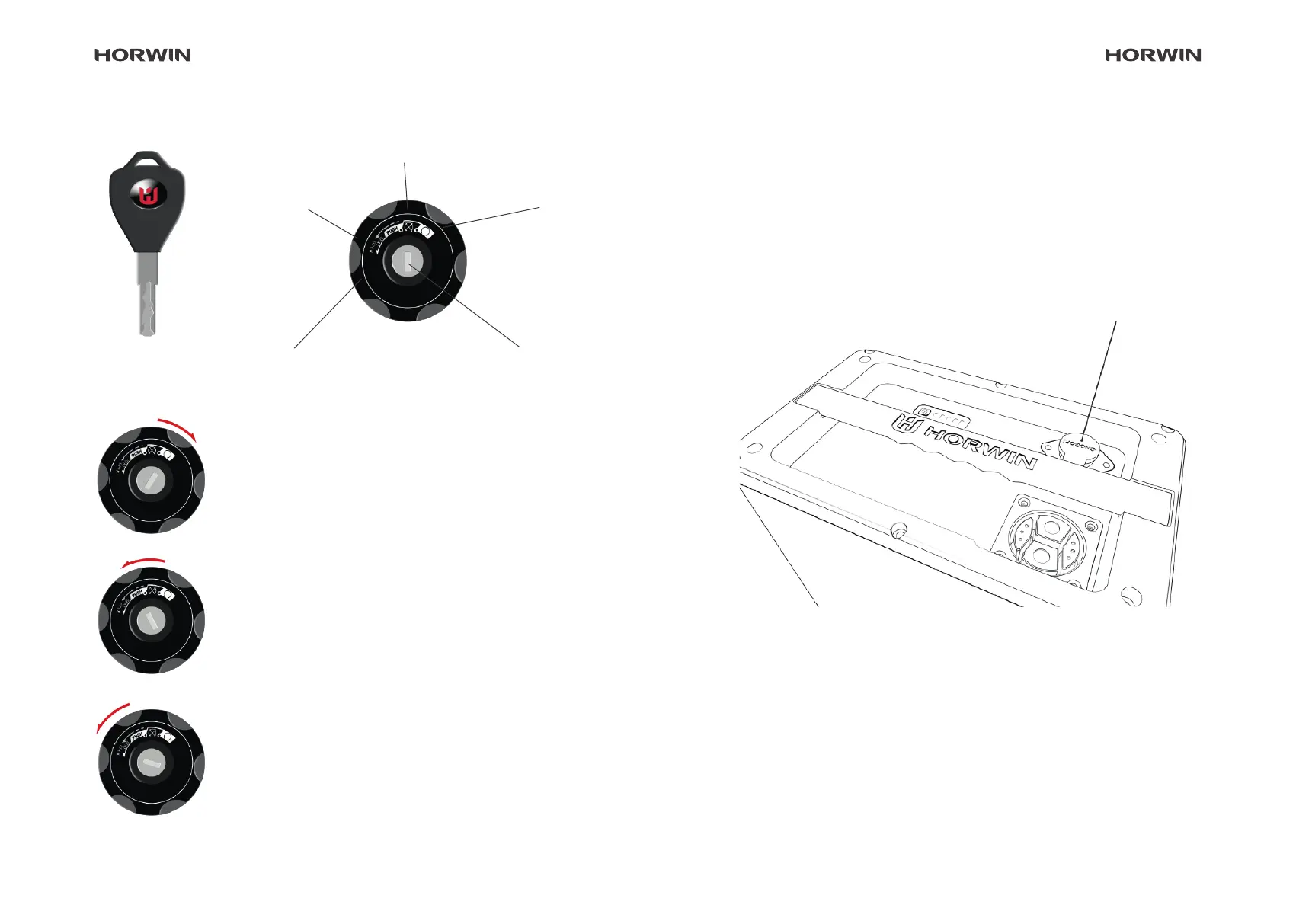
Starting the scooter
Insert the mechanical key and turn it to the
"Start" position to switch on the vehicle. Turn
the key back to the "O" position to switch o
the vehicle.
Opening the seat
Insert the mechanical key and turn it to the
"Open seat" position to unlock the seat.
Handlebar lock
Turn the handlebars to the furthest left posi-
tion. The handlebars are locked by pressing
and turning the key anti-clockwise to the
"handlebar lock" position.
Key
O
Keyhole
Handlebar lock
Open
seat
First connect the charger to the battery interface, and then to the
socket. If the charging process does not start automatically, press
the charging indicator button.
Battery and charger
External charging mode
Battery charging interface
Instructions for using batteries
The battery has multiple charging methods
Vehicle lock


 To Next Page