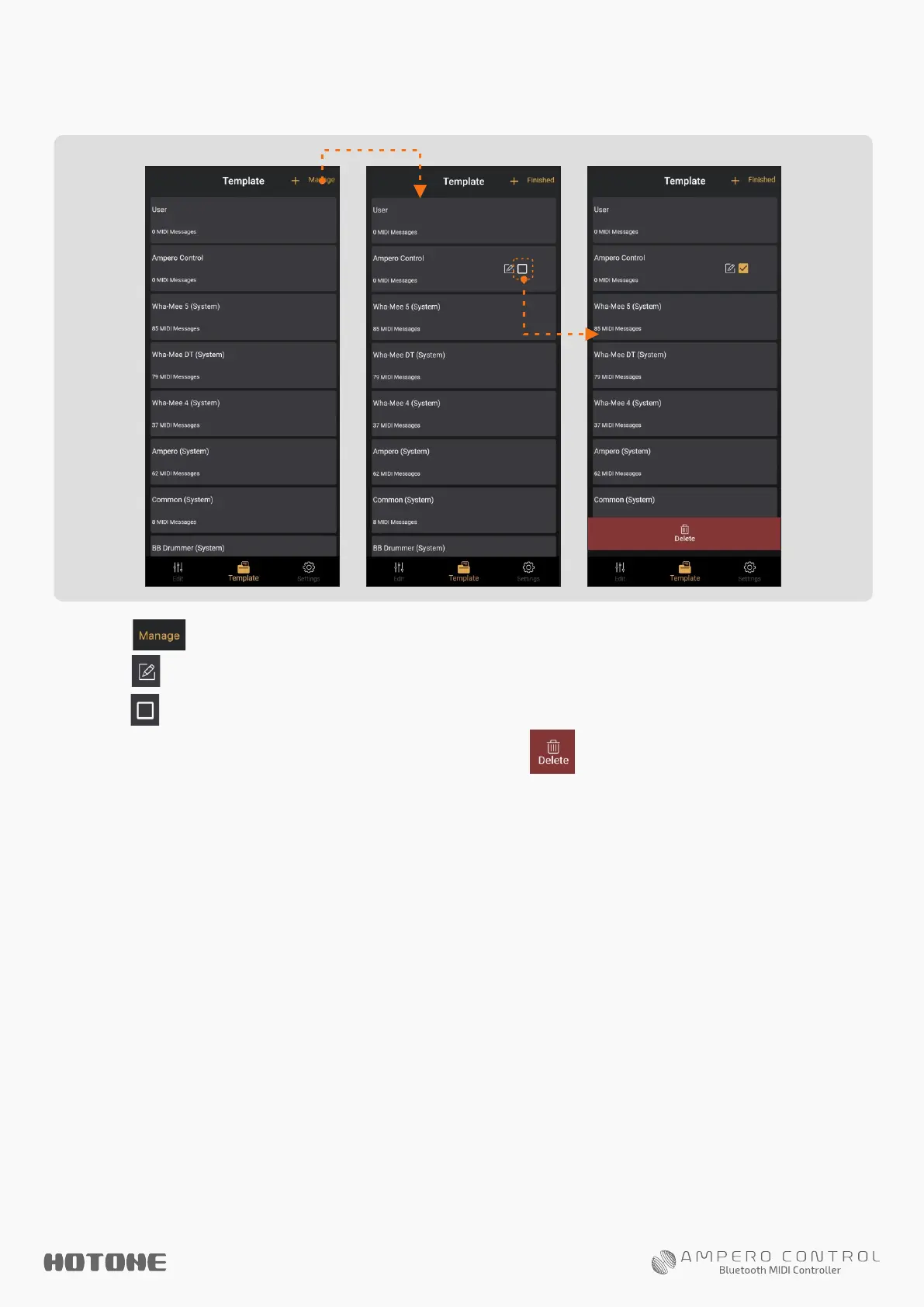
1. Tap to manage current template groups.
2. Tap to edit group info (see above).
3. Tap to select the template groups you want to delete.
When finished, tap the Delete button on the bottom of the
screen.
Notes:
1. System group cannot be deleted.
2. If you delete a template group, all messages in this group will also be deleted.
To Manage Template Groups
Follow the instructions below:


 To Next Page