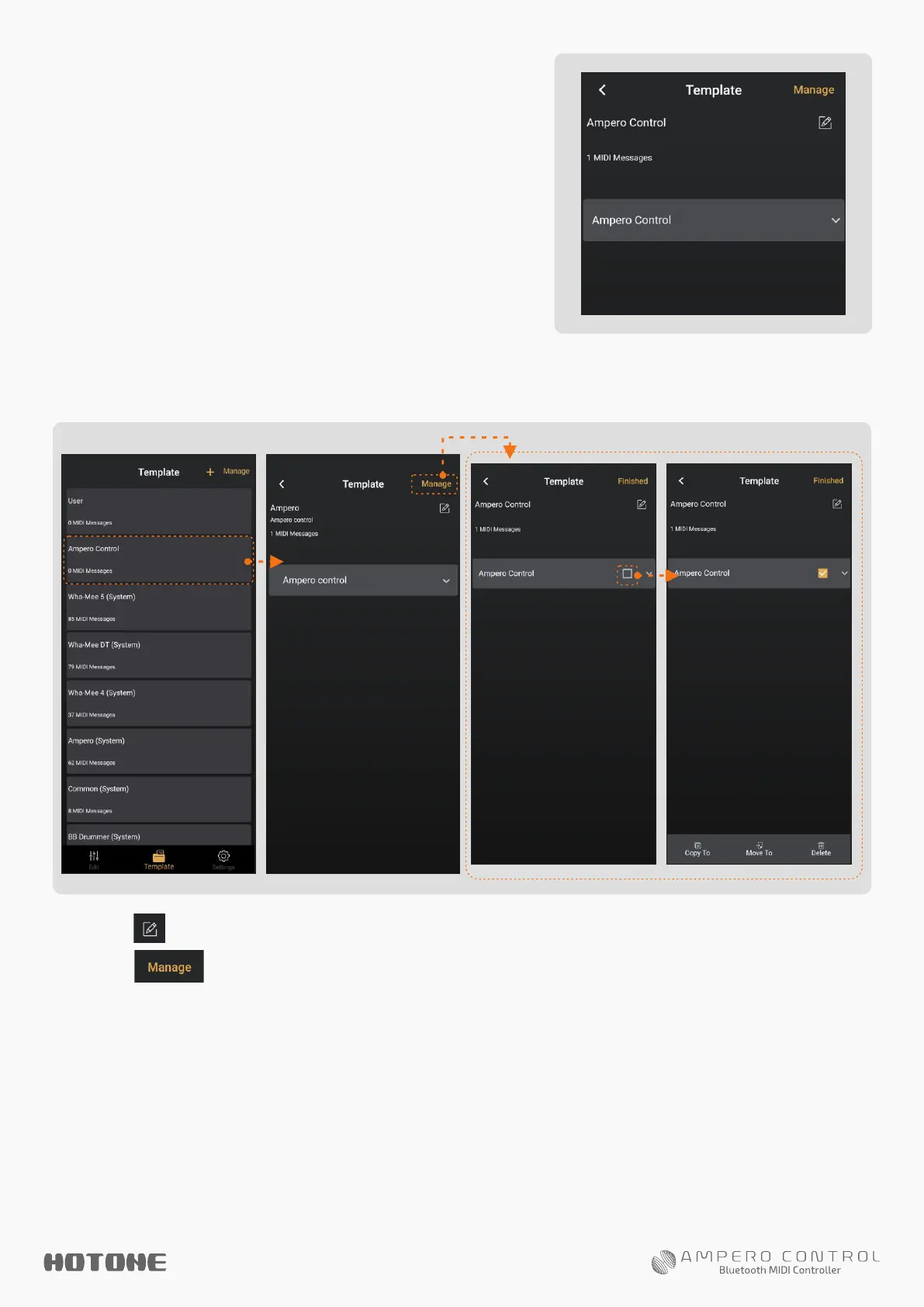
To Manage Templates In A Group
Follow the instructions:
1. Tap on a group to check the
messages in the group, as shown on
the right.
In this menu you can tap on a message to see detailed
template info:
2. Tap to edit group info (see above).
3. Tap to select and manage (copy/paste, move, delete,
etc. ) messages in the current group (see above).
Note: System messages are read only.


 To Next Page