To Load A Template
Follow the instructions below:
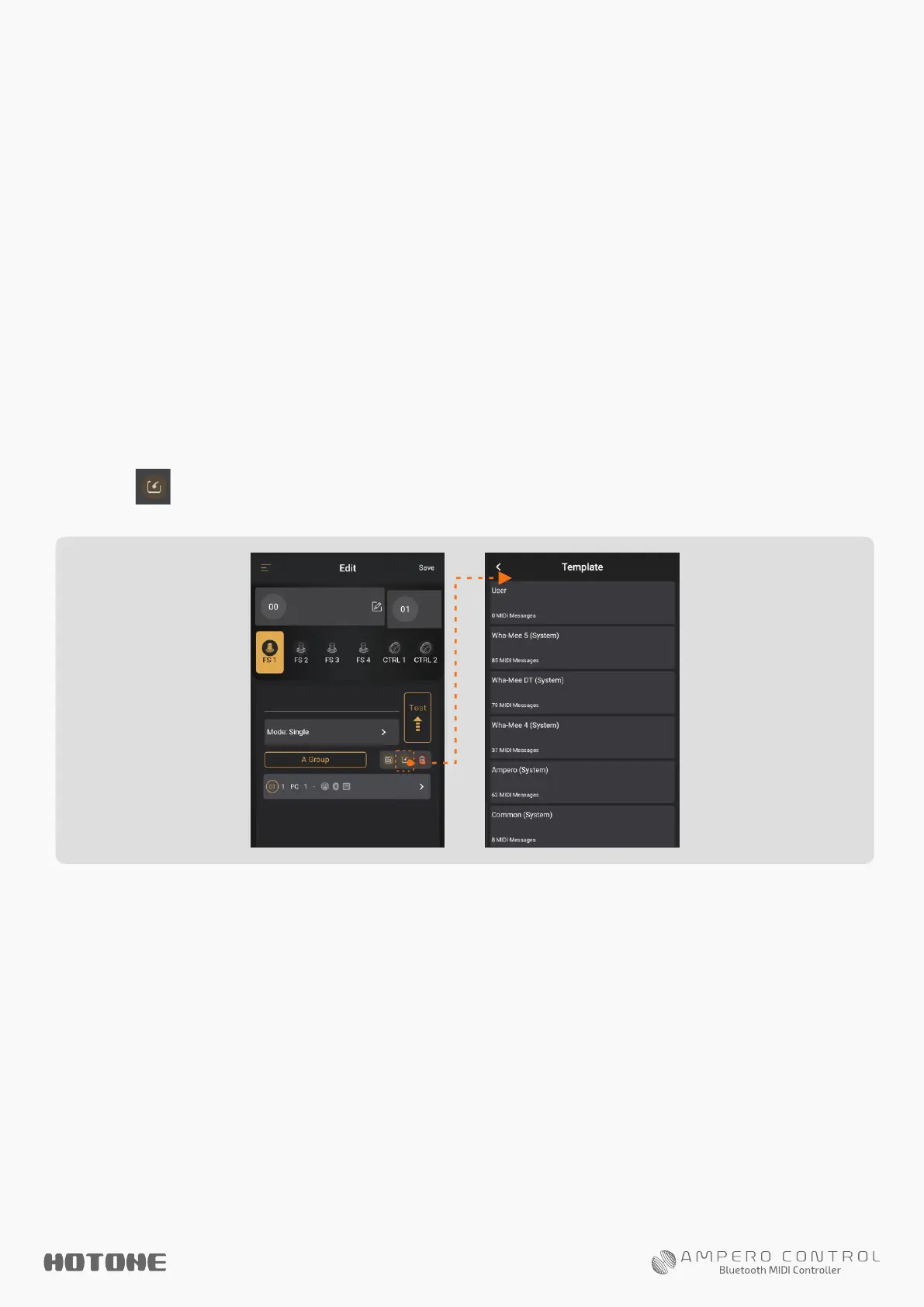
1. Select a bank and select a footswitch/external controller
(see above).
2. Tap button to open Template menu:
Note: All default MIDI channels of system MIDI templates are set to 1, since the MIDI
receive channel of most devices are set to 1 or Omni. If your device cannot recognize the
messages you imported, try to change the MIDI message output channel or the device’s
MIDI receive channel depending on your needs.
3. Choose a group and then choose a MIDI template to import.
You may modify them depending on your needs.
A MIDI template is a group of pre-edited MIDI message (s) that
is suitable for many popular musical gear. You can simply load
them or create your own MIDI templates.
USE MIDI TEMPLATES


 To Next Page