EasyManua.ls Logo

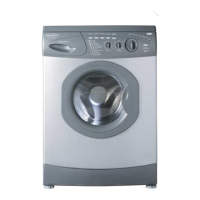
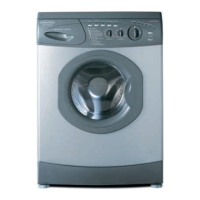
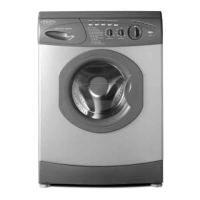
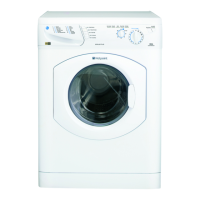
Hotpoint AQUARIUS WM64 - User Manual

Hotpoint AQUARIUS WM64
20 pages
Print Icon
To Next Page IconTo Next Page
Loading...
Congratulations
on
the
purchase
of
your
new
Aquarius
Washing
Machine.
IMPORTANT
INFORMATION
Please
read
this
instruction
book
thoroughly
before
installing
and
using
your
appliance
for
the
first
time.
Instruction
M
For
Models
WM6
1/WM62/WM6
AQUARIUS
Question and Answer IconNeed help?

Do you have a question about the Hotpoint AQUARIUS WM64 and is the answer not in the manual?

Summary

Electricity Supply

Fuses

Discusses fuse replacement, rating, and safety.

Changing the Plug

Instructions for changing the mains plug and safety warnings.

Installation Instructions

Choose a Location

Guidance on selecting a suitable location for the appliance.

Remove Transit Bracket

Procedure for removing transit brackets before use.

Connect to the Water Supply

Instructions for connecting the appliance to the water supply.

Connect to a Drainage System

How to connect the appliance to a drainage system.

Adjust the Feet

Steps to ensure the appliance is stable and level.

Choosing a Wash Programme

A Typical Wash Programme

10 Step Check List

The Dispenser Drawer

Dispensing Liquid Detergent

Cleaning

Troubleshooting

My appliance will not start

Common issues and solutions when the appliance does not start.

It will not pump out the water

Troubleshooting steps for water not draining from the appliance.

Its Leaking

Causes and solutions for appliance leaks.

It makes a noise or vibrates during a spin programme

Troubleshooting excessive noise or vibration during spin cycles.

The door will not open

Reasons why the appliance door may not open after a cycle.

Service Contact Information

Hotpoint After Sales Service

Hotpoint Guarantee

Guarantee Terms & Conditions

Defines the terms and conditions applicable to the appliance guarantee.

Key Contacts

Service Contact

Contact details for appliance service and support.

Summary

Electricity Supply

Fuses

Discusses fuse replacement, rating, and safety.

Changing the Plug

Instructions for changing the mains plug and safety warnings.

Installation Instructions

Choose a Location

Guidance on selecting a suitable location for the appliance.

Remove Transit Bracket

Procedure for removing transit brackets before use.

Connect to the Water Supply

Instructions for connecting the appliance to the water supply.

Connect to a Drainage System

How to connect the appliance to a drainage system.

Adjust the Feet

Steps to ensure the appliance is stable and level.

Choosing a Wash Programme

A Typical Wash Programme

10 Step Check List

The Dispenser Drawer

Dispensing Liquid Detergent

Cleaning

Troubleshooting

My appliance will not start

Common issues and solutions when the appliance does not start.

It will not pump out the water

Troubleshooting steps for water not draining from the appliance.

Its Leaking

Causes and solutions for appliance leaks.

It makes a noise or vibrates during a spin programme

Troubleshooting excessive noise or vibration during spin cycles.

The door will not open

Reasons why the appliance door may not open after a cycle.

Service Contact Information

Hotpoint After Sales Service

Hotpoint Guarantee

Guarantee Terms & Conditions

Defines the terms and conditions applicable to the appliance guarantee.

Key Contacts

Service Contact

Contact details for appliance service and support.

Hotpoint AQUARIUS WM64 Specifications

General IconGeneral
Load Capacity6 kg
Spin Speed1400 rpm
Energy RatingA
Dimensions (H x W x D)85 cm x 59.5 cm x 54 cm
TypeFreestanding
Load TypeFront Load
Maximum Spin Speed1400 rpm
Washing Capacity6 kg

Related product manuals