EasyManua.ls Logo

Hotpoint Aquarius WMA50 - User Manual

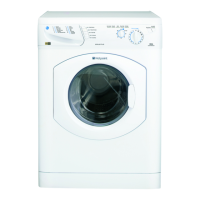
Hotpoint Aquarius WMA50
11 pages
Print Icon
To Next Page IconTo Next Page
Loading...
INSTRUCTIONS FOR INSTALLATION & USE for the AQUARIUS RANGE
WMA58,WMA56,WMA54,WMA52,WMA50,WMM59 and WMM53
Hotpoint recommends, for your own safety and to ensure you get the best possible results from your
Washing Machine, you read through this booklet and follow these steps thoroughly.
Choose a location for your washing
machine, where possible on a solid
floor, with the electrical sockets and
water supply taps easily accessible.
Allow sufficient space: 600mm width,
600m depth and 900mm height.
DO NOT install in a bath or shower
room.
Dispose of packaging material in a safe
place and remove any labels.
Please read through thoroughly to
ensure you understand each stage
before you begin.
Read the rest of these instructions to get the best from your appliance, remember to fill in your guarantee registration.
Keep this Book in a safe place for quick reference.
STEP 1 STEP 2
A wash chart is provided to help you to
select your required programme.
Examples given for the maximum
washing load weight for different fabric
types.
STEP 4
WARNING: This appliance must be earthed.
Remember you may be charged for a service call if a
problem with your washing machine is caused by
incorrect installation or misuse.
Electrical Guide Installation Guide
Programme Selector Dial
Read through this section to familiarise
yourself with the different
compartments within the dispenser
drawer.
STEP 3
Dispenser Drawer
NOTE: Always follow manufacturer’s dosage
recommendations.
All available optional wash features are
explained within this section - These
allow you to adjust your selected wash
programme to suit your needs.
STEP 6
Options Guide
How to start your selected programme
and how to stop or change the
programme if so required.
STEP 5
Using your Machine
NOTE: Progress indicator lights show what stage in
the programme cycle has been reached.
Hotpoint recommend the Persil range of
detergent products.
STEP 8
Troubleshooting
A picture guide provides a clear
explanation how to set a wash
programme.
DO NOT overload the washing machine.
STEP 7
A Typical Wash Programme
NOTE: Hotpoint recommend, on completion of
your programme,that you switch off both the
electricity and water supply to the appliance.
Please refer to the Troubleshooting
section if you have any problems when
using your washing machine.
There may be nothing wrong!
NOTE: In addition to the temperature of the
incoming water, the selection of optional wash
features will affect the programme times.
READ BEFORE
CONTACTING
SERVICE!
Question and Answer IconNeed help?

Do you have a question about the Hotpoint Aquarius WMA50 and is the answer not in the manual?

Summary

Electricity Supply and Safety

Fuse Replacement and Plug Safety

Guidance on replacing fuses and ensuring plug safety for electrical connection.

Mains Lead Replacement

Instructions and advice for replacing a damaged mains lead.

Washing Machine Installation Guide

Transit Fixing Removal

Instructions for removing transit fixings to prevent machine damage.

Water Supply Connection

Steps for correctly connecting the machine to the water supply.

Drainage System Setup

Guidance on setting up the drainage hose for effective water removal.

Levelling the Machine

Instructions on adjusting feet to ensure the machine is firm and level.

Power Supply Connection

Details on connecting the machine to an accessible electrical socket.

Initial Machine Run

Procedure for running the machine for the first time without laundry.

Dispenser Drawer Familiarisation

Detergent and Conditioner Loading

Guidance on loading powder, liquid detergent, and fabric conditioner.

Pre-wash Programme Dispenser Use

Specific instructions for using the dispenser with pre-wash programmes.

Programme Selector Dial

Programme Selection and Load Weights

Explanation of programmes, temperatures, and maximum wash load weights.

Using Your Washing Machine

Starting and Stopping Programmes

How to start, stop, or change a programme during operation.

Progress and Door Indicator Lights

Understanding the meaning of progress and door locked indicator lights.

Washing Machine Options Guide

Wash Options: Reduce Creases, Mini Load, Extra Rinse

Details on using options to reduce creases, wash small loads, or add an extra rinse.

Time Saving and Rinse Hold Options

Information on programme time saving and rinse hold features.

Variable Spin Speed and Temperature Controls

Using controls to adjust spin speed and wash temperature.

A Typical Wash Programme

Step-by-Step Wash Programme Execution

A guide to performing a typical wash programme from start to finish.

Automatic Load Balancing and Half Load Features

Explanation of auto half load and unbalanced load warning features.

Troubleshooting and Support

Washcare Tips and Common Issues

Advice on laundry care and common operational problems.

Troubleshooting Specific Problems

Detailed solutions for various machine malfunctions.

Indicator Light Meanings

Interpretation of indicator lights for troubleshooting.

Contacting Service and Support

Information on how to contact Hotpoint service for assistance.

Getting to Know Your Appliance

Exterior and Interior Cleaning

Guidelines for cleaning the appliance's exterior surfaces and door bowl.

Dispenser Drawer Cleaning and Maintenance

Instructions for regular cleaning of the dispenser drawer and its components.

Key Contacts for Service and Parts

Contact details for repair service, parts, and accessories.

Hotpoint Guarantee and After Sales Service

Satisfaction Guarantee and Warranty Terms

Details of the satisfaction guarantee and general warranty conditions.

Recycling and Disposal Information

Information on responsible disposal of packaging and old appliances.

After Sales Service Options

Overview of available after sales service options like repairs and cover plans.

Genuine Parts, Accessories and Extended Warranties

Information on purchasing genuine parts, accessories, and extended warranties.

Summary

Electricity Supply and Safety

Fuse Replacement and Plug Safety

Guidance on replacing fuses and ensuring plug safety for electrical connection.

Mains Lead Replacement

Instructions and advice for replacing a damaged mains lead.

Washing Machine Installation Guide

Transit Fixing Removal

Instructions for removing transit fixings to prevent machine damage.

Water Supply Connection

Steps for correctly connecting the machine to the water supply.

Drainage System Setup

Guidance on setting up the drainage hose for effective water removal.

Levelling the Machine

Instructions on adjusting feet to ensure the machine is firm and level.

Power Supply Connection

Details on connecting the machine to an accessible electrical socket.

Initial Machine Run

Procedure for running the machine for the first time without laundry.

Dispenser Drawer Familiarisation

Detergent and Conditioner Loading

Guidance on loading powder, liquid detergent, and fabric conditioner.

Pre-wash Programme Dispenser Use

Specific instructions for using the dispenser with pre-wash programmes.

Programme Selector Dial

Programme Selection and Load Weights

Explanation of programmes, temperatures, and maximum wash load weights.

Using Your Washing Machine

Starting and Stopping Programmes

How to start, stop, or change a programme during operation.

Progress and Door Indicator Lights

Understanding the meaning of progress and door locked indicator lights.

Washing Machine Options Guide

Wash Options: Reduce Creases, Mini Load, Extra Rinse

Details on using options to reduce creases, wash small loads, or add an extra rinse.

Time Saving and Rinse Hold Options

Information on programme time saving and rinse hold features.

Variable Spin Speed and Temperature Controls

Using controls to adjust spin speed and wash temperature.

A Typical Wash Programme

Step-by-Step Wash Programme Execution

A guide to performing a typical wash programme from start to finish.

Automatic Load Balancing and Half Load Features

Explanation of auto half load and unbalanced load warning features.

Troubleshooting and Support

Washcare Tips and Common Issues

Advice on laundry care and common operational problems.

Troubleshooting Specific Problems

Detailed solutions for various machine malfunctions.

Indicator Light Meanings

Interpretation of indicator lights for troubleshooting.

Contacting Service and Support

Information on how to contact Hotpoint service for assistance.

Getting to Know Your Appliance

Exterior and Interior Cleaning

Guidelines for cleaning the appliance's exterior surfaces and door bowl.

Dispenser Drawer Cleaning and Maintenance

Instructions for regular cleaning of the dispenser drawer and its components.

Key Contacts for Service and Parts

Contact details for repair service, parts, and accessories.

Hotpoint Guarantee and After Sales Service

Satisfaction Guarantee and Warranty Terms

Details of the satisfaction guarantee and general warranty conditions.

Recycling and Disposal Information

Information on responsible disposal of packaging and old appliances.

After Sales Service Options

Overview of available after sales service options like repairs and cover plans.

Genuine Parts, Accessories and Extended Warranties

Information on purchasing genuine parts, accessories, and extended warranties.

Hotpoint Aquarius WMA50 Specifications

General IconGeneral
Load Capacity5 kg
Energy Efficiency ClassA
Programs15
Weight65 kg
Dimensions (HxWxD)850 x 595 x 530 mm

Related product manuals