EasyManua.ls Logo

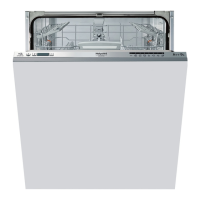
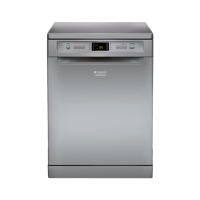
Hotpoint LTF 8M121 - User Manual

Hotpoint LTF 8M121
20 pages
Print Icon
To Next Page IconTo Next Page
Loading...
English, 1
GB
LTF 8M121
Contents
Product Fiche, 2
Precautions and safety advice, 3-4
General safety
Disposal of old electrical appliances
Saving energy and respecting the environment
Recycling & Disposal Information
Installation, 5-6-7
Positioning and levelling
Connecting the electricity and water supplies
Technical data
Switching the appliance on for the first time
Advice regarding the first wash cycle
Description of the appliance, 8
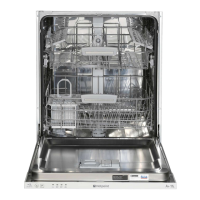
Overall view
Control panel
Loading the racks, 9-10
Lower rack
Upper rack
Adjusting the upper rack
Unsuitable crockery
Damage to glass and crockery
Start-up and use, 11
Starting the dishwasher
Measuring out the detergent
Wash cycles, 12
Table of wash cycles
Special wash cycles and options, 13
Rinse aid and refined salt, 14
Measuring out the rinse aid
Measuring out the refined salt
Care and maintenance, 15
Cutting off the water and electricity supplies
Cleaning the dishwasher
Preventing unpleasant odours
Cleaning the sprayer arms
Cleaning the water inlet filter
Cleaning the filters
Leaving the machine unused for extended periods
Troubleshooting, 16
After-Sales Service, 17
Guarantee, 18
Instructions for use
DISHWASHER


Questions and Answers

  • C
    Carol MossAug 15, 2025
    How to fix a Hotpoint LTF 8M121 Dishwasher that does not start?
    • M
      matthewmillerAug 15, 2025
      If your Hotpoint dishwasher won't start or respond to controls, ensure the water supply tap is open. Try turning the appliance off and on again after a minute, then reset the wash cycle. Also, verify the dishwasher is properly plugged in and the door is fully closed.
  • S
    Stanley MeadowsAug 18, 2025
    What to do if no water drain out of Hotpoint LTF 8M121?
    • J
      Jacqueline MeyerAug 19, 2025
      If your Hotpoint dishwasher isn't draining water, it could be due to several reasons. First, ensure the wash cycle has completed. Check the water drain hose for any bends. Also, inspect the drain duct and filter for clogs from food residues. Finally, verify the drain hose height.
  • B
    Benjamin HicksAug 21, 2025
    Why won’t my Hotpoint LTF 8M121 Dishwasher load water and it is blocked with flashing lights?
    • M
      Mark GatesAug 22, 2025
      If your Hotpoint dishwasher won't load water and shows flashing lights, check if there's water in the mains supply and the tap is open. Inspect the water inlet hose for bends. Clean any clogged filters and the drain duct. After checking and cleaning, restart the dishwasher. If the issue continues, turn off the water tap, remove the plug.
  • M
    Matthew DayAug 26, 2025
    Why are the dishes not clean after washing in my Hotpoint LTF 8M121?
    • D
      Daniel TaylorAug 26, 2025
      If your dishes aren't clean after a cycle in your Hotpoint dishwasher, ensure the crockery is arranged properly and the spray arms can rotate freely. Select an appropriate wash cycle. Verify you're using the correct amount and type of detergent, and that the rinse aid compartment lid is closed correctly. Check and clean the filter and spray arm holes if they're dirty or clogged. Ensure the refined salt level is adequate and the height of the dishes is compatible with the rack adjustment.
  • C
    candiceriveraAug 28, 2025
    What to do if Hotpoint Dishwasher door won’t close?
    • P
      Paige SmithAug 29, 2025
      If the door of your Hotpoint dishwasher won't close, make sure the racks are fully inserted. Also, ensure the lock is released by pushing the door firmly until you hear a 'clacking' noise.
  • S
    Stephanie CarterAug 31, 2025
    Why is crockery not drying properly in my Hotpoint LTF 8M121?
    • S
      Stephanie HuberSep 1, 2025
      If your crockery isn't drying properly in your Hotpoint dishwasher, it might be because you selected a wash cycle without a drying program. Also, check if the rinse aid has been used up or the rinse aid dispenser setting isn't suitable. Note that water drops are normal on non-stick or plastic crockery.
  • B
    bsmithSep 4, 2025
    Why are the dishes and glasses covered in a white film in my Hotpoint Dishwasher?
    • A
      Alexandria MorganSep 4, 2025
      If your dishes and glasses are covered in a white film or limescale deposits after washing in your Hotpoint dishwasher, ensure the dishwasher has refined salt and the water hardness setting is correct. Also, check that the salt and rinse-aid dispenser caps are properly closed, and ensure that the rinse aid hasn't run out or the dosage isn't too low.
  • J
    Justin ChavezSep 7, 2025
    Why is my Hotpoint LTF 8M121 Dishwasher making excessive noise?
    • P
      pamelalewisSep 7, 2025
      If your Hotpoint dishwasher is making excessive noise, ensure dishes aren't rattling against each other or the spray arms. Make sure the spray arms can rotate freely. Also, check that you're using the correct amount and type of detergent for dishwashers, and avoid pre-washing dishes by hand, as too much foam can cause noise.
  • K
    karla40Sep 12, 2025
    Why do dishes and glasses have a bluish tinge in my Hotpoint LTF 8M121 Dishwasher?
    • C
      crawfordpaulSep 12, 2025
      If your dishes and glasses have streaks or a bluish tinge after being washed in your Hotpoint dishwasher, it might be because the rinse aid dosage is too high.

Hotpoint LTF 8M121 Specifications

General IconGeneral
TypeFreestanding
Appliance placementFreestanding
Outlet hose length1.5 m
Delayed start timerYes
AquaStop functionYes
Water consumption per cycle9.5 L
Current10 A
Drying Efficiency ClassA
Delay StartYes
Washing programsEco, Intensive, Normal, Rapid
Delay start (max)24 hours
Width45 cm
Height85 cm

Related product manuals